
Web-based document capture softwarePaper in. Clean, checked data out.
Scan, read, check and export in your browser. DocView Capture reads print, handwriting, tick boxes and barcodes, and your people only see what needs them.
Free for 14 days in your own workspace. No installation, no credit card.
- In your browserSetup, scanning, keying and administration
- OCR, ICR, OMRPrint, handwriting, tick boxes and barcodes
- 72 setupsReady-made templates to start from
- Your choiceHosted by us, on your servers or in your cloud
From the post room to your ERP
Describe a kind of work once. DocView Capture then handles the documents, and every value that is found and valid goes straight through.
Capture
Scan from any TWAIN or WIA scanner, or collect from folders, mailboxes, cloud storage, databases or the API.
Clean up
Pages are straightened and cleaned. Blank, skewed, blurred or dark pages are flagged.
Read and sort
Print, handwriting, tick boxes and barcodes are read. Stacks split into documents and each one is classified.
Validate
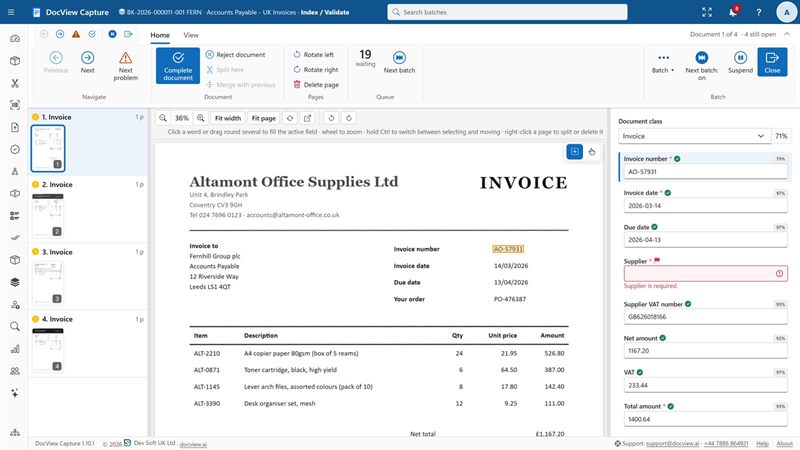
Finders pick out values and match master data. Rules check totals, VAT numbers, IBANs and duplicates.
Confirm
Operators see only uncertain or invalid values, next to the page.
Deliver
Searchable PDF, PDF/A or TIFF plus XML, CSV or JSON, with a full audit trail.
Made for the documents you actually receive
Clean printed invoices, hand-filled forms and damaged barcodes all go through the same workflow.
Printed text
Built-in OCR in 50 languages, running on your own hardware by default.
Handwriting
Hand printing in boxes and handwriting in zones, with clean-up profiles for difficult forms.
Tick boxes and signatures
Picks the clearest tick and flags unclear ones to an operator. Reads signature boxes too.
Barcodes and patch codes
Every common 1D and 2D code at any angle, to separate, identify or index documents.
Validation
VAT, IBAN and other check digits, totals, duplicates, database lookups and your own rules.
Delivery
Ready-made destinations for folders, databases, cloud drives and business systems.
Start from one of 72 ready-made setups
A Batch Setup holds everything about one kind of work: workflow, image clean-up, how pages become documents, the data to find, how to check it and where to send it.
- 28 industry setups and 44 setups that show each feature with sample documents
- Filter the gallery by industry, region and feature
- Edit a draft and release it. Batches in progress keep their version
- Or describe what you need and let the assistant propose a draft for you to review
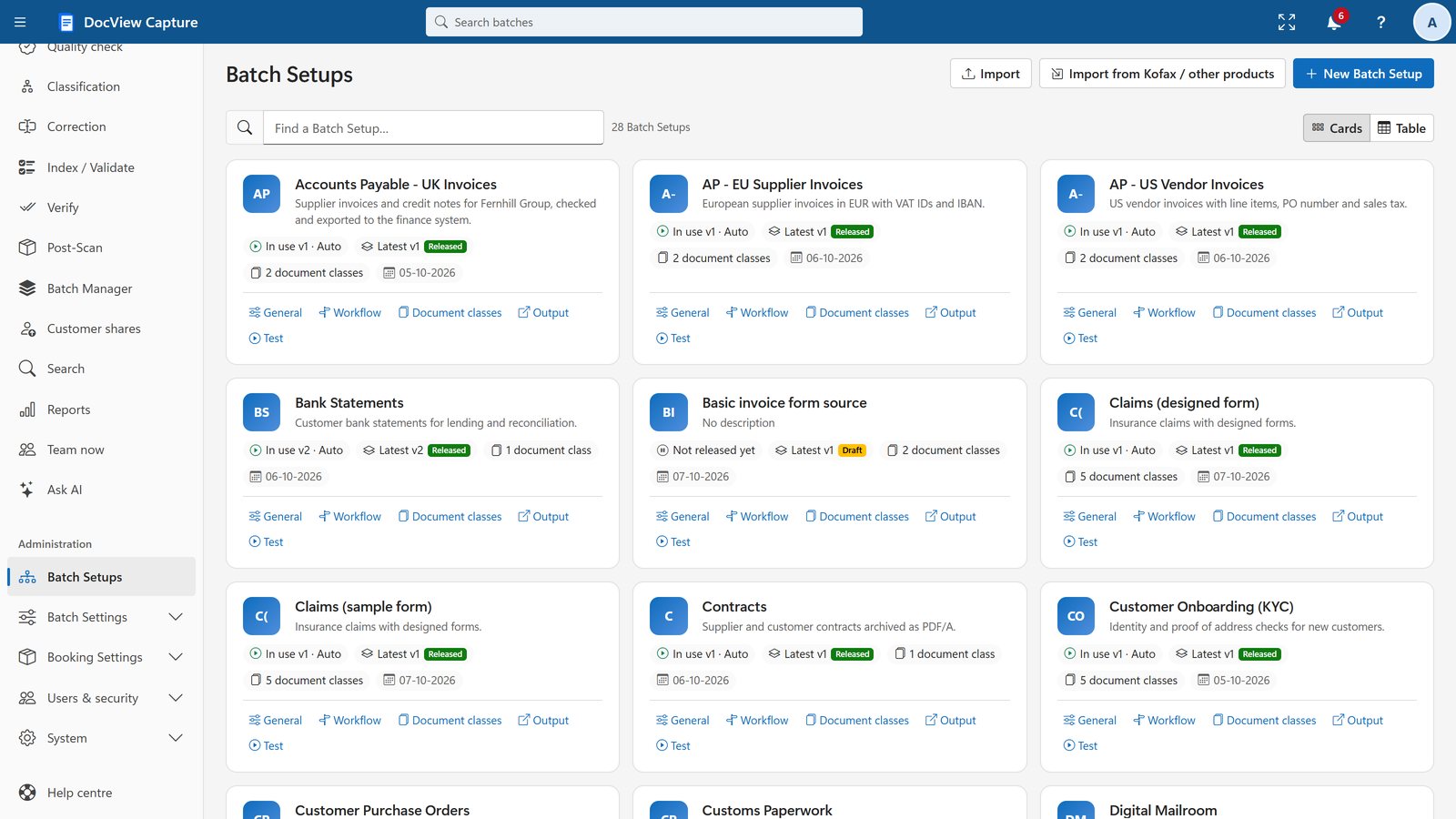
Every screen runs in the browser
Sample data shown throughout. Select a screen, or click an image to see it full size.
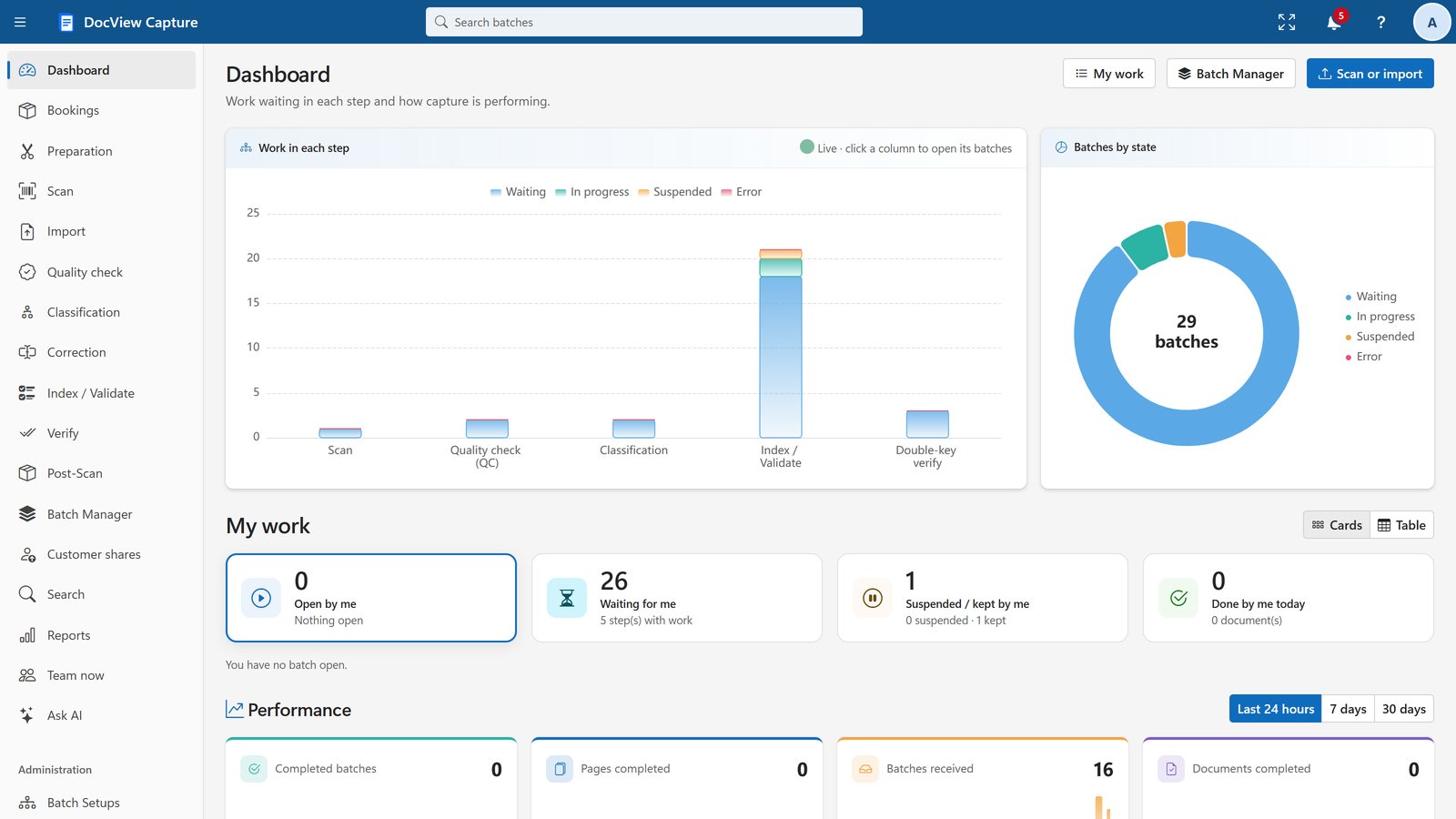
See where the work is
Work waiting in each step, batches by state and performance, with click-through to the batches behind every chart.
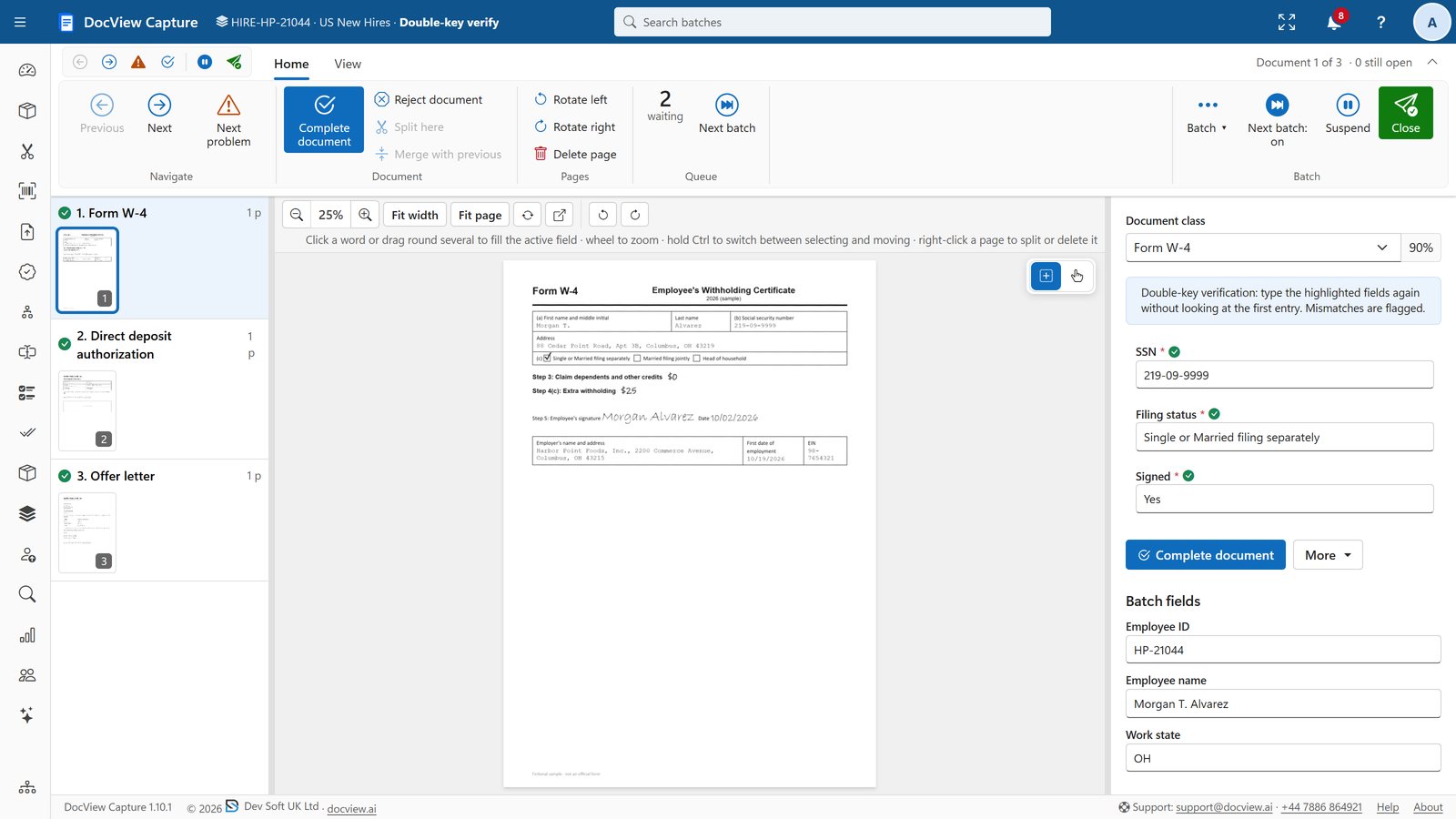
Second-person checks
A second operator re-keys chosen fields without seeing the first answer. Mismatches are flagged for review.
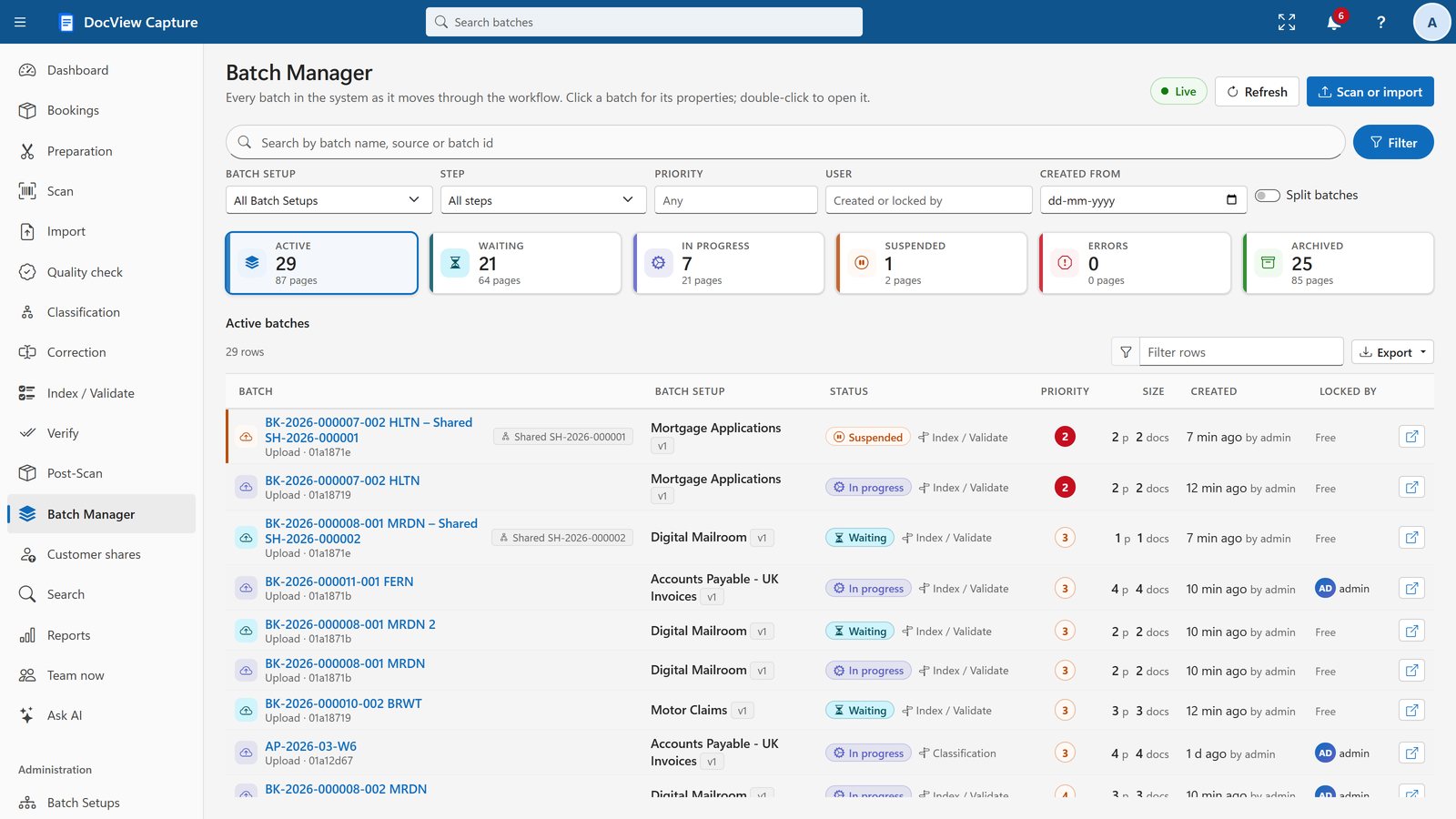
Every batch at a glance
Filter, search, change priority, reroute or unlock, with each batch's documents, fields and history alongside.
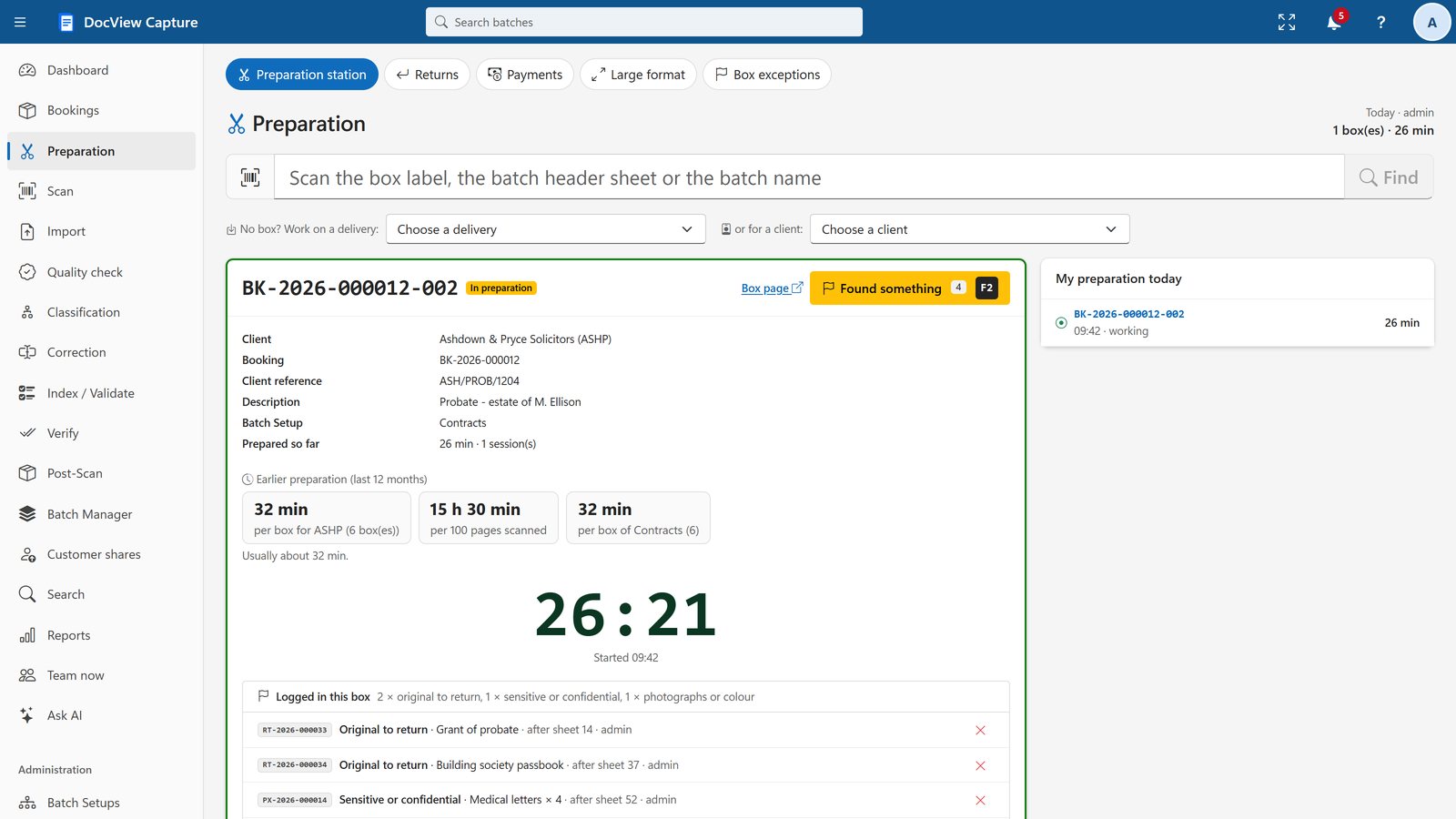
A preparation station for every box
Scan the box label and start the timer. Log originals, payments and exceptions without losing your place.
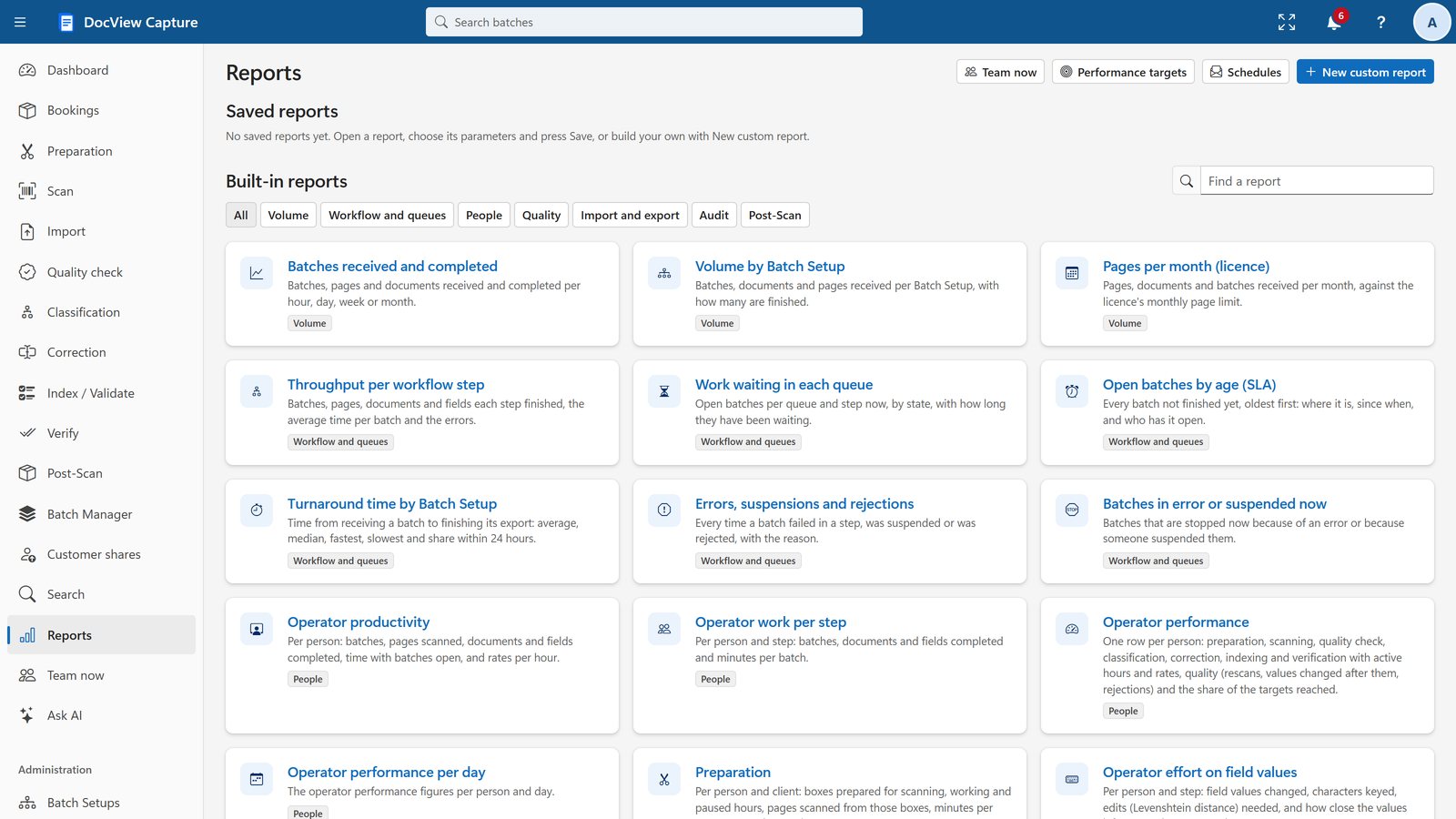
37 ready-made reports
Volumes, workflow, people, quality and invoicing, plus a report builder, with Excel, CSV and PDF downloads and scheduled e-mail.
Ready for your industry
Setups and validation designed for the UK, Europe and the USA.
The controls larger organisations ask for
Run it where your documents are allowed to be, with one Setup program.
Single sign-on
Microsoft Entra ID, Google, Apple, any OpenID Connect provider, and Windows / Active Directory.
Role-based access
Permissions per module, operation and Batch Setup, with session control, sign-in history and IP rules.
Audit and four-eyes checks
A full audit trail of every action and field change, with four-eyes rules and double-key verification.
Your data, your location
Hosted by us, or on your servers, Docker, Azure, AWS or Google Cloud. Recognition stays on your hardware by default.
Run the whole job, from delivery van to destruction certificate
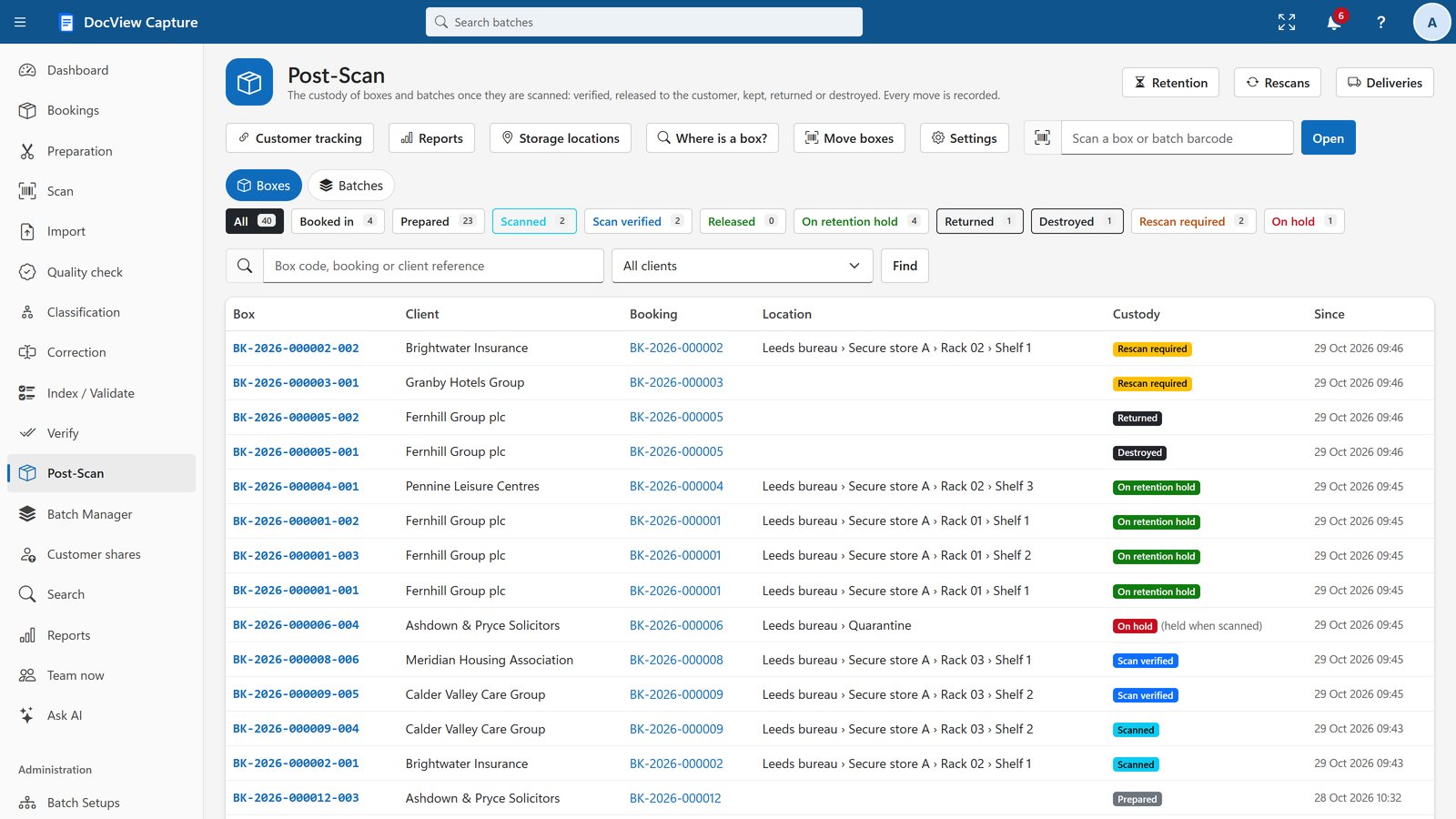
Book in deliveries by scanning, time preparation per box, log originals and payments, track custody and storage, give customers a tracking link, and report for invoicing.
Simple pricing, with time to try it first
DocView Capture
From $250 /month
Software licence, on-premises or in your own cloud. 30-day free trial.
- All 72 ready-made setups
- Built-in recognition engine included
- Hosting by us is quoted separately
Enterprise and bureau
Quoted for you
For high volumes, several organisations or departments, and scanning bureaus.
- Hosting on your requirements and volumes
- Bookings, custody and retention
- Kofax / Tungsten Capture migration and setup services
Before you ask
What is DocView Capture?
Web-based document capture software from Dev Soft UK Ltd. It scans or imports documents, cleans up the images, reads them, separates and classifies them, extracts and validates data, and exports searchable PDFs plus XML, CSV or JSON to your systems.
Do my documents leave my network?
Not unless you choose. Recognition runs on your own servers by default. Cloud OCR and AI services are off until an administrator switches a provider on with your organisation's own key. With our hosted service, your documents are held with the cloud or service provider you choose.
Can it read handwriting and tick boxes?
Yes. DocView reads hand printing in boxes and handwriting in zones, tick boxes (choosing the clearest tick and flagging unclear ones to an operator) and signature boxes.
Which scanners are supported?
Scanners with a TWAIN or WIA driver on Windows. The small DocView Scan Agent connects them to the browser, and operators install it themselves without administrator rights.
Do I need a graphics card for the AI features?
No. The built-in recognition engine runs on ordinary processors (CPU only).
Can I try it?
Yes. Start a free 14-day demo in your own workspace, with no installation and no credit card, or install it and use the 30-day evaluation.
See it with your own eyes
Start a 14-day demo in your own private workspace, with sample Batch Setups ready to run. No installation, no credit card.