
Handwriting recognition (ICR) and OMRRead handwritten forms and tick boxes on your own servers
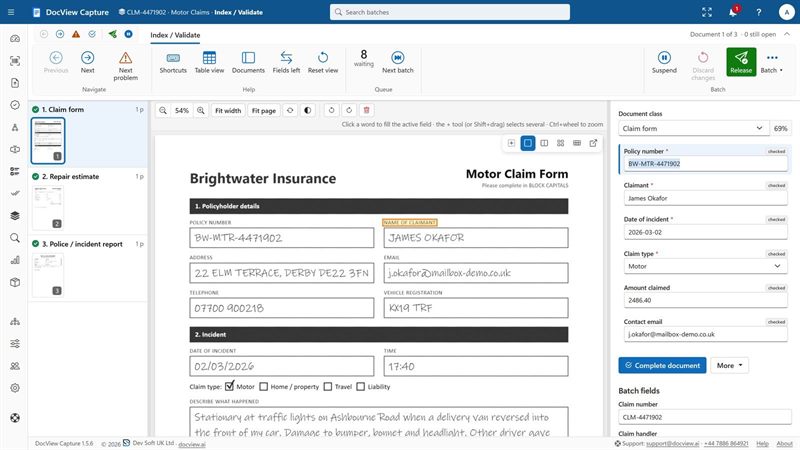
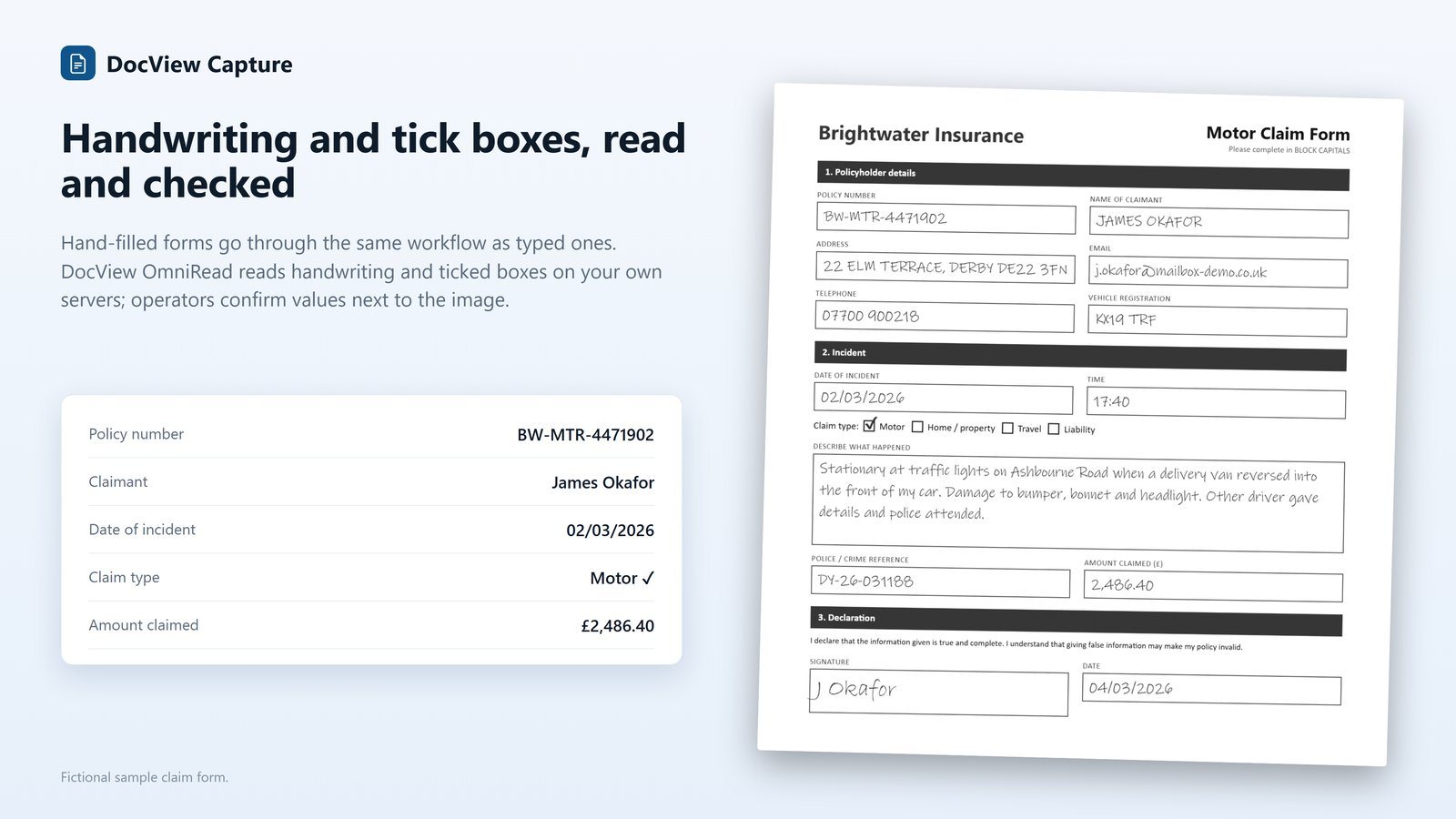
DocView reads hand printing in boxes, handwriting in zones, tick boxes and signature boxes. Anything unclear goes to an operator, with the page beside them.
Built for real forms
Forms arrive shifted, turned and scanned at different sizes. DocView is set up for that.
Handwriting (ICR)
Read handwriting in zones or across the page. An optional second reading by the vision model can help with unsure zones. The more confident reading is kept, and the engine that answered is recorded.
Hand printing in comb boxes
Drop-out clean-up, single-line reading, character sets and one letter per box, including removal of bold printed character boxes while keeping the letters.
Tick boxes (OMR)
Groups of tick boxes with the clearest tick chosen. Several equal ticks, faint marks and empty groups go to an operator with low confidence.
Signature boxes
Find out whether a box is signed or not, with the share of ink recorded.
Advanced form zones
Many zones at once, with page registration by anchor words to allow for shift, turn and scale, plus character sets and patterns per zone.
Clean-up profiles
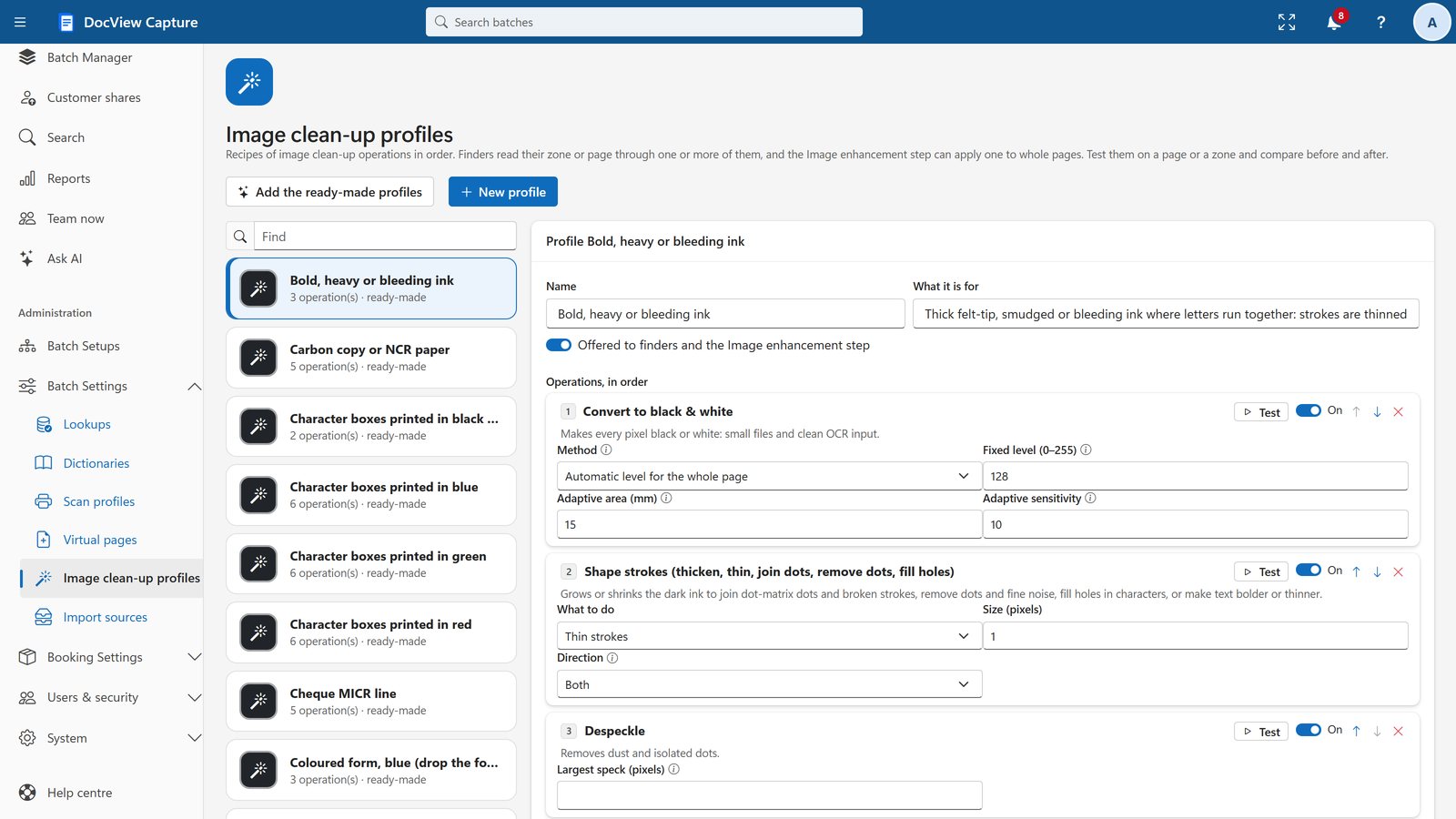
Ready-made recipes for character boxes, comb fields, coloured forms, faint text, pencil, heavy ink and carbon copies, with a before-and-after test.
No graphics card, no cloud service
Handwriting is read by DocView's own recognition engine. It runs on ordinary processors on your own servers, so forms containing personal information do not need to leave your network.
Cloud services can be switched on if you want them, one provider at a time, with your own keys.
Confidence you can see, checks you can require
Every value carries its confidence. Low-confidence and invalid values are flagged, and selecting a field highlights where it was read.
- Correction one field at a time, with a clip of the page
- Correction at random for data protection, showing only the value's clip
- Double-key verification by a second person
- Validation rules and check digits on every value
Handwriting recognition questions
What is the difference between OCR, ICR and OMR?
OCR reads printed text. ICR reads handwriting and hand printing. OMR reads marks such as tick boxes. DocView Capture handles all three, plus barcodes, in one workflow.
Can it read handwriting without a GPU?
Yes. The built-in recognition engine runs on ordinary processors, with no graphics card and no cloud service needed.
What happens when a tick is unclear?
The clearest tick in a group is chosen. Several equal ticks, faint marks and empty groups go to an operator with low confidence.
See handwriting recognition in the demo
Your own workspace with sample Batch Setups. No installation, no credit card.