
Document archiving and back-scanning softwareTurn archive rooms into searchable records, with custody and retention
Back-scan boxes of historic paper into searchable PDF and PDF/A, track every box through an append-only chain of custody, and apply retention rules when it is time to return or destroy.
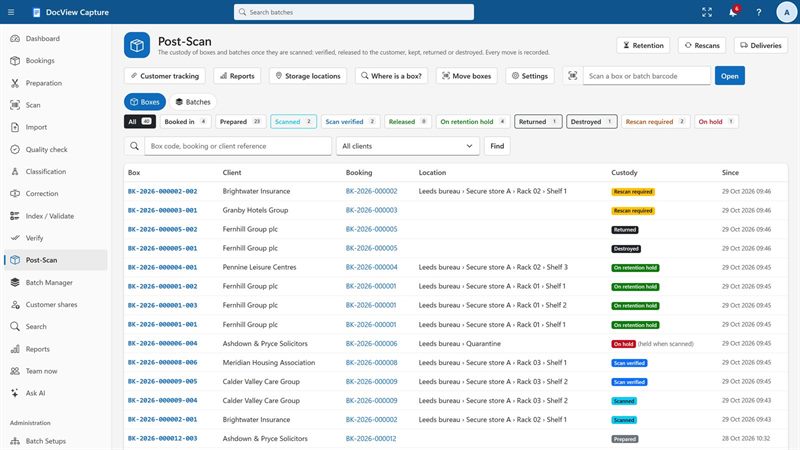
Paper that is costly to keep and slow to find
Years of files sit in offsite storage or a basement. Retrieving one box takes a request and a wait, nobody is sure what is in it, and when the retention period ends there is no tidy record of what was destroyed and who agreed.
From the box to the shelf, one step at a time
Book in
Receive a delivery by scanning each parcel's barcode or QR code. Add untracked items by count.
Prepare
A preparation station times the work, logs originals to return and exceptions such as damaged or sensitive items.
Scan and clean
Image clean-up profiles handle faint, skewed or shaded paper. Slip sheets stand in for oversize documents.
Check
Expected sheets are reconciled against scanned images, with random quality sampling against a checklist.
Release and store
Deliver searchable PDF or PDF/A and data files, and place boxes by site, zone, rack and shelf.
Retain, then return or destroy
Due dates, customer authorisation and a numbered Certificate of Destruction.
Searchable by every word
- Searchable PDF with an invisible text layer, PDF/A, and single or multi-page TIFF
- Data files as XML, CSV or JSON, with file and folder names built from your own templates
- One search over documents, index values and page text, including archived batches
- Export to a folder, SFTP, SharePoint, M-Files, DocuWare, CMIS 1.1 document management systems and cloud storage
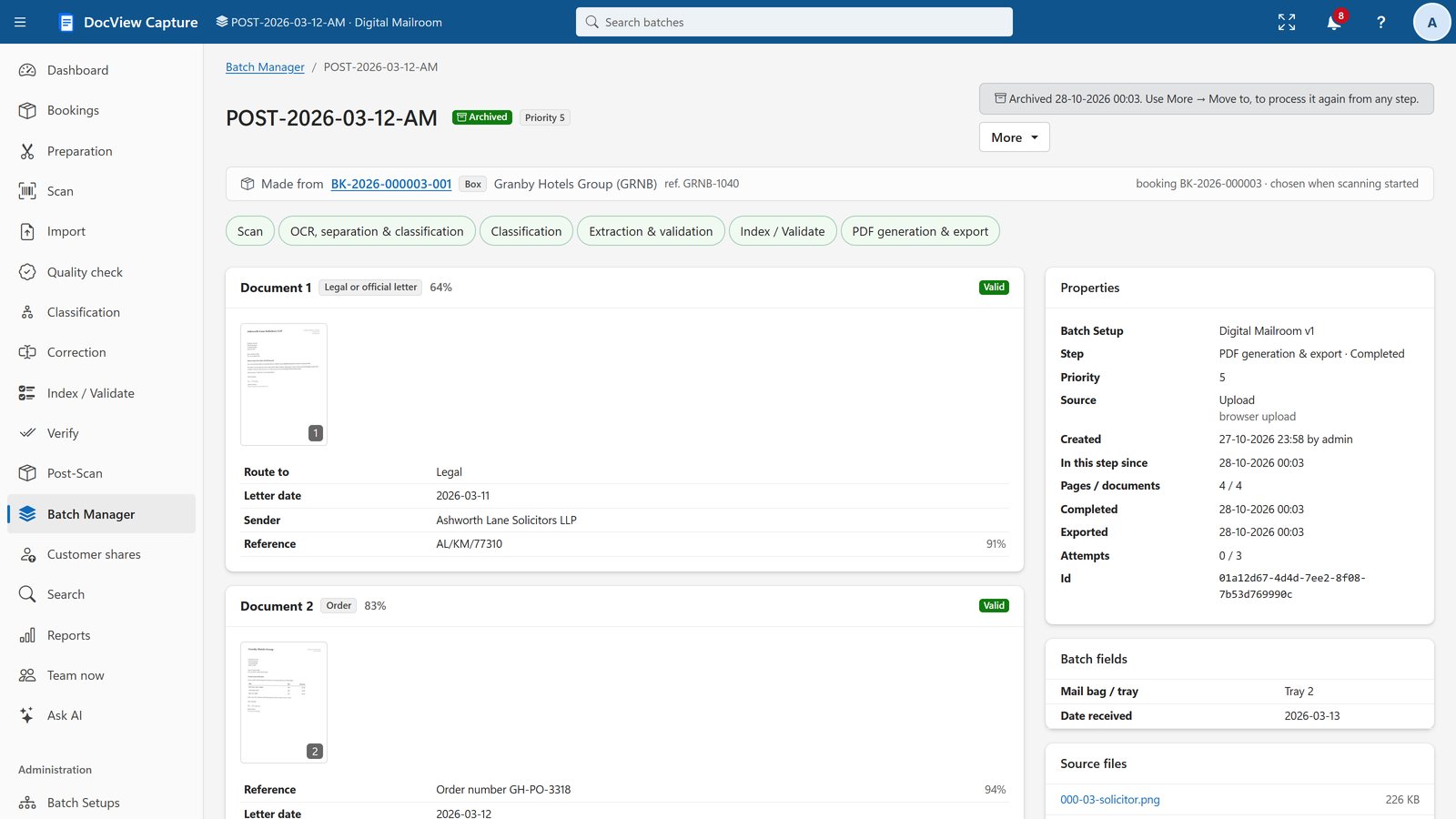
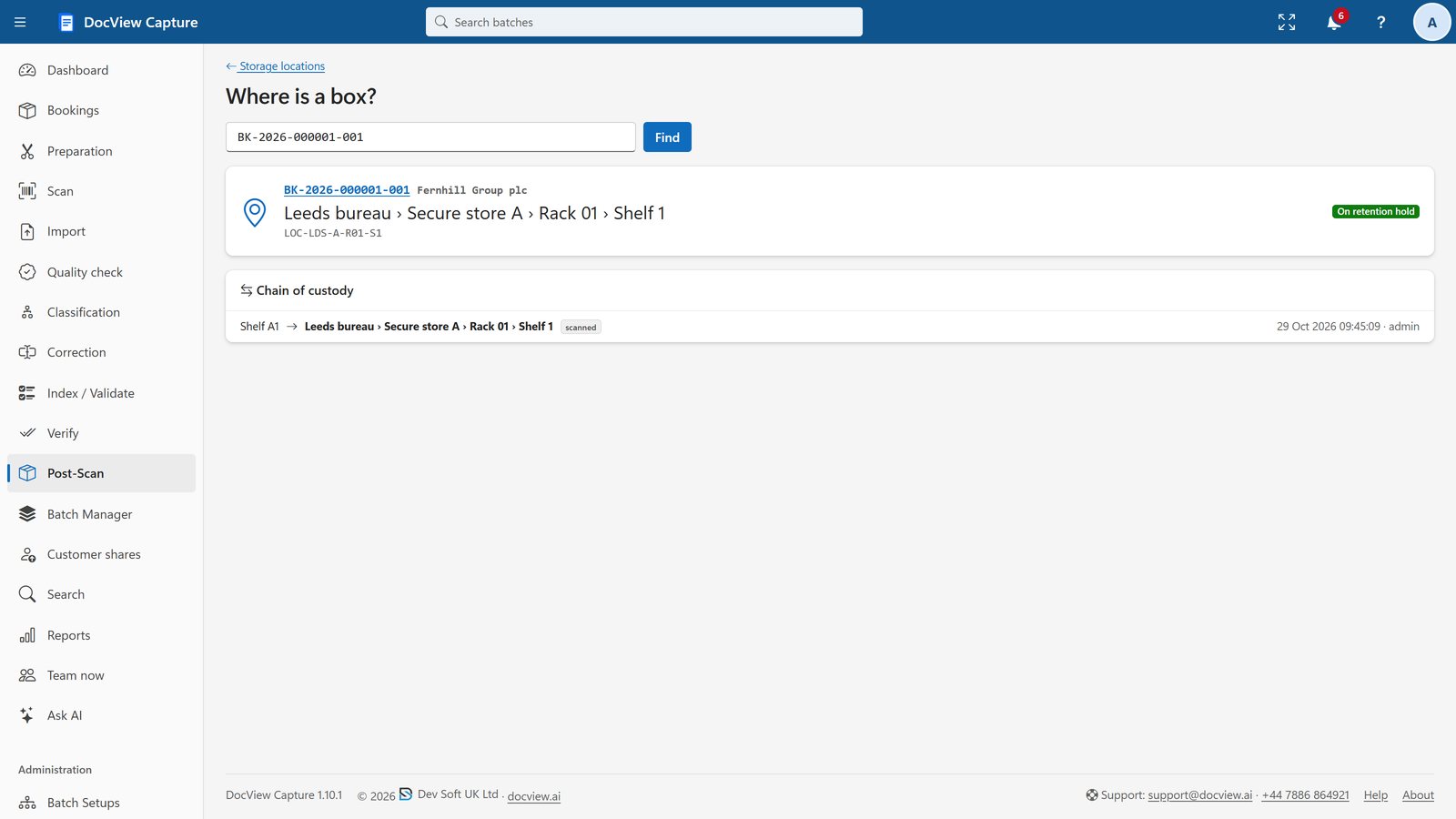
Where is box X?
Boxes move between custody states such as booked in, prepared, scanned, scan verified, released, on retention hold, returned or destroyed. Only valid moves are allowed, reasons are required and the custody history cannot be changed or deleted. Storage locations carry barcodes, and boxes are moved by scanning.
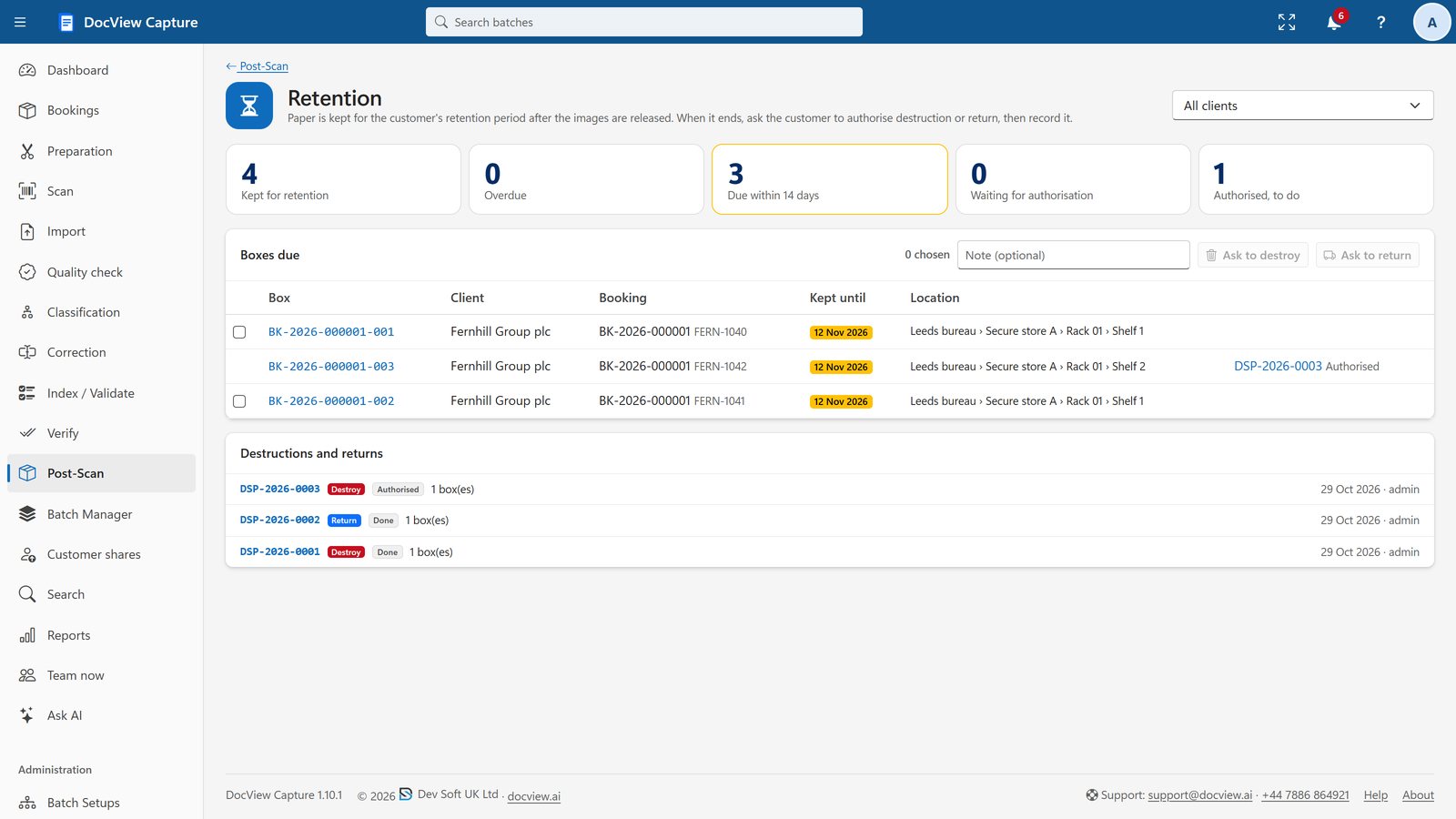
Dispose of paper with a record
Set retention days per client, see due dates on a dashboard and receive daily alerts. Record customer authorisation, then destroy with method, contractor and witness noted and a numbered Certificate of Destruction as PDF, or return the box by courier.
Archiving questions
Can DocView produce PDF/A for long-term storage?
Yes. PDF/A is one of the output options, along with searchable PDF and TIFF.
How long does DocView keep exported batches?
Archived batches are deleted after 7 days by default, and post-export image retention can be set to delete at once, after a number of days, or keep. Both settings are configurable.
Can a customer follow progress?
Yes. Customer tracking links show progress per box, with optional PIN and expiry. Downloads are off by default, and customer requests such as approving destruction are confirmed by staff.
Can we replace a poor page later?
Yes. A rescan request runs through box retrieval, rescan, verification and close, and pages are replaced in place or missing pages inserted.
Plan a back-scanning project
Try the live demo for 14 days, or talk to us about an installed evaluation for your own archive workflow.