
Bank statement processingEvery transaction read, every balance checked
Bank statement processing designed and built for you by Dev Soft UK with DocView Capture, DocView Web and DocView OmniRead. Scanned and PDF statements become a checked transactions table, ready for reconciliation, lending decisions or cash application.
A statement is a table, and tables are where keying goes wrong
Statements run over many pages, with balances carried forward, a different layout for every bank, and money in and money out in separate columns or as signed amounts. Keying them for a reconciliation or an affordability check takes time, and one transposed figure throws every later balance out.
The balance is the check
Opening balance, plus credits, minus debits, must equal the closing balance. If it does not, something was misread or a page is missing.
From statement to reconciled data
Collect
Statements arrive by scanner, upload, mailbox or watched folder, as PDF or image files.
Read the header
Bank, account number, sort code or IBAN, statement period and opening balance.
Read the transactions
Date, description, money in, money out and running balance, across every page.
Prove the balance
Totals are checked against the closing balance, and gaps are flagged.
Export
One clean line per transaction goes to your reconciliation, lending or accounting system.
What the products already do
- A ready-made bank statements setup to start from
- Table finders that read lines over several pages, with columns found by headers, printed lines or a manual layout
- Row checks, sum checks against another value, and rules that compare fields
- IBAN check digits and UK sort code formats
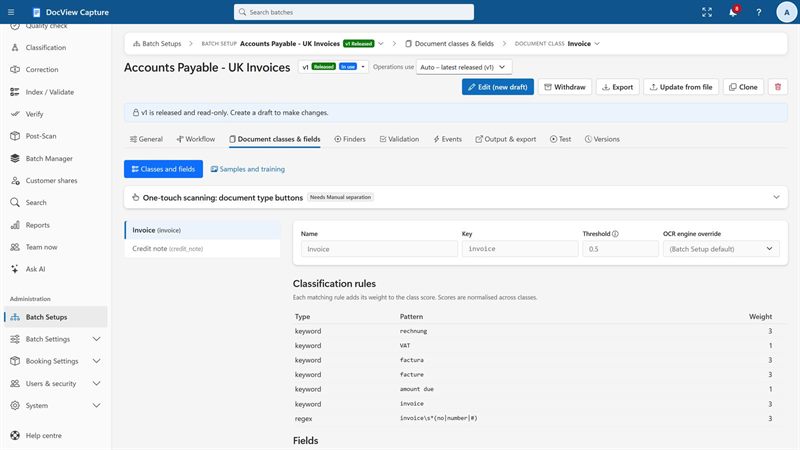
- Operators correct lines in a grid, with each cell marked on the page
- Import from upload, watched folders, mailboxes, SFTP and the REST API
- CSV, JSON or XML sent to folders, SFTP, SQL, REST or webhook, or to ready-made accounting destinations
- Search across field values and page text, including exported batches
DocView OmniRead, DocView's own recognition engine, reads the pages on your servers or on servers hosted by us. Cloud AI services stay off unless you switch one on with your own key.
The statement work, finished for your process
Dev Soft UK sets up and extends DocView for the statements you receive and what you do with them next.
Balance rules
We configure the opening-to-closing balance check, carried-forward checks page by page, and flags for missing pages or gaps between statement periods.
Your banks' layouts
We tune the setup on samples from the banks you see most, including separate in and out columns, signed amounts and different date styles.
Reconciliation export
We shape the output to the import format of your reconciliation or accounting tool, with account and statement references on every line.
Lending and affordability
We build rules that group transactions you agree on, such as salary, rent or loan repayments, and monthly totals for underwriters. We can also read profit and loss and balance sheet figures from accounts.
Remittances and cash application
We read remittance advices, match each line to open invoices from your ledger, and send anything unmatched to credit control.
Statement storage
In DocView Web we set up a statements document type, found by account and period, with access by role.
Anyone who keys statements today
For full loan applications and customer onboarding, see banking and lending.
Bank statement processing questions
Is this an off-the-shelf product?
No. It is DocView Capture, DocView Web and DocView OmniRead, configured by Dev Soft UK for your statements and, where needed, extended with work we build for your process. The bank statements setup and table reading exist today; balance rules, exports and matching are set up for you.
Does DocView check that the balances add up?
DocView includes sum and comparison rules. We configure them so that the opening balance plus credits minus debits must equal the closing balance, and a mismatch goes to an operator.
Can it read statements from any bank?
Table finders find columns by their headers and printed lines rather than fixed positions. We test on samples from the banks you receive, and an unusual layout can be given its own settings.
Can you match remittances to our open invoices?
Yes, as work we do for you. DocView's fuzzy lookup can compare remittance lines with open invoices from your ledger, and we build the matching rules and the route for anything left unmatched.
Where are the statements processed?
Hosted by us on Azure, AWS, Google Cloud or another provider of your choice, or on your own servers or cloud. Recognition runs on DocView OmniRead unless you switch on a cloud provider with your own key.
Send us a few sample statements
Tell us which banks you see and what happens next, and we will show you the transactions table, or start a free 14-day demo.