
Paper form processing with handwriting and tick-box recognitionTurn piles of filled-in forms into data you can use
Paper form processing with handwriting and tick-box recognition turns application forms, surveys, answer sheets, timesheets and count sheets into checked data, with people looking only at the answers that need them. Dev Soft UK designs and builds your forms solution with DocView Capture, DocView Web and DocView OmniRead.
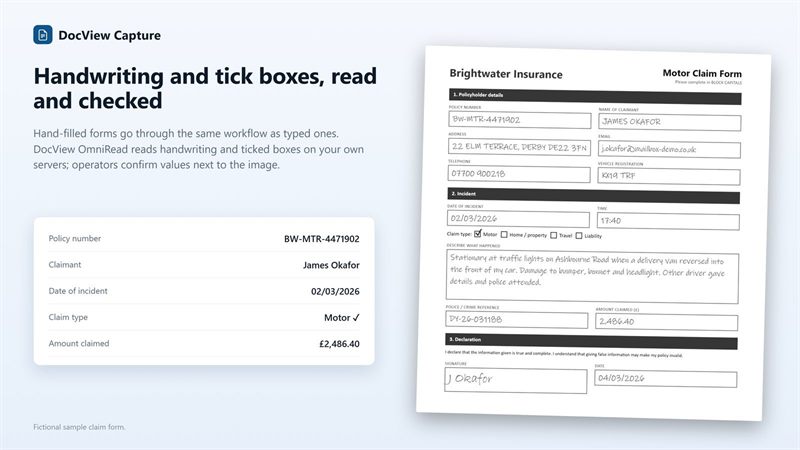
Paper forms are still everywhere, and someone keys every one
Customers, staff, students and engineers still fill in forms with a pen. The answers are worth having, but typing them in is slow, two people keying the same form doubles the cost, and a loose tick or a smudged figure ends up as a guess.
Scan the stack
Forms are split by page count, patch code or barcode, even with several form types mixed.
Line up each page
Anchor words put every zone back in place on pages that are shifted or turned.
Read the answers
Boxed letters, written answers, ticks and signatures are read on your own servers.
Test the values
Ranges, allowed answers, totals and "if this, then that" rules are applied.
Settle the doubts
Staff key only the uncertain answers, field by field across the whole batch.
Use the data
CSV, XML or JSON, a database table or a web service, with the scanned form kept beside it.
Included in DocView
Form reading is a documented part of DocView Capture, with DocView OmniRead as the recognition engine. Read how handwriting and tick boxes are read.
- Form zones for text, tick boxes, signatures and barcodes, many at once on a page
- Hand printing in comb boxes and handwriting in zones (ICR), and tick-box groups (OMR)
- Layouts learnt from samples, to tell versions of the same form apart
- Validators for ranges, lists, required-if and at-least-one, plus sums and batch control totals
- Correction one field at a time, double-key verification and correction at random
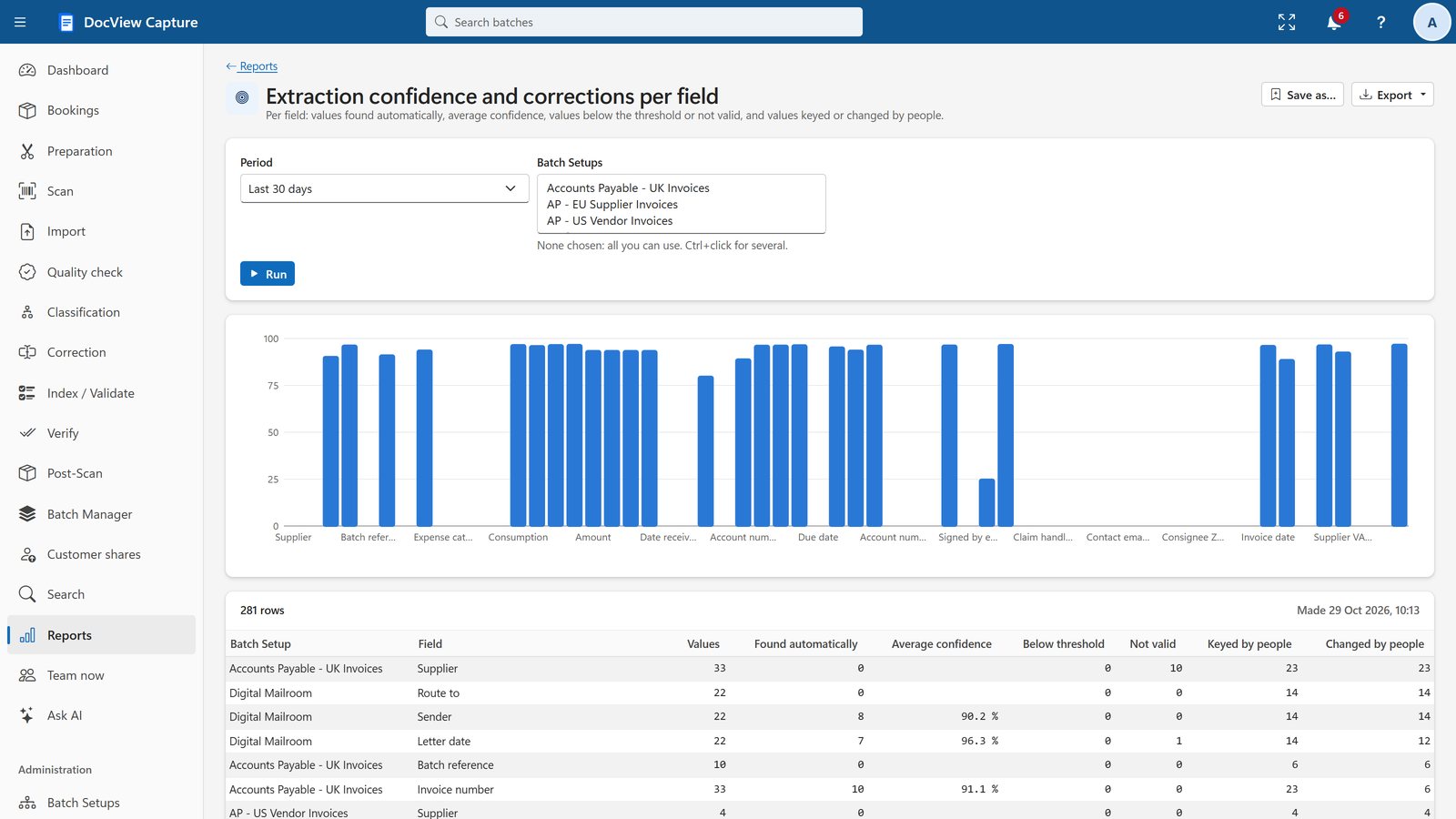
- A report of what OCR read and what people changed, per field
What we configure or build for you
We set up each of your forms, then add the checks and connections that make the data useful.
| Form | What we set up to read | Checks and routes we configure |
|---|---|---|
| Application forms | Names, addresses, dates, options ticked, signature | Required answers, postcode and date formats, missing pages chased |
| Surveys and feedback forms | Rating scales, multiple-choice answers, written comments | One answer per question, counts by answer in reports |
| Exam and OMR answer sheets | Candidate number, answer grid, marks boxes | Scoring against your answer key, unclear marks to a person |
| Timesheets | Worker, week, hours per day, signature | Daily hours add up to the total, approval by manager or client |
| Job sheets | Job number, times, parts used, customer signature | Signed or not, job number looked up, data for invoicing |
| Inventory count sheets | Location, product codes, counted quantities | Counts compared with expected stock, variances sent for approval |
| Consent forms | Each consent option, date, signature | Signed and dated before release, access limited to named roles |
Beyond reading. We can advise on new versions of your forms, with comb boxes for codes, clear tick boxes and a barcode that names the form and its version. We can send a timesheet or count sheet to a manager or client to approve, through a secure link or a DocView Web workflow. And we can connect DocView to systems such as your payroll, stock, CRM or student records, through SQL, REST or files they import.
Anyone who still hands out a pen and a form
Schools and exam centres, recruitment agencies with weekly timesheets, facilities and field service teams, warehouses doing stock counts, research and membership teams running paper surveys, and scanning bureaus processing forms for their clients.
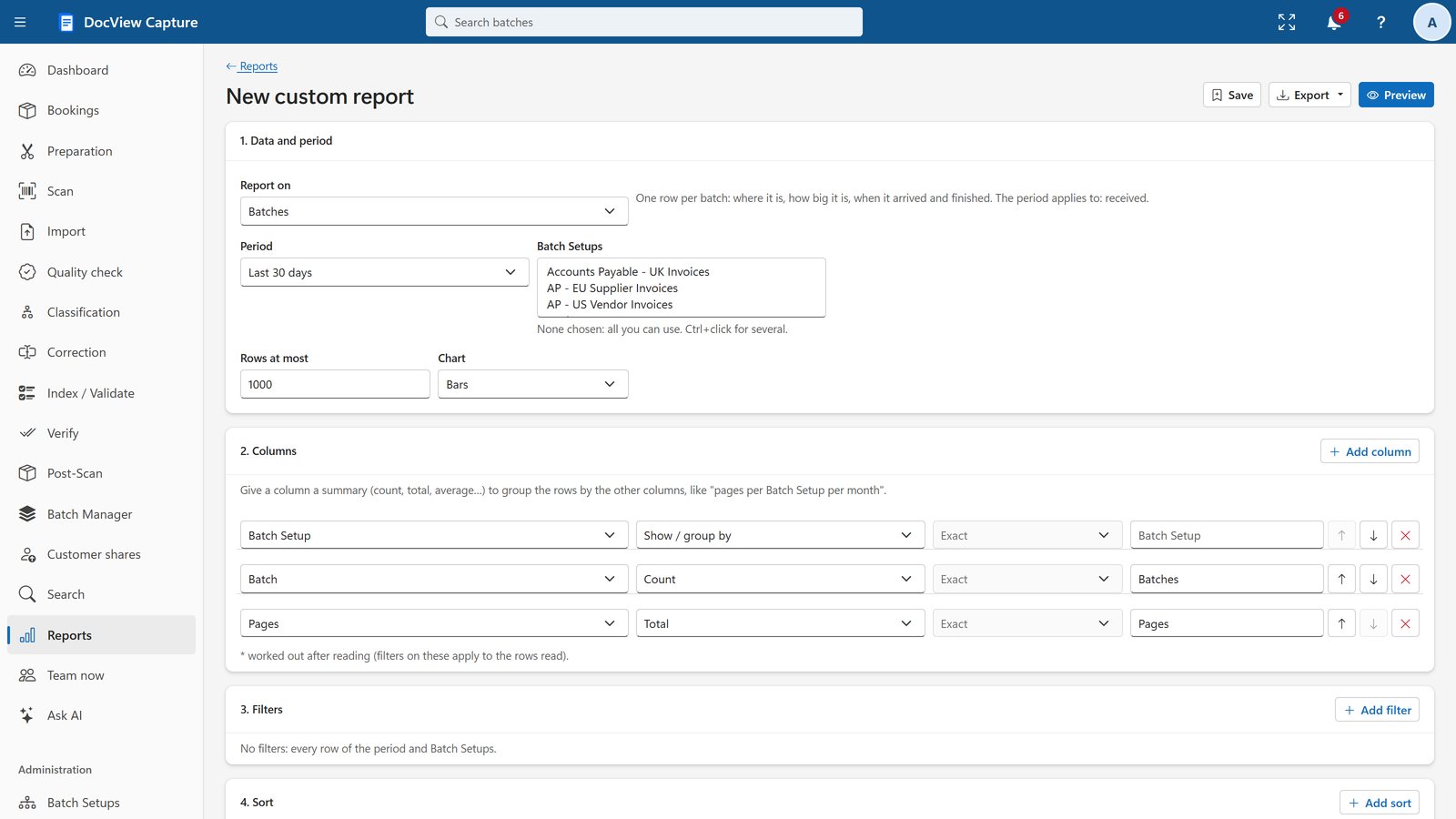
Survey and count results can be summed and grouped in the custom report builder, then downloaded or e-mailed on a schedule.
Forms processing questions
Is this an off-the-shelf product?
No. It is DocView configured for your forms and, where needed, extended by Dev Soft UK. Handwriting, tick-box and signature reading are part of DocView; zones, rules, scoring and connections for each form are set up for you.
Do our forms have to be redesigned?
Not usually. Zones are lined up on each page by anchor words, so existing forms can be read. Where you are printing new forms anyway, a few small changes make them easier to read.
Can different forms be scanned in one stack?
Yes. Separation rules split the stack, and classification works out which form, and which version, each document is.
How are answer sheets scored?
We configure a calculated field or script that compares the marks with your answer key. Unclear marks are confirmed by a person before scores are exported.
What does it cost?
The DocView Capture software licence starts at $250 a month. Hosting by Dev Soft UK, if you want it, and the work to set up your forms are quoted on your requirements and volumes.
Send us a sample of your forms
We will show you which answers can be read and checked, or try the 14-day demo with no installation and no credit card.