
Document capture software for legal teamsEvery contract and case document searchable, with a record of who touched it
Scan contracts and case papers into searchable PDF/A, find any word on any page, and keep an audit trail, chain of custody and four-eyes checks for the work that needs them.
The answer is somewhere in the bundle
Firms and in-house teams hold contracts, correspondence and evidence on paper, and an unindexed scan is not much better than the original. Time goes on finding the clause or the letter, on proving who had a file and when, and on meeting short deadlines for requests for personal data.
Finding things
The right paragraph is on one page of a long contract, in a matter from years ago.
Proving handling
Opposing parties and auditors may ask who changed a value, and when a file left or came back.
Fixed deadlines
Data subject access requests carry a response date that cannot slip.
Contracts, requests and matter papers
DocView Capture includes setups for contracts archived as PDF/A and for data subject access requests under UK GDPR and EU GDPR, with response deadlines. Other documents, such as witness statements, court bundles or engagement letters, are set up as your own Batch Setup.
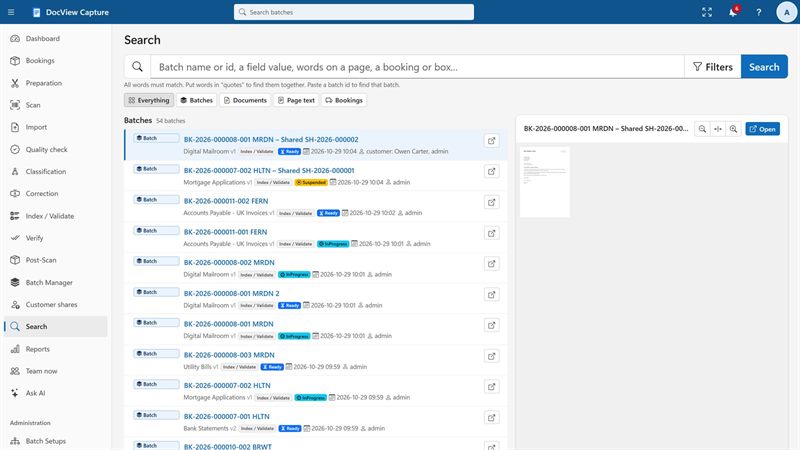
Search the page text, not just the file name
- One search box over batches, documents (types and field values) and page text, including exported and archived batches
- Hits are highlighted, with a page preview that marks the words found
- Output as searchable PDF with an invisible text layer, or PDF/A
- Personal-data detection is available when a cloud AI provider is switched on with your own key
Show who did what, and who checked it
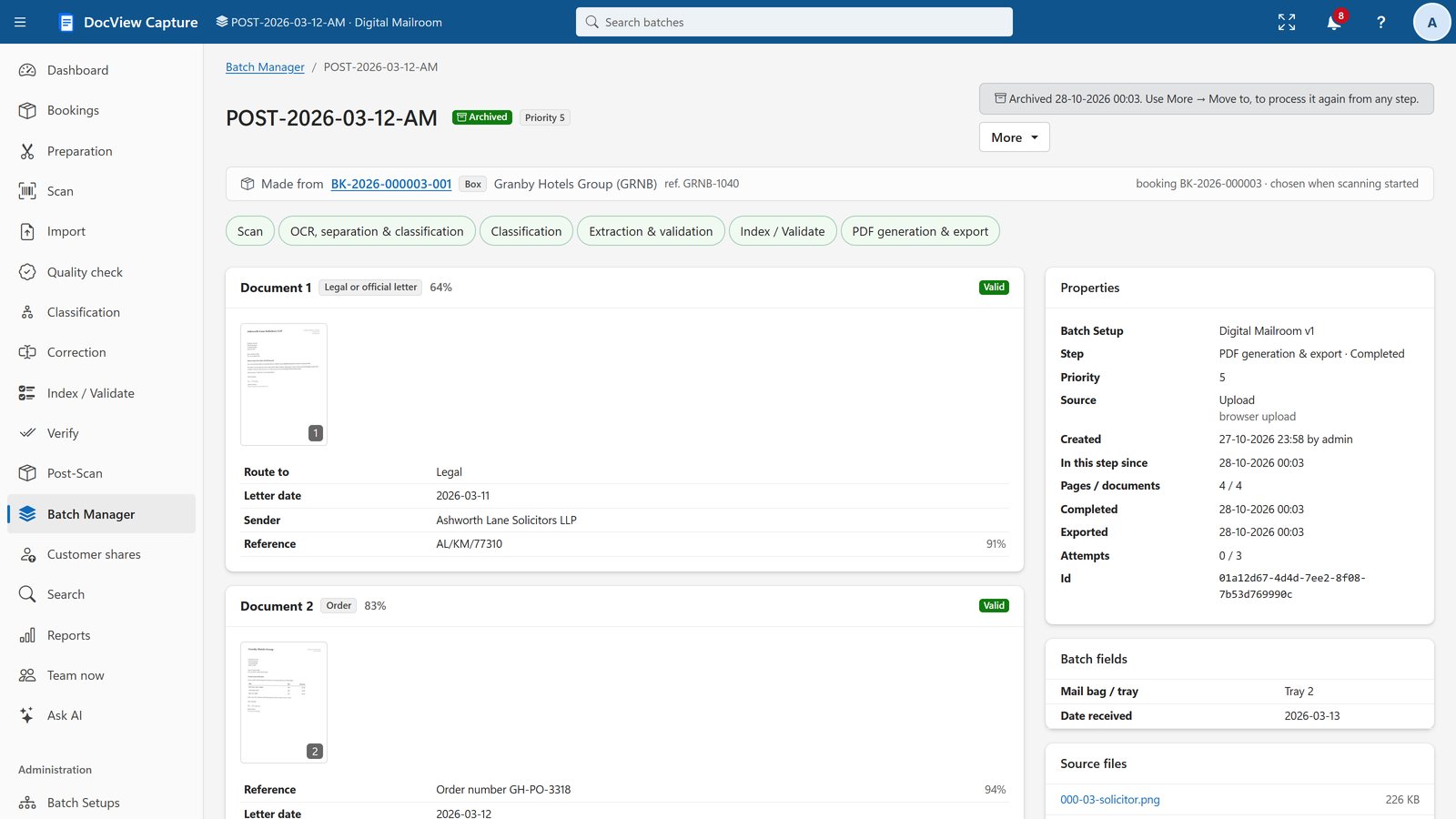
Full audit trail
Every action and field change is recorded with old value, new value, user and time. The custody history of a box or batch is append-only and cannot be changed or deleted.
Four-eyes rules
A step can require a different person from the one who worked on the batch elsewhere. Double-key verification checks chosen fields blind.
Retention and destruction
Set retention days, get due-date alerts, record the customer's authorisation and produce a numbered Certificate of Destruction.
DocView Capture is designed to help you meet data protection obligations such as UK GDPR and EU GDPR. It is not a certification.
Know where every original box is
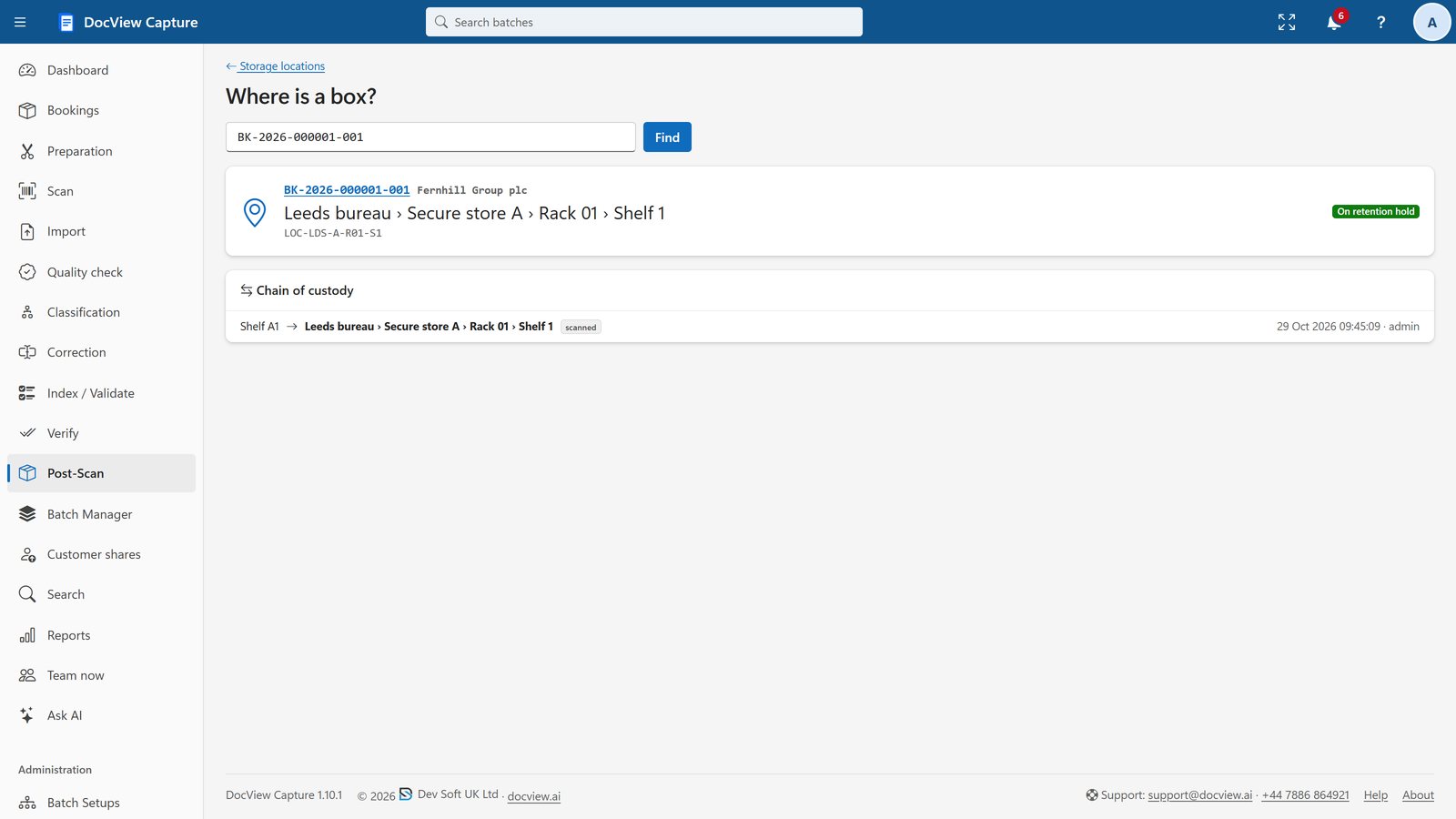
Bureaus and records teams can log originals to return from each box with a replacement sheet, move boxes by scanning them between site, zone, rack and shelf, and answer "where is box X" from the custody history.
Legal questions
Can DocView produce PDF/A?
Yes. Output options include searchable PDF with an invisible text layer and PDF/A, as well as single and multi-page TIFF.
Does it help with data subject access requests?
There is a setup for data subject access requests under UK GDPR and EU GDPR with response deadlines. It is designed to help you meet your obligations, and the deadline tracking is yours to configure.
Can a second person approve a step?
Yes. Four-eyes rules require a different person for a workflow step, and double-key verification has a second operator re-key chosen fields.
Does personal-data detection send pages to the cloud?
Only if an administrator switches on a cloud AI provider with your own key. Recognition otherwise runs on your own hardware, and pages leave your premises only for providers you enable.
Make your archive searchable and accountable
Try the 14-day demo with fictional contracts, or talk to us about an installed evaluation.