
HR document capture and onboardingNew-starter packs and payroll paper, captured and checked
Contracts, right-to-work evidence, bank details and payroll documents come in as one pile per person. DocView Capture splits each pack, reads the details and checks the numbers that matter.
Small details, with real consequences when they are wrong
HR and payroll teams type National Insurance numbers, sort codes, account numbers and tax codes from forms filled in by hand. One wrong digit can mean a pay error, a rejected submission or a letter to the wrong person.
Personnel files also hold some of the most private papers in the business, so who sees what, and what is kept for how long, needs care.
One pack per person
A starter pack can hold many different documents. DocView separates them, labels each one and gathers the key details into fields.
Ready-made setups for onboarding and UK payroll
DocView Capture includes onboarding setups for the UK and USA, and UK payroll setups. For appraisals, absence forms or training records, create a Batch Setup with your own document types and fields.
UK onboarding
New-starter forms and supporting documents.
US onboarding
Employee forms with SSN and routing number checks.
Payslips
UK payroll documents.
P60 and P11D
Year-end payroll and benefits forms.
Numbers checked before they reach payroll
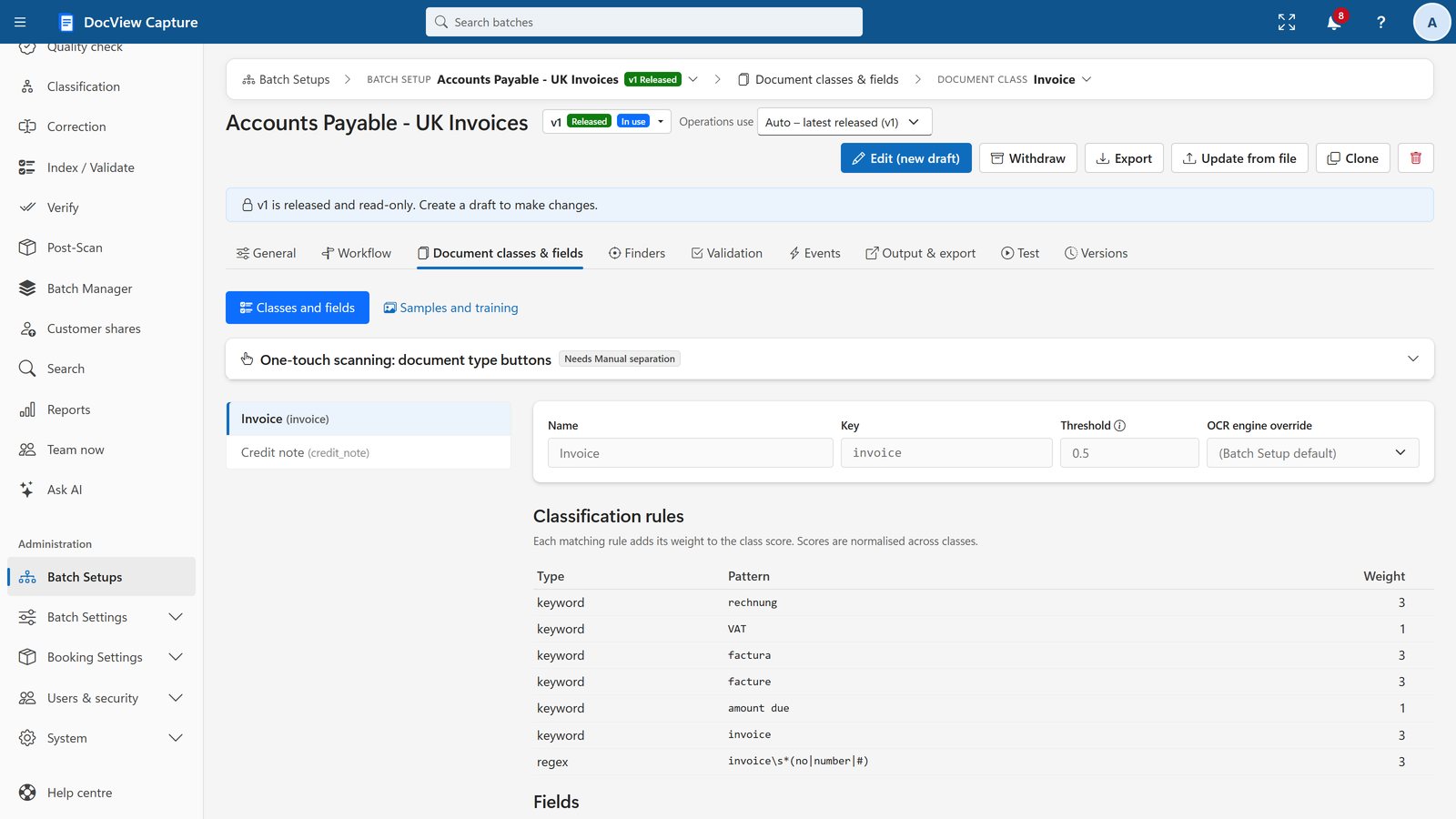
- Format checks for NI number, sort code, SSN and US routing number (ABA check)
- Check digits such as IBAN and Luhn are available as validators for your own fields
- Hand printing in comb boxes read one letter per box, with look-alike characters fixed
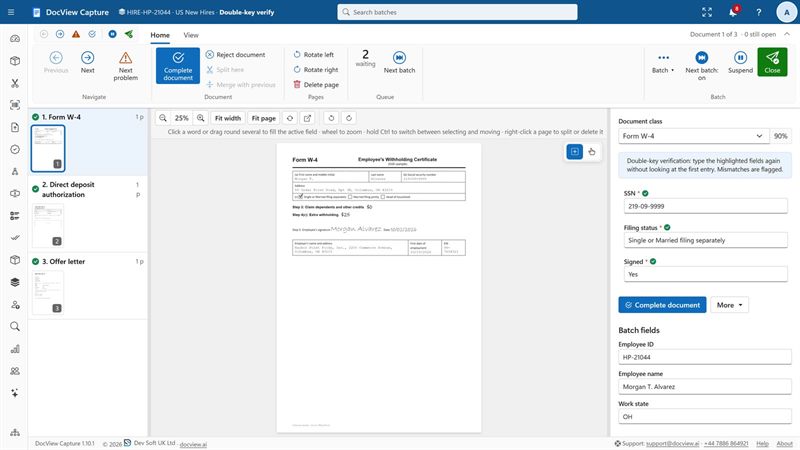
- Double-key verification: a second operator re-keys chosen fields blind, and mismatches are flagged
- Batch rule errors, such as a document count that does not add up, block release
Only the right people see personnel data
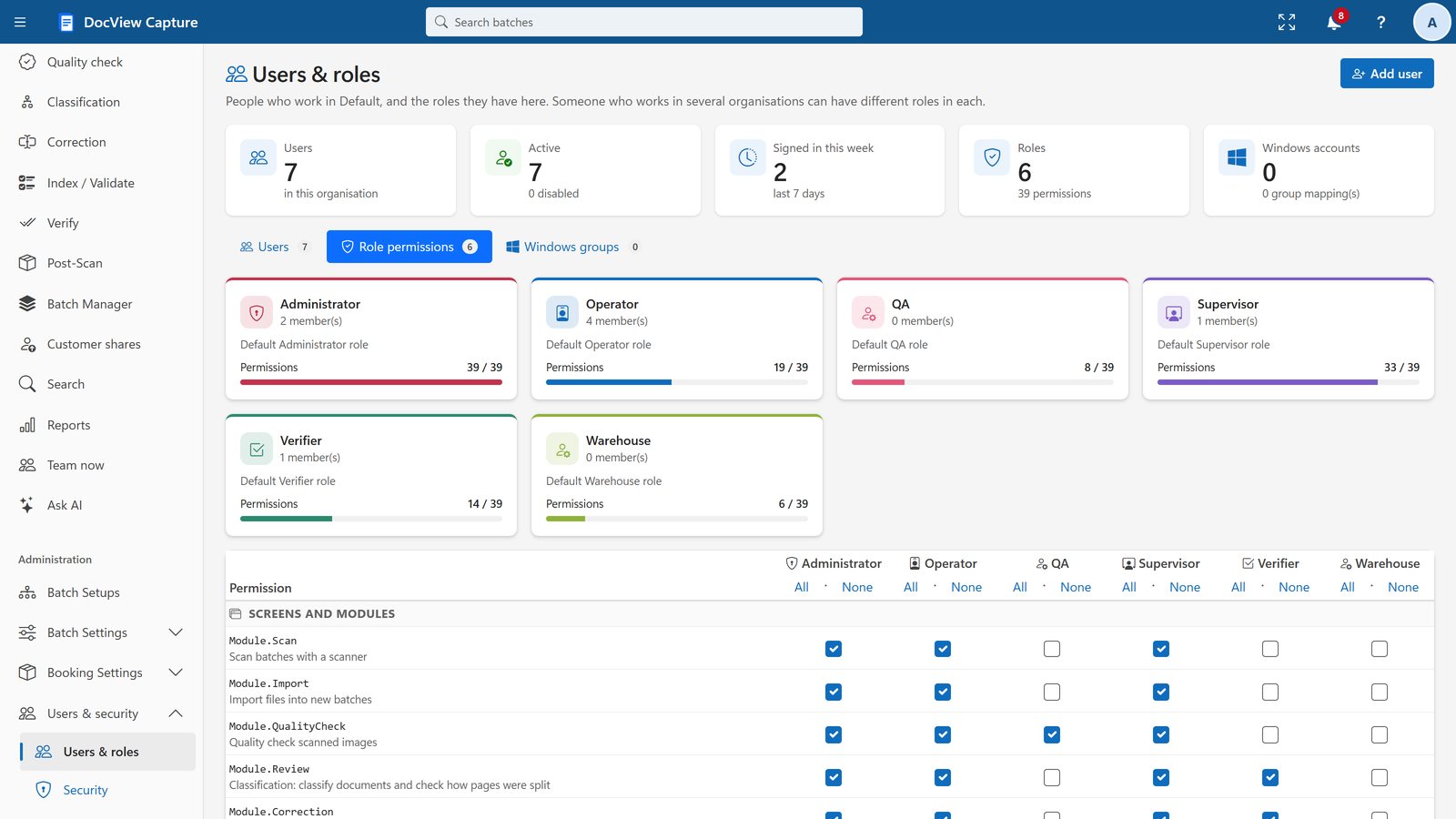
- Role-based permissions per module, operation and Batch Setup, so an HR setup can be limited to named people
- Correction at random shows only the value's clip to the operator, never the whole document
- Four-eyes rules require a different person for chosen steps
- Audit trail of every field change, and configurable retention for images and archived batches
- Features for data subject access requests, designed to help you meet UK GDPR and EU GDPR obligations
HR questions
Does DocView check National Insurance numbers?
The UK onboarding and payroll setups include NI number, sort code and similar format checks. The checks are shown on the Fields and validation screen, where you can test them on sample values.
Can we limit HR documents to HR staff?
Yes. Permissions are set per module, operation and Batch Setup, so only the people you choose can open HR batches. Organisations or departments can separate data further.
Can a second person check bank details?
Yes. Double-key verification has a second operator re-key chosen fields without seeing the first entry, and any mismatch is flagged.
See a starter pack split and read in minutes
Try the free 14-day demo with sample HR documents, or talk to us about your own onboarding forms.