
Employee file digitisation (HR back-scanning)Turn cabinets of personnel files into digital employee files
Employee file digitisation designed and built for you by Dev Soft UK with DocView Capture, DocView Web and DocView OmniRead. Each paper file is split into documents, indexed by employee ID and document type, filed with the right access, and the paper is tracked until it is returned or destroyed.
Years of paper, and nobody sure what is in it
A personnel file grows for as long as someone works for you: offer letters, contracts, appraisals, absence notes, warnings, payroll forms. Finding one letter means a trip to the cabinet, HR staff in other offices cannot see the file, and leavers' files stay on the shelf long after anyone has checked whether they should be kept.
One request, every document
A reference, a tribunal or a subject access request can mean finding every page about one person, quickly and completely.
From the cabinet to the digital file
Box and book in
Files are boxed, labelled and booked in, so every box is accounted for.
Prepare
Staples come out, and a barcode sheet goes in front of each employee's file.
Scan and sort
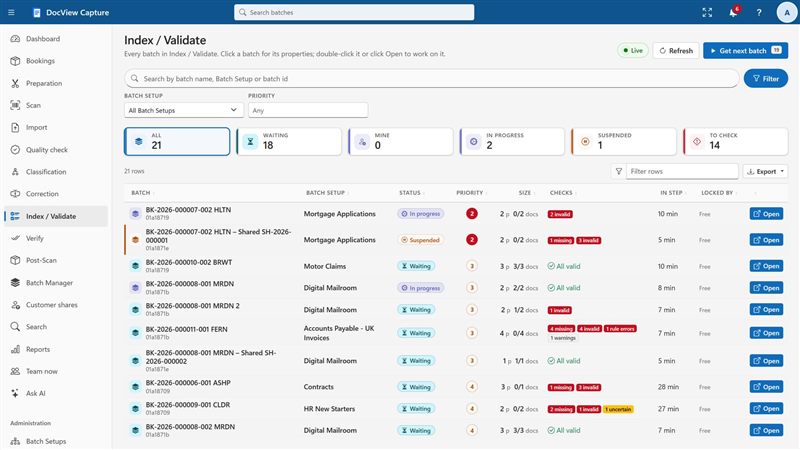
Each file is split into documents, and each document is given its type.
Index and check
Employee ID and name are looked up against your HR list, and doubtful values go to a person.
File and dispose
Documents go to the right folder with the right access, and the paper is returned or destroyed.
What the products already do
- Box booking, preparation with a timer, and custody of every box from booking to return or destruction
- Header sheets and barcode or patch code separators, removed automatically after use
- Classification by rules or a classifier trained on your own files, with uncertain documents sent for review
- Fuzzy lookup against your employee list to fill in employee ID and name
- A ready-made UK payroll documents setup for payslips, P60 and P11D, with NI number and sort code format checks
- Role permissions per Batch Setup, four-eyes rules, and correction at random that shows only the value's clip
- Scan reconciliation and random quality sampling before a box is verified
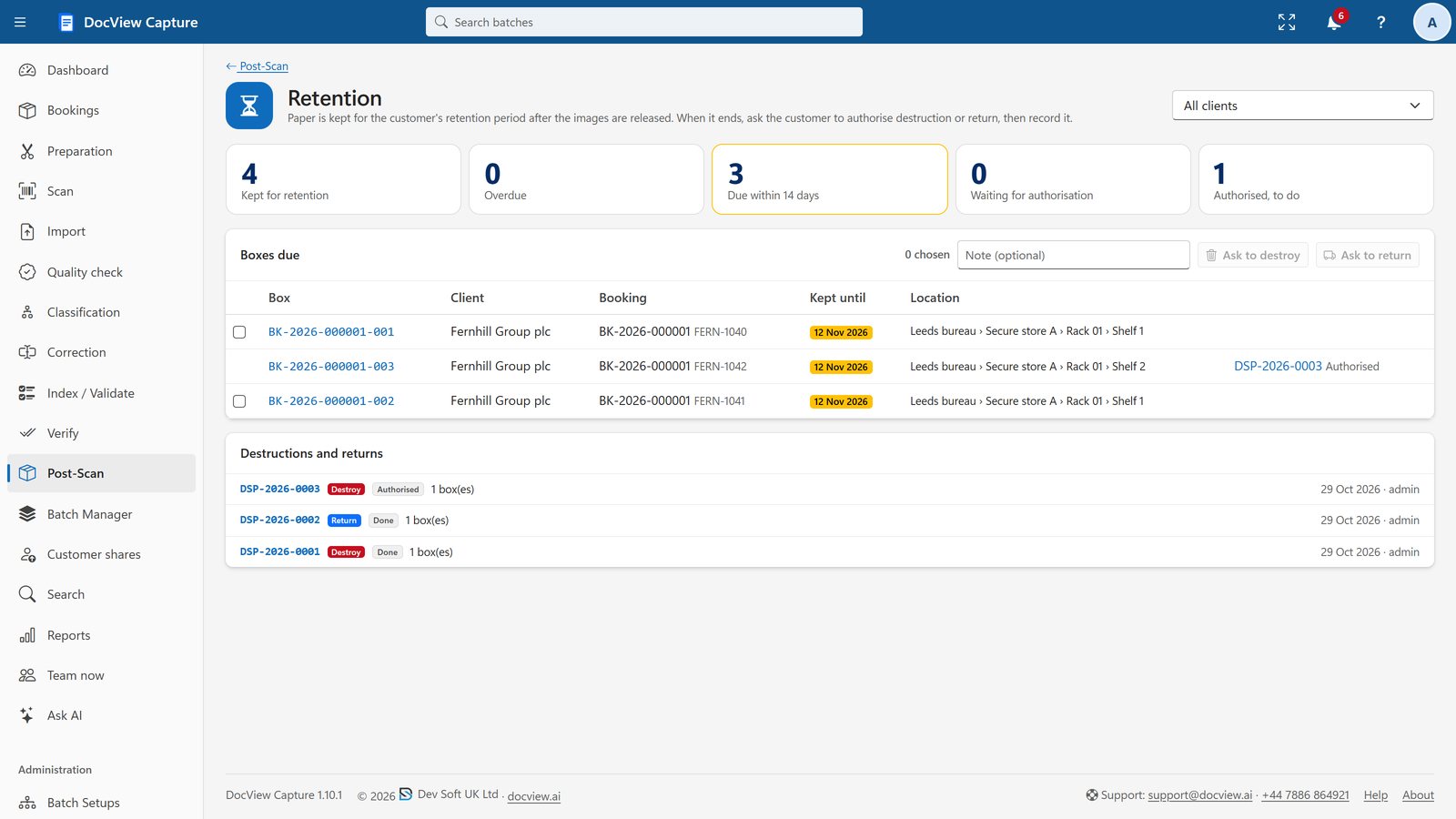
- Retention dates for boxes, with authorisation and a numbered Certificate of Destruction
- Searchable PDF or PDF/A, with folder and file names built from fields such as employee ID and document type
In DocView Web, each document type has its own fields and access, with search, a viewer, document history and time-limited sharing.
Your HR file, set up the way your team works
Dev Soft UK turns the product into your filing scheme, your access rules and your retention policy.
Your file structure
We agree the document types and indexing rules with you, from contracts and appraisals to absence and payroll papers, and set them up.
Restricted sections
We set up occupational health, medical, disciplinary and grievance papers as separate document types that only named people can open.
Payroll document data
We configure which pay, tax and NI figures are read from payslips, P60s and P11Ds for payroll audits or reference requests.
Leavers and retention
We build a leavers process in DocView Web: resignation letters, exit checklists and P45s filed, leaving dates from your HR system, review dates per document type from your policy, and a review before anything is deleted.
Day-forward filing
We set up new letters and forms, scanned or e-mailed, so they land in the same employee file after the back-scan.
Your HR system
We can connect DocView to HR and payroll systems for the employee list, leaver dates and links back to each file.
HR teams ready to retire the filing cabinet
For new-starter documents and onboarding checks, see HR document capture. Bureaus scanning HR files for clients will find the box handling on scanning bureaus.
Employee file digitisation questions
Is this an off-the-shelf product?
No. It is DocView Capture, DocView Web and DocView OmniRead, configured by Dev Soft UK for your files and, where needed, extended with work we build for your process. Box handling, separation, the payroll setup and access control exist today; your filing scheme and retention rules are set up for you.
How are files split by employee?
A barcode separator or header sheet goes in front of each file and starts a new employee. Where an employee ID is printed on the documents, it can also be read and looked up against your HR list.
Can we keep medical and disciplinary papers away from most HR staff?
Yes. Permissions are set per Batch Setup in DocView Capture and per document type in DocView Web, so sensitive types can be limited to named people.
What happens to the paper after scanning?
Boxes keep a custody history from booking to return or destruction. Destruction needs authorisation and produces a numbered Certificate of Destruction.
Does this help with data protection?
It is designed to help you meet your obligations, with role-based access, an audit trail of every change, retention rules and features for data subject access requests.
Plan your HR back-scanning project
Tell us how many files you hold and how your team wants to find them, and we will propose a setup, or start a free 14-day demo.