
Document capture software for manufacturingSupplier and shop-floor paper, matched to your master data
Purchase orders, delivery notes, supplier invoices and quality sheets arrive from many places. DocView Capture collects them automatically, reads them, checks them against your own data and delivers them to your business systems.
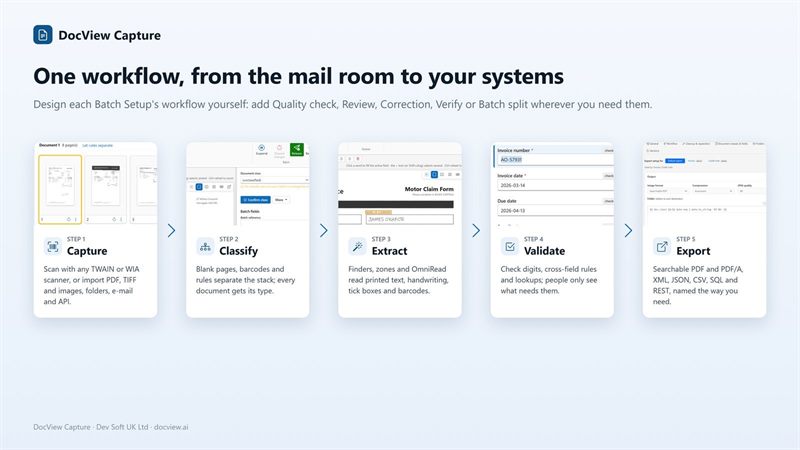
The shop floor runs on paper nobody has time to key
Goods arrive with delivery notes that must be matched to purchase orders. Suppliers send invoices by post, e-mail and portal downloads. Inspection and traveller sheets are filled in by hand on the line, sometimes on carbon copy or thermal paper that is hard to read. Meanwhile the finance and stores teams retype the same numbers.
Goods-in
Match delivery notes to orders as the goods arrive, not at month end.
Supplier invoices
Many suppliers and layouts, with part numbers and quantities to check.
Hand-filled sheets
Quality checks, job cards and certificates completed on the line.
Procurement, stores and quality documents
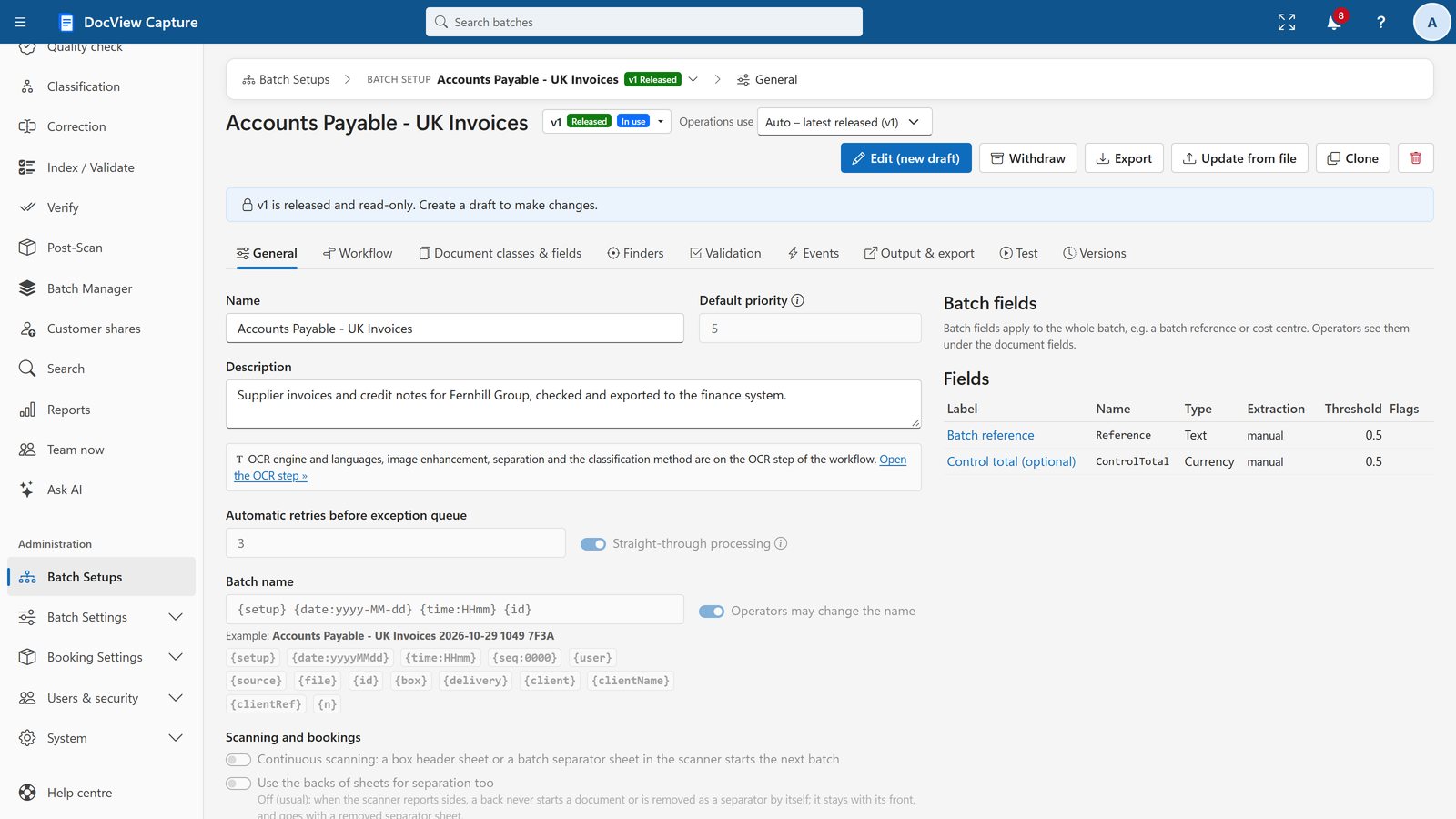
Ready-made setups exist for supplier invoices, purchase orders and delivery notes. For inspection sheets, certificates of conformity or travellers, set up a Batch Setup with your own document types and fields.
Collected automatically, checked against your own data
- Watched folders, e-mail and Microsoft 365 mailboxes, SFTP, SharePoint and database tables feed batches with no manual upload
- Database lookup (fuzzy) matches a supplier or part to your master data despite OCR errors, and fills in the other columns of the matched row
- Table finders read line items over several pages, with row and sum checks
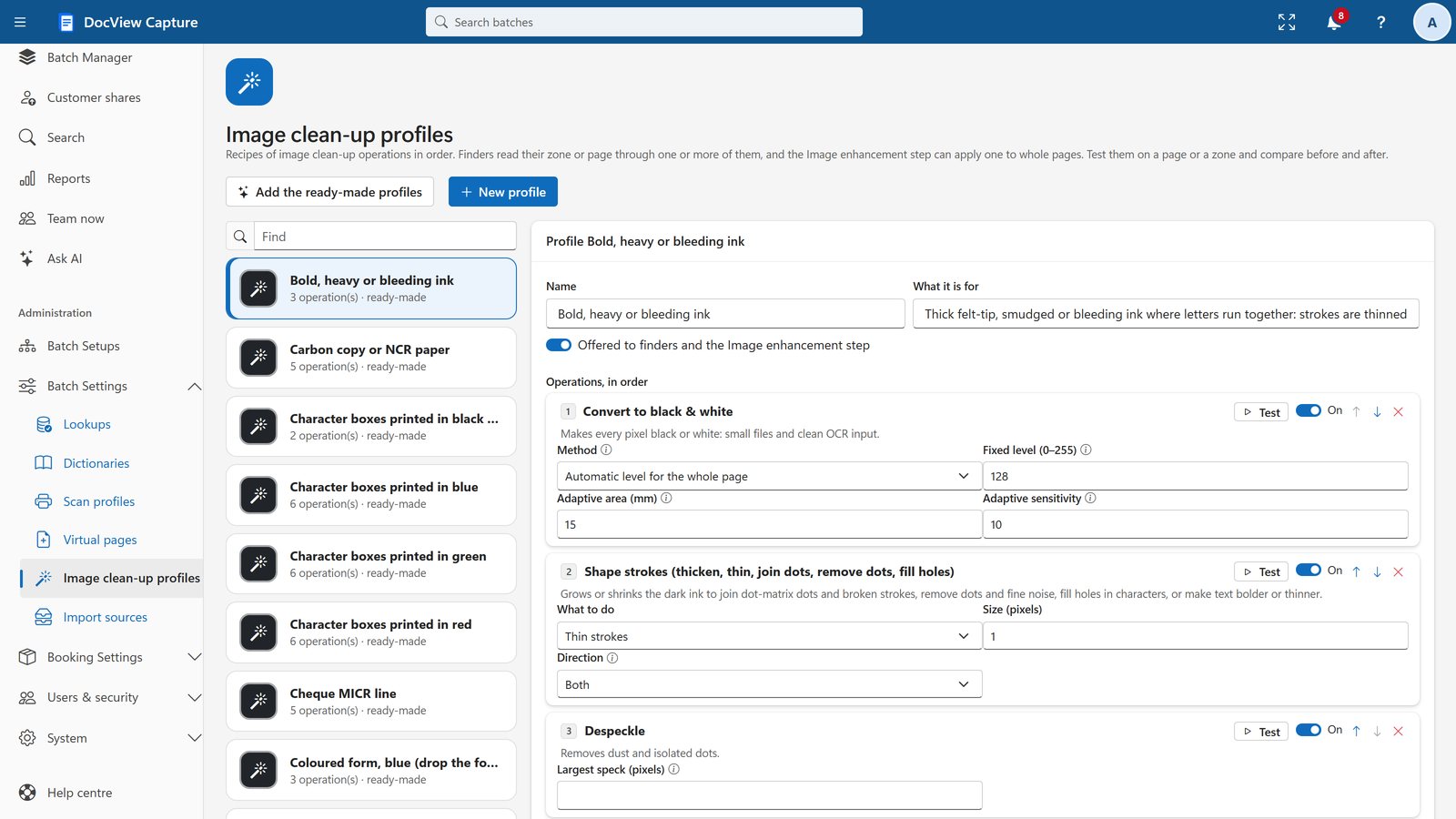
- Image clean-up profiles for carbon copies, dot-matrix print, thermal paper, faint text and heavy ink
Deliver data where planning and finance work
Ready-made destinations include SAP S/4HANA, SAP Business One, Microsoft Dynamics 365 Business Central, SharePoint, and any OData service, as well as SQL insert, REST or webhook, SFTP and shared folders. Several destinations can be used per Batch Setup, and only a failed destination is retried.
Scheduled tasks can run your own scripts after export, for example to zip the day's documents and send them by SFTP.
Add capacity when the volume arrives
Scale with Workers
Add DocView Workers and recognition services to take more work. They share the queue safely. In the clouds, a number in the template or a single command scales them.
See where work waits
The dashboard shows work waiting in each step, queue ageing and straight-through rate, and reports measure confidence and corrections per field.
Manufacturing questions
Can documents arrive without anyone scanning them?
Yes. Documents can be collected from watched folders, IMAP or POP3 and Microsoft 365 mailboxes, SFTP and FTP servers, Azure Blob Storage, Amazon S3, SharePoint, database tables and a REST API.
Can DocView match an invoice to our supplier list?
Yes. The fuzzy database lookup finder matches the document to your master data using weighted columns, and every column of the matched row is available for validation and auto-fill.
Can it handle certificates of conformity?
Yes. Create a Batch Setup for them with your own fields, or ask the Batch Setup assistant to propose one for you to review.
Can it read hand-filled carbon copies?
Image clean-up profiles exist for carbon copies, dot-matrix, thermal receipts and faint text, and you can test before and after on your own samples.
Bring your messiest supplier paperwork
Send sample documents or start the 14-day demo. We will show how they are collected, read and delivered.