
Invoice processing and AP automation softwareRead, check and post supplier invoices with fewer keystrokes
DocView Capture reads invoices from paper, PDF and e-mail, checks totals, VAT numbers, IBANs and duplicates, matches suppliers to your own data and exports clean data to your accounting or ERP system.
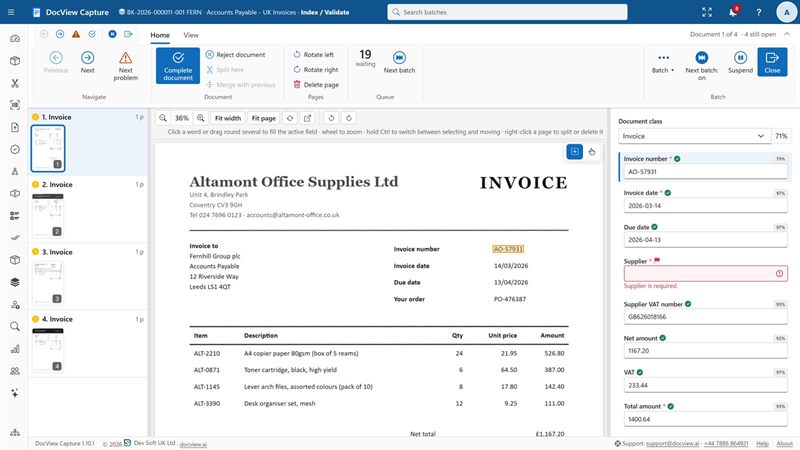
Five steps, and a person only where it helps
Scan or import
Paper through a TWAIN or WIA scanner, or PDFs, TIFFs and images from folders, mailboxes, SFTP and the REST API.
Classify
Invoices, credit notes and purchase orders are told apart by rules or a trained classifier.
Extract
Finders read the supplier, invoice number, date, VAT number, totals and line items.
Check
Rules validate the values, and an operator sees only what is uncertain or invalid.
Export
Searchable PDF and data go to your accounting system, ERP or folder.
Invoices for the UK, Europe and the USA
Setups cover supplier invoices (basic, UK, USA and Europe), credit notes, purchase orders, receipts and expenses, and US tax forms. Each comes with designed index screens.
Catch the error before it becomes a payment
- UK VAT, IBAN and other check-digit validation
- Totals cross-checks, and row checks such as Qty x Price = Amount
- Duplicate invoice detection
- Fuzzy supplier matching against your master data, with lookup buttons such as "Find supplier"
- Routing scripts that send a batch to an approval step, for example for large invoices
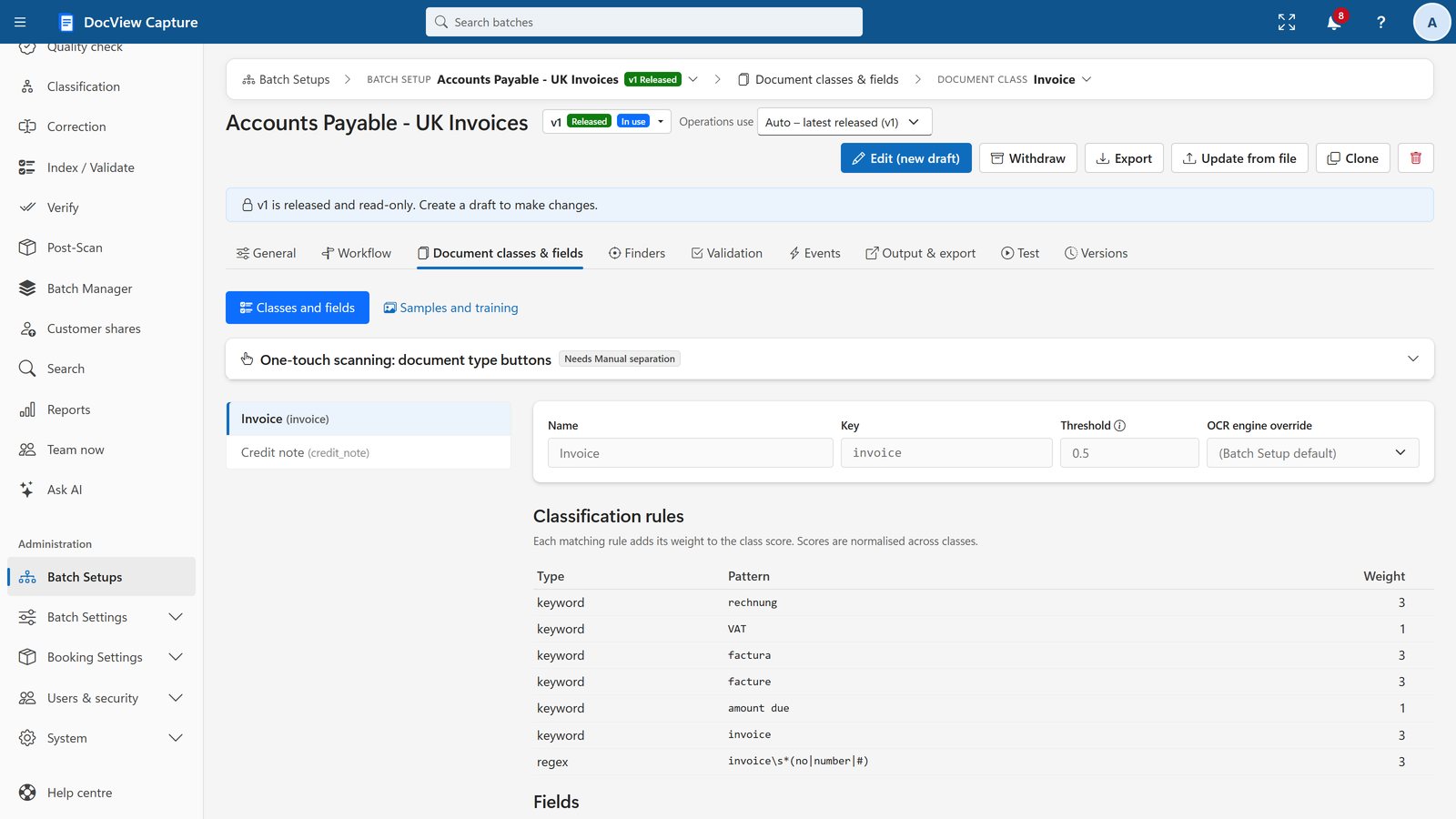
Read the table, not just the header
Table finders read line items over several pages, with columns found by their headers, by printed lines or by a manual layout. Operators edit lines in a grid, with the cells marked on the page. Where you switch on a cloud AI provider with your own key, its invoice models can also fill line items.
Deliver to the system that pays
Ready-made destinations include Xero, QuickBooks Online, Microsoft Dynamics 365 Business Central, SAP S/4HANA and SAP Business One, and any OData service. You can also use SQL insert, REST or webhook, SFTP and folders, and several destinations at once. A failed destination is retried on its own, and nothing partial is left behind.
Control the keying
Four-eyes rules and double-key verification add a second person where the amounts are high. The audit trail records each field change.
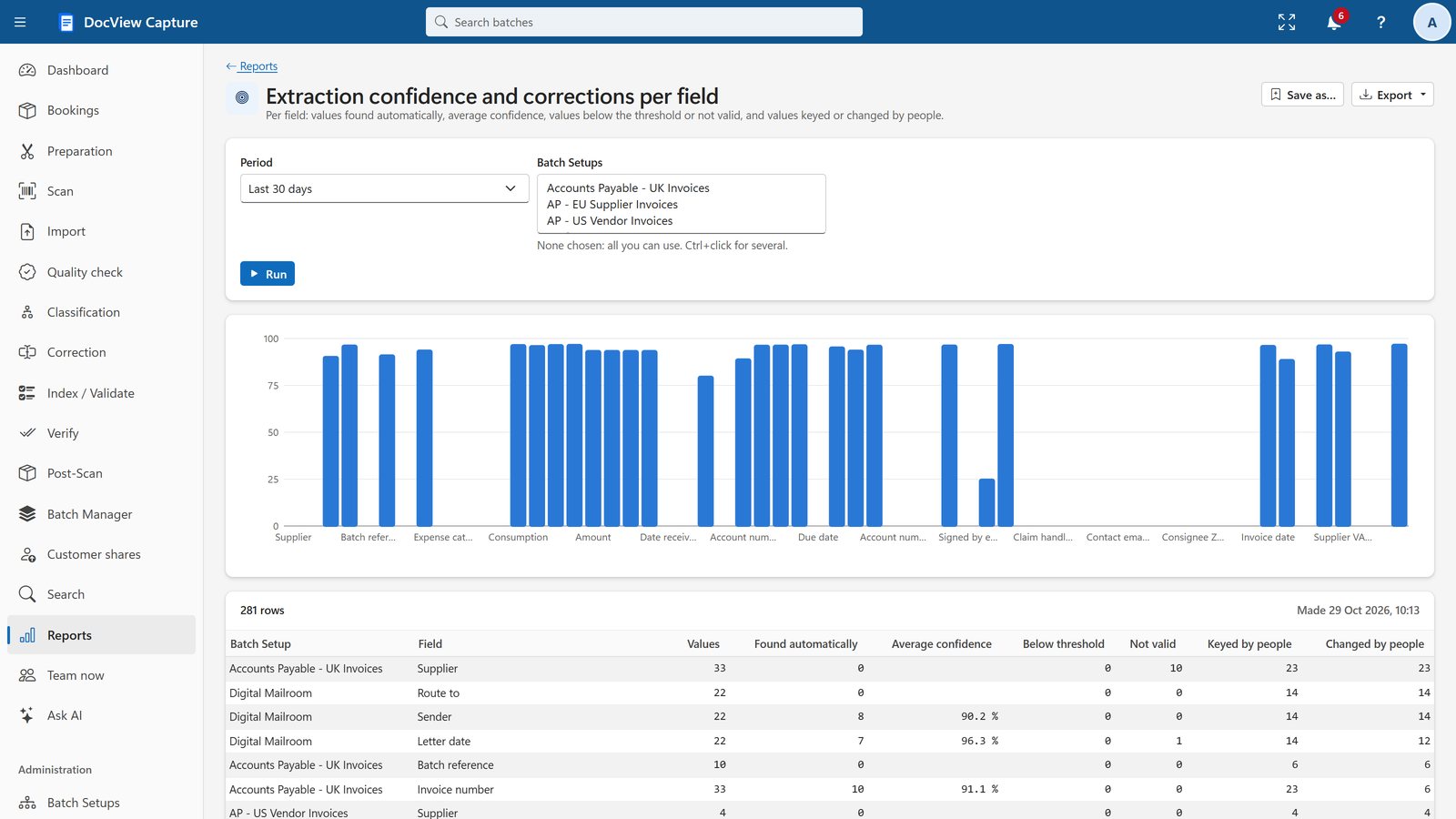
Measure what automation saves
Effort on field values shows what OCR read, what people changed and where keying is still spent.
Invoice processing questions
Does DocView need a template for each supplier?
No. Label and value finders look for each value by its label and shape, and table finders find line items by their columns. Test them on your own samples before going live.
Which invoice checks are included?
UK VAT number and IBAN check digits, totals cross-checks, row checks on line items, duplicate invoice detection and fuzzy matching of the supplier against your master data.
Can invoices arrive by e-mail?
Yes. DocView collects attachments, and optionally the e-mail body, from IMAP and POP3 mailboxes and Microsoft 365 mailboxes through Microsoft Graph, with no mailbox password for Microsoft 365.
Does it include an approval workflow?
You can build routing into the workflow, for example sending large invoices to an approval step with a routing script. DocView Capture is a capture product, and approval and payment normally stay in your accounting or ERP system.
Run your own invoices through it
Start a free 14-day demo, no installation and no credit card, or ask for a 30-day installed evaluation.