
Insurance claims document processingFrom first notice to settlement, every document finds its claim
Insurance claims document processing with DocView links each claim form, photo, estimate, invoice and report to the right claim, checks it and puts it in the right handler's queue. Dev Soft UK designs and builds this claims solution for you with DocView Capture, DocView Web and DocView OmniRead.
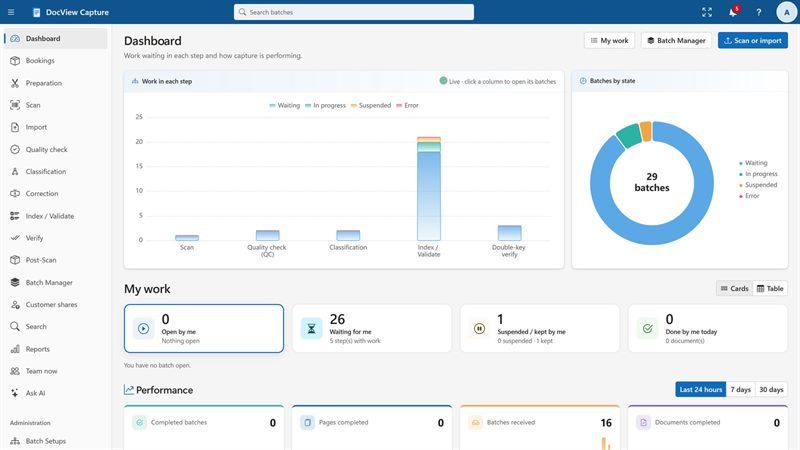
A claim is a file that keeps growing
The first notice is only the start. Over the following weeks come photos from the policyholder, a repairer's estimate, an engineer's report, a hotel bill, a letter from a solicitor. Each arrives on its own, often without the claim number, and someone has to work out which claim it belongs to before anyone can act on it.
Receive
Claims mailboxes, uploads, scanned post and the REST API, including photos as JPEG or PNG.
Identify
Claim form, estimate, invoice, photo, report or letter, told apart by rules or a trained classifier.
Link
The claim or policy number is read, or found from the name and date of loss.
Check
Totals, dates and references are tested, and the flags you choose are raised.
Queue
Documents go to the handler, adjuster or fraud team queue that should see them.
Deliver
Searchable PDF and data reach your claims system and the claim's file.
Included in DocView
The building blocks of the claims process are documented features of DocView Capture and DocView Web.
Claim forms read, documents kept together
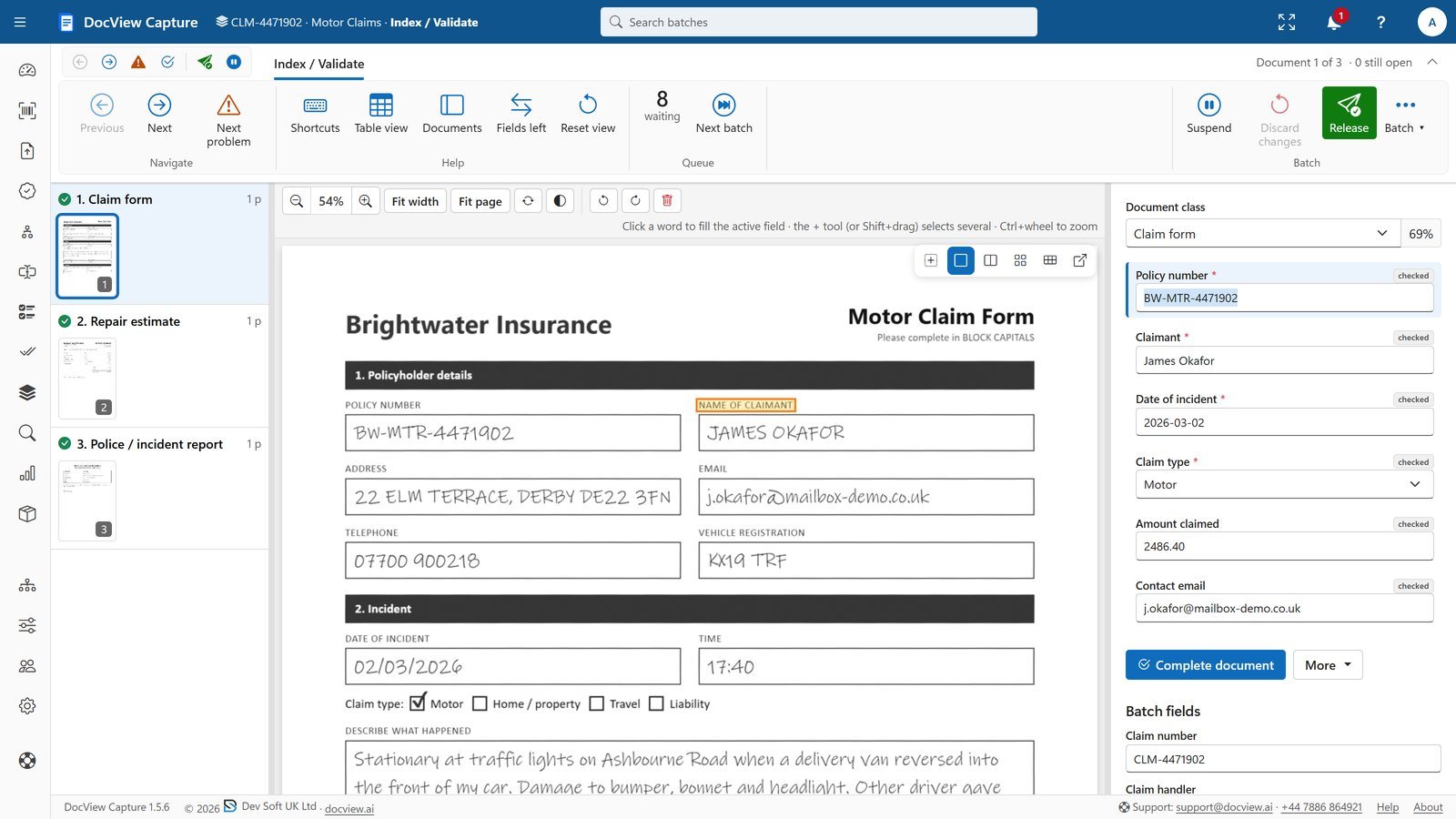
- A ready-made claims Batch Setup, where the claim form, estimates, invoices and police report travel as one claim batch
- Handwriting, tick boxes and signature boxes read on the claim form by DocView's own recognition engine
- Line items on estimates and invoices, with row and sum checks
- Fuzzy lookup against your policy or claim data, despite OCR errors
Queues, routing and a file per claim
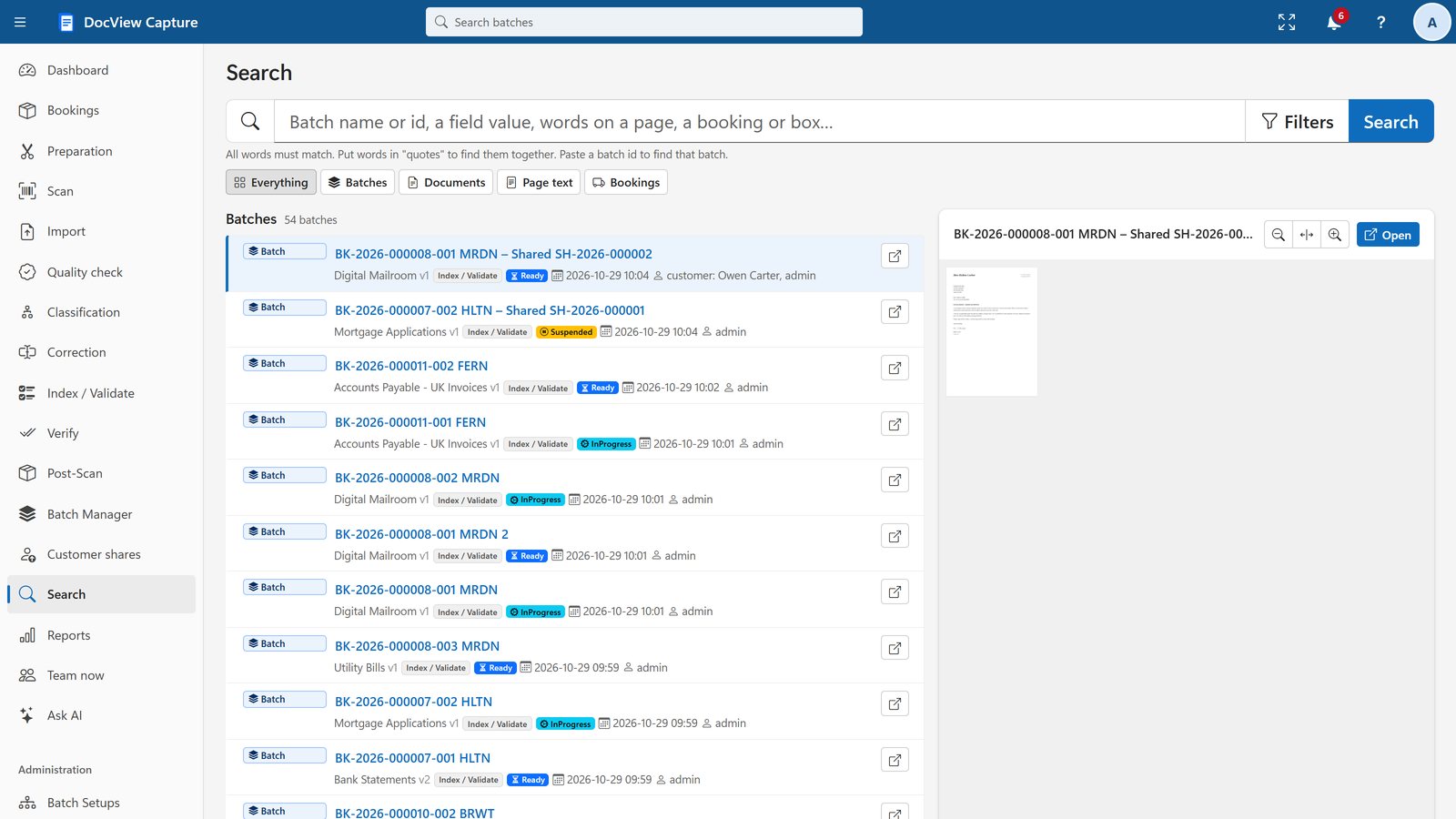
- Batch split sends documents by type, value or problem into linked batches, each with its own step and priority
- Manual steps can be added more than once, each with its own name and queue
- Routing scripts send a batch to another step when a value calls for it
- One search over field values and page text, including exported batches
- Customer sharing asks the claimant for a missing page through a secure link and PIN
- DocView Web document cases, tasks and a drag-and-drop workflow designer
What we configure or build for you
We set up the claim lines you handle and the rules your handlers work to.
Claim ID linking
We match late documents to the open claim by claim number, policy number, name and date of loss. Anything unmatched goes to a queue for a person.
Fraud and anomaly flags
We configure the flags you choose, such as an invoice already seen on another claim, a bill dated before the loss or a repairer not on your list. People decide what they mean.
Adjuster and handler queues
We route by claim line, value, region or flag, so a large property loss reaches an adjuster and a small claim stays with the desk.
Motor claims
Estimates, engineer reports, photos and repair invoices, with a separate route when a vehicle may be a total loss.
Property claims
Contractor quotes, loss adjuster reports and invoices, with quoted and invoiced amounts compared.
Travel claims
Receipts, medical bills and booking confirmations, with currency kept for each amount and medical evidence shown only to the people allowed to see it.
We can also set up proposal forms, broker submissions, complaints with your own response targets and recovery correspondence, and connect DocView to your claims or policy administration system.
Teams that receive claim documents faster than they can file them
Insurance claims questions
Is this an off-the-shelf product?
No. It is DocView configured for your claims process and, where needed, extended by Dev Soft UK. The claims setup, recognition, checks and queues are part of DocView; linking rules, flags and the connection to your claims system are built with you.
How does a document that arrives weeks later find its claim?
DocView reads the claim or policy number where it is printed. Where it is missing, we configure a lookup on your open claims by name, address or date of loss, and anything still unmatched waits for a handler.
Does DocView detect fraud?
DocView does not score claims for fraud. It raises the flags you define, such as repeated invoices or dates that do not fit, and sends them to the people who decide.
Can photos of the damage go into the claim?
Yes. JPEG and PNG images are imported with the other documents and filed with the claim. DocView does not assess the damage shown in a photo.
Can we start with one claim line?
Yes. Each line can be its own Batch Setup, so you can start with motor claims and add property or travel later.
Show us how a claim reaches your handlers
Tell us which claim lines you handle and where documents get stuck, or try the 14-day demo with fictional claims.