
Kofax / Tungsten Capture alternativePlan your move from Kofax / Tungsten Capture to DocView Capture
DocView Capture can import your Kofax / Tungsten Capture batch class exports into draft Batch Setups. It runs in the browser, hosted by us, on your servers or in your own cloud, with a software licence from $250 per month.
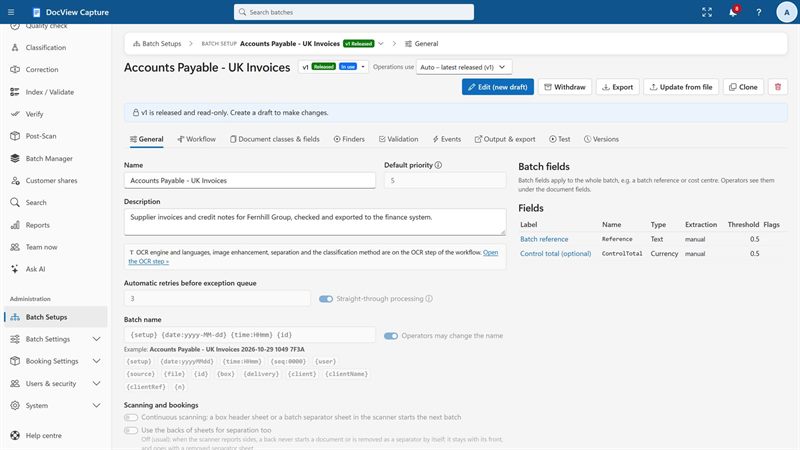
If you have used Kofax / Tungsten, it will feel familiar
If you have used Kofax / Tungsten Capture, IBM Datacap, Ephesoft or ABBYY FlexiCapture, DocView Capture will feel familiar: batches, document classes, index fields, separation, recognition, validation and export work in similar ways.
Everything in the browser
Setup, keying and administration run in a web browser. Only scanning PCs need the small Scan Agent, which operators install without admin rights.
One place per kind of work
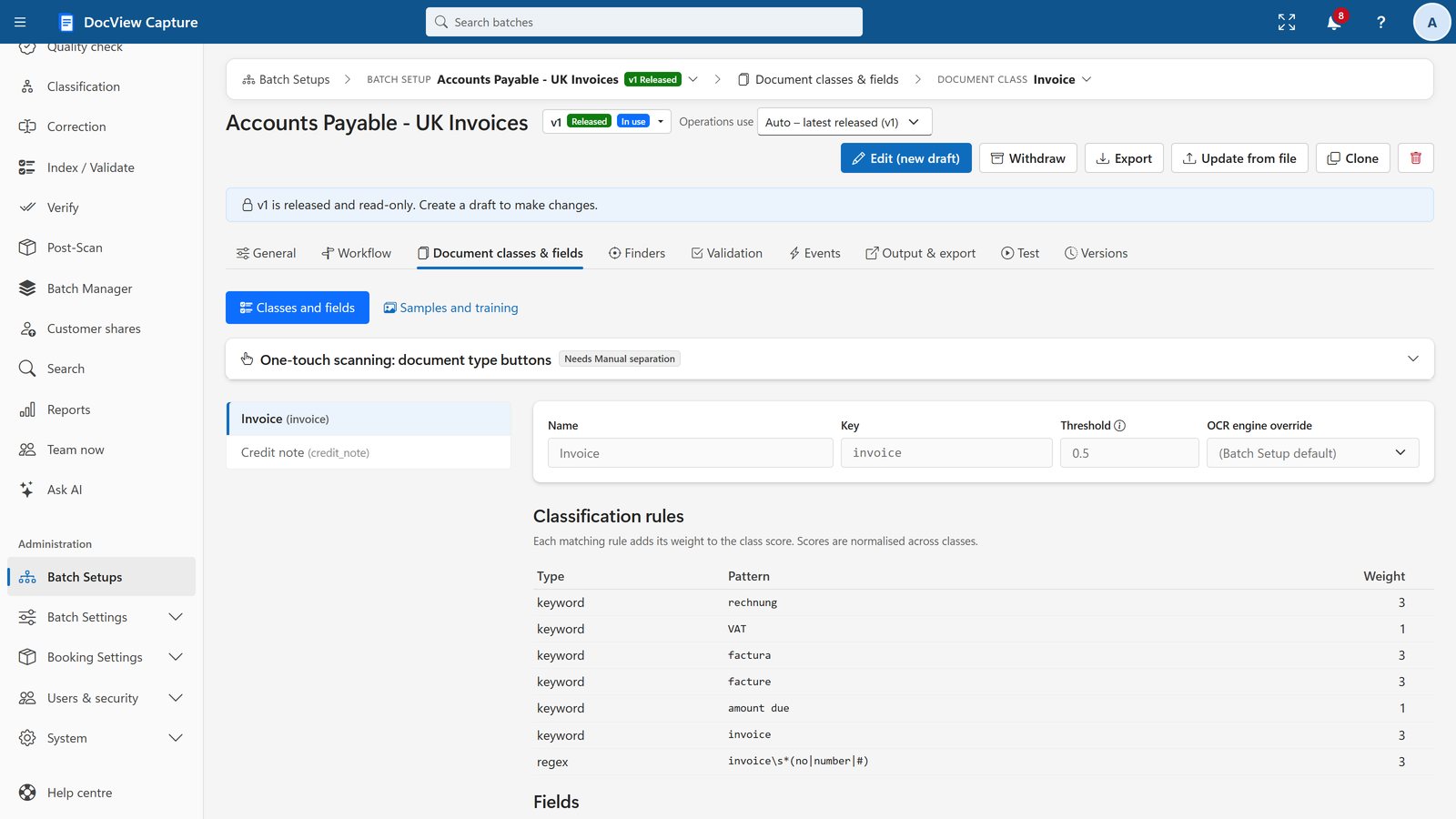
A Batch Setup holds the workflow, separation, classification, fields, validation and export, with built-in versions and release.
Recognition on ordinary CPUs
The built-in recognition engine reads print, handwriting and barcodes on your own servers, with no GPU and no cloud service.
One Setup program
Install on a PC, IIS, Docker, Azure, AWS or Google Cloud, or ask us to host it.
Scripts you already know
Rules and events in JavaScript, plus C# for export and scheduled tasks.
Clear pricing
Software licence from $250 per month, with a 30-day free trial. Hosting is quoted separately. See pricing.
From batch class export to a running setup
Export
Export your Kofax / Tungsten Capture batch class, including the Kofax / Tungsten Transformation project.
Import
Import it into DocView Capture to create draft Batch Setups.
Review and tune
Tune classification, extraction and validation with your real documents.
Connect
Connect exports to the same destinations: folders, SharePoint, ERP or document management.
Run in parallel
Compare the results, then switch over.
Dev Soft UK Ltd also provides Kofax / Tungsten development services, so we know both sides of the move. See custom development by Dev Soft UK.
Batch Setups, in one place
Imported Kofax / Tungsten Capture batch classes become draft Batch Setups for you to review. A Batch Setup holds the workflow, document types, fields and output in one place, with versions and a release step.
Before you start
Can DocView import my Kofax / Tungsten batch classes?
Yes. DocView Capture reads a Kofax / Tungsten Capture batch class export, including the Kofax / Tungsten Transformation project, and creates draft Batch Setups for you to review.
Does DocView run on-premises like Kofax / Tungsten Capture?
Yes. DocView runs on a Windows PC, on Windows Server with IIS, in Docker, or in your own Azure, AWS or Google Cloud account.
Can I keep my scanners?
Yes. DocView Capture scans from any TWAIN or WIA scanner into the web browser through the small DocView Scan Agent.
Who will help with the migration?
Dev Soft UK Ltd provides Kofax / Tungsten development and Kofax / Tungsten-to-DocView migration services and can plan and run the move with you.
How do I start?
Try the free online demo, then send us your batch class export. We review it and propose a migration plan.
Kofax and Tungsten, IBM Datacap, Ephesoft and ABBYY FlexiCapture are trademarks of their respective owners.
Planning a move from Kofax / Tungsten Capture?
Send us your batch class export and we will propose a migration plan. Or start with a free 14-day demo, no installation and no credit card.