
DocView Capture featuresEverything from the scanner to your systems
Scan, import, clean up, read, sort, extract, check and deliver, all in the browser. Bureau operations and post-scan custody are built in.
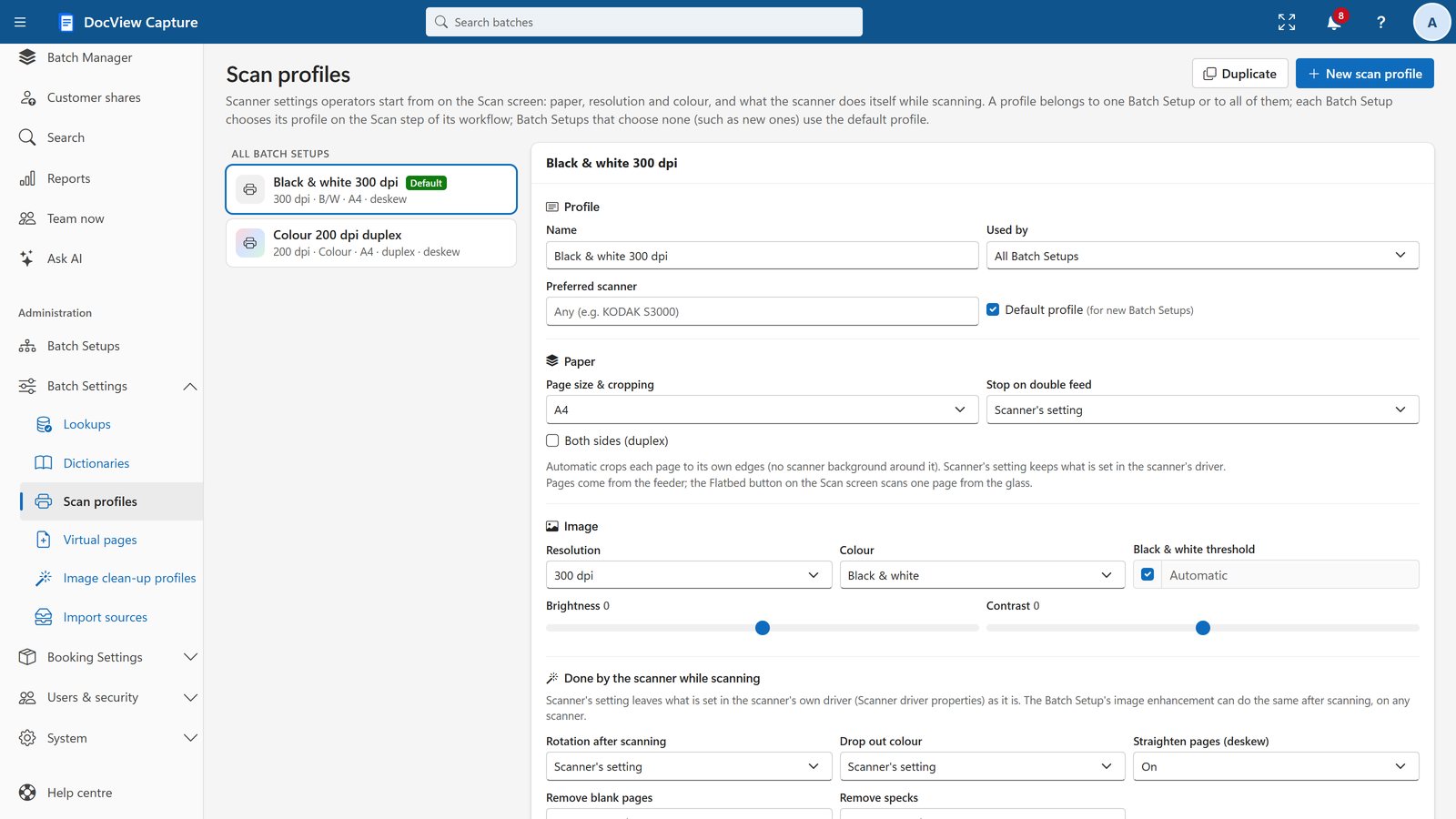
Scan straight into the browser
Operators scan from any TWAIN or WIA scanner on their Windows PC. Every page appears large the moment it is scanned, so a problem can be stopped at once.
- Uploads run in the background and never hold up the scanner
- Stop scan halts the feeder immediately
- One-touch scanning: a button and key per document type
- Continuous scanning, with box sheets or separators starting the next batch
- Virtual pages for notices such as "Page missing"
The Scan Agent is downloaded from the Scan screen and installs with no administrator rights. Scanning needs a Windows PC. On other devices, people can import, index and verify in the browser.
Documents arrive by themselves
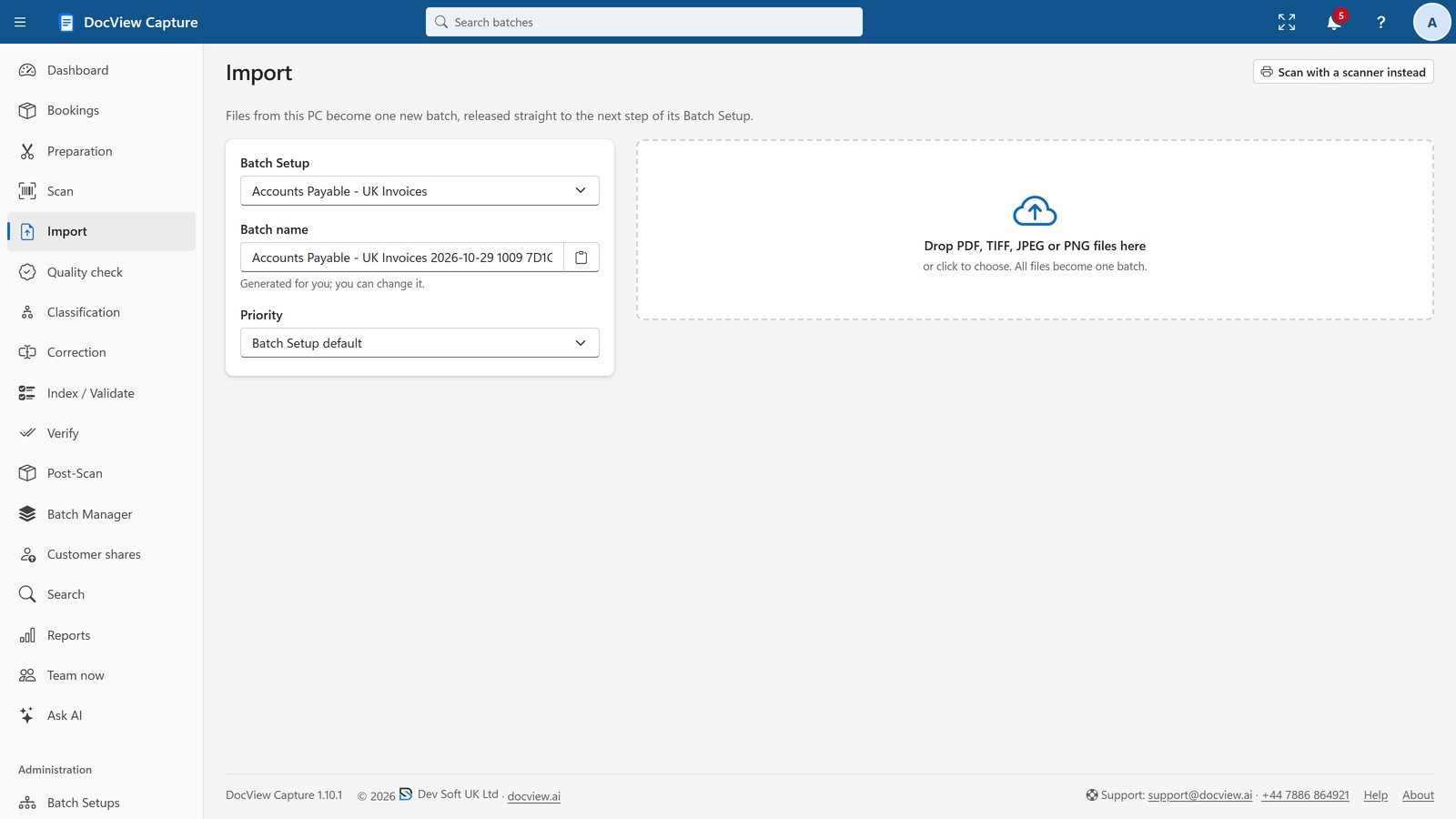
Collect documents from wherever they land and turn them into batches automatically. PDF, TIFF, JPEG and PNG are all accepted, and multi-page files are split into pages.
- Drag and drop upload
- Watched folders
- IMAP and POP3 mailboxes
- Microsoft 365 mailboxes
- SFTP, FTP and FTPS
- Azure Blob Storage
- Amazon S3 and compatible
- SharePoint and Teams files
- Database tables or views
- REST API with API keys
Clean images, better reading
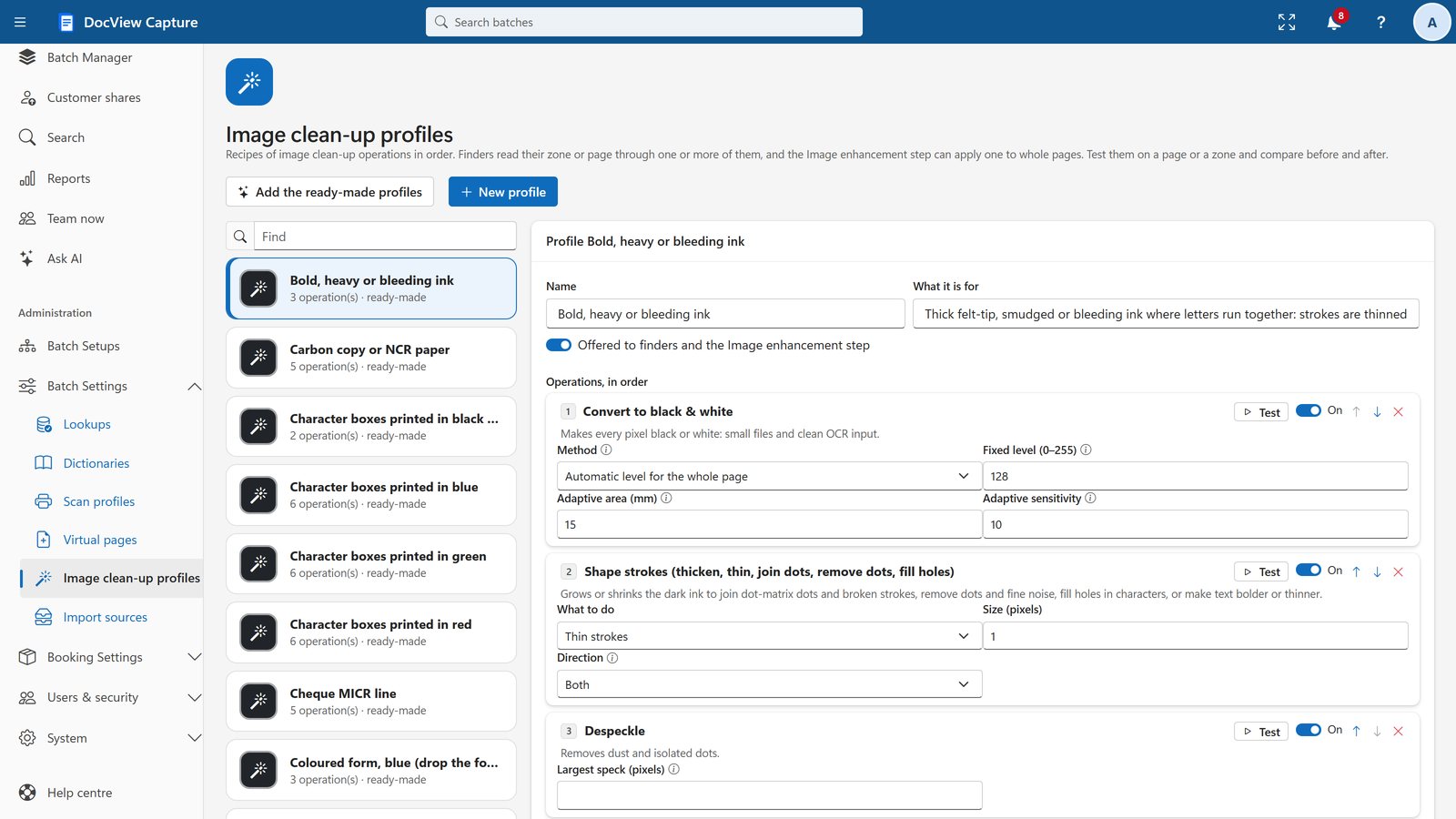
Automatic enhancement runs before checking and reading, with a before-and-after test on your own samples.
- Deskew, rotate, crop, blank page removal, despeckle and colour drop-out
- Clean-up profiles for character boxes, ruled lines, carbon copies, faxes, thermal receipts and more
- Automatic check flags blank, skewed, blurred, dark and low-resolution pages with the reason
- Quality check by page or document, with failures sent back to Scan
Print, handwriting, tick boxes and barcodes
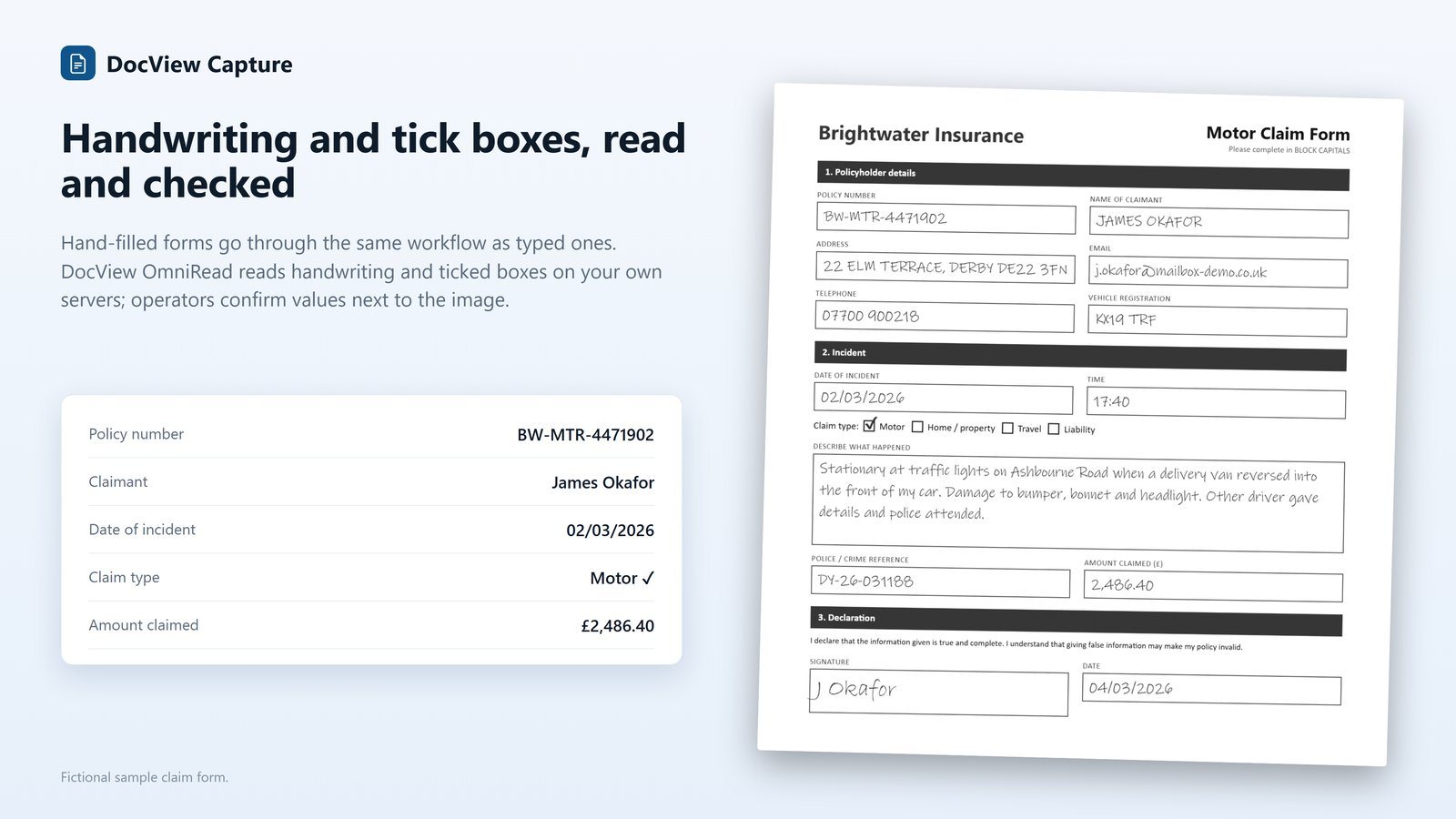
Built-in on-premises OCR at no extra cost, plus DocView OmniRead for higher accuracy in 50 languages. Choose the engine and languages per Batch Setup.
- Handwriting (ICR) and hand printing in comb boxes
- Tick boxes (OMR), with unclear marks sent to an operator
- Signature boxes: signed or not
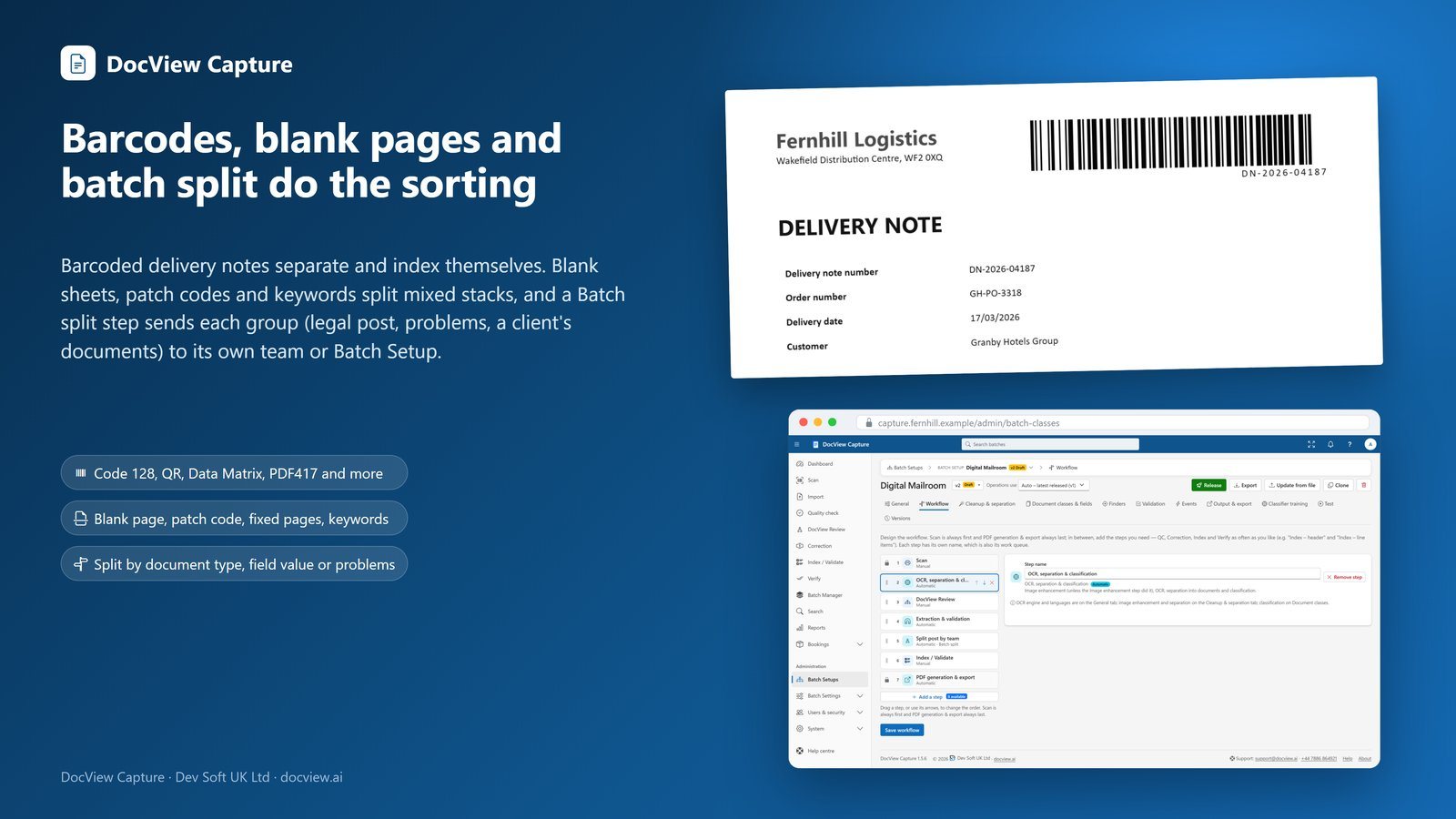
- Every common 1D and 2D barcode, plus patch codes
- Optional cloud OCR with your own key
Stacks of paper become documents
Combine rules in priority order and test them on a sample batch.
- Each file a document
- Fixed page count
- Blank page separators
- Barcode separators
- Patch code sheets
- Keywords or patterns
- Page size and count
- When the document type changes
Header sheets and box sheets are recognised and removed automatically, and operators can split and merge by hand.
Every document knows what it is
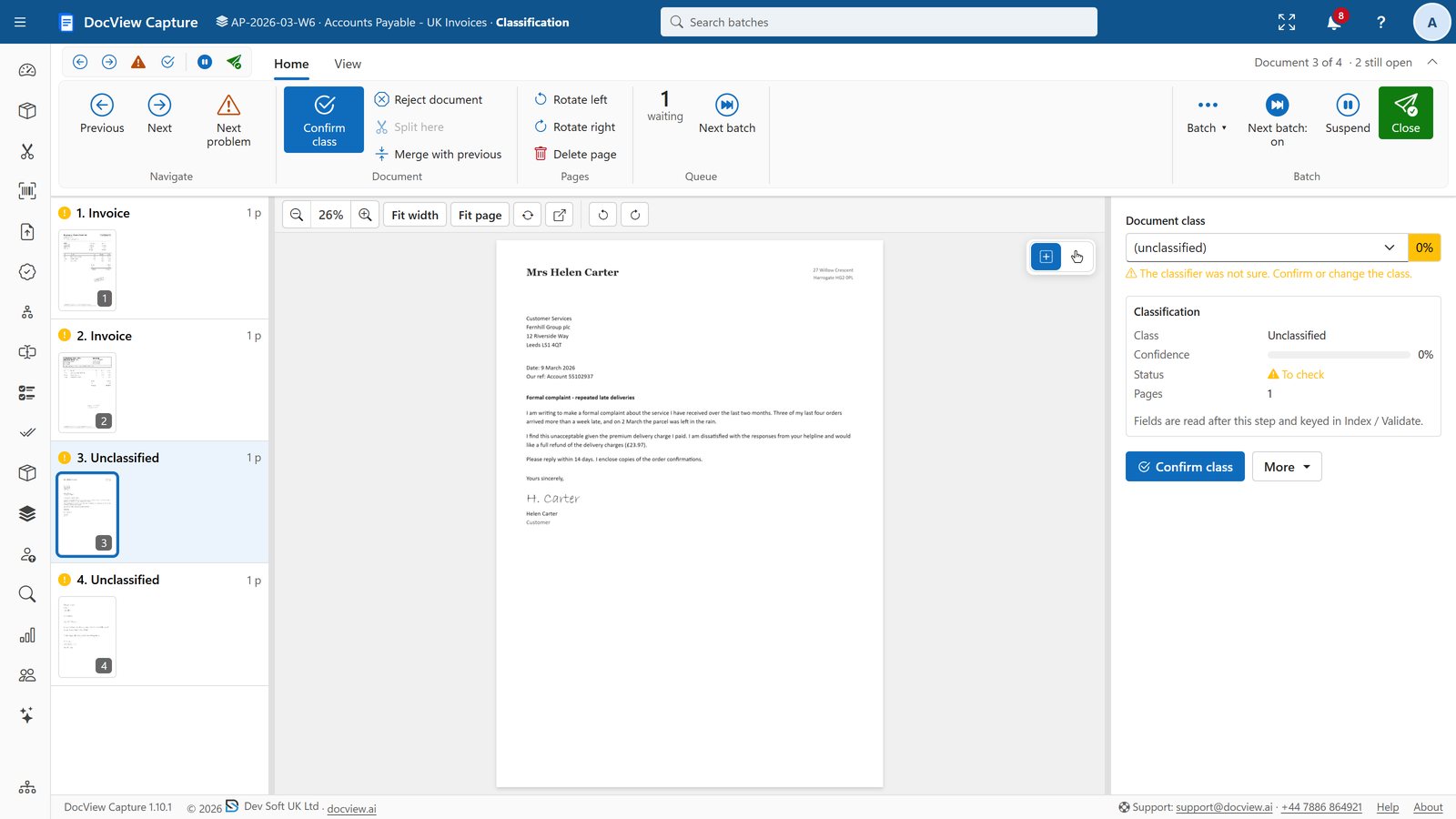
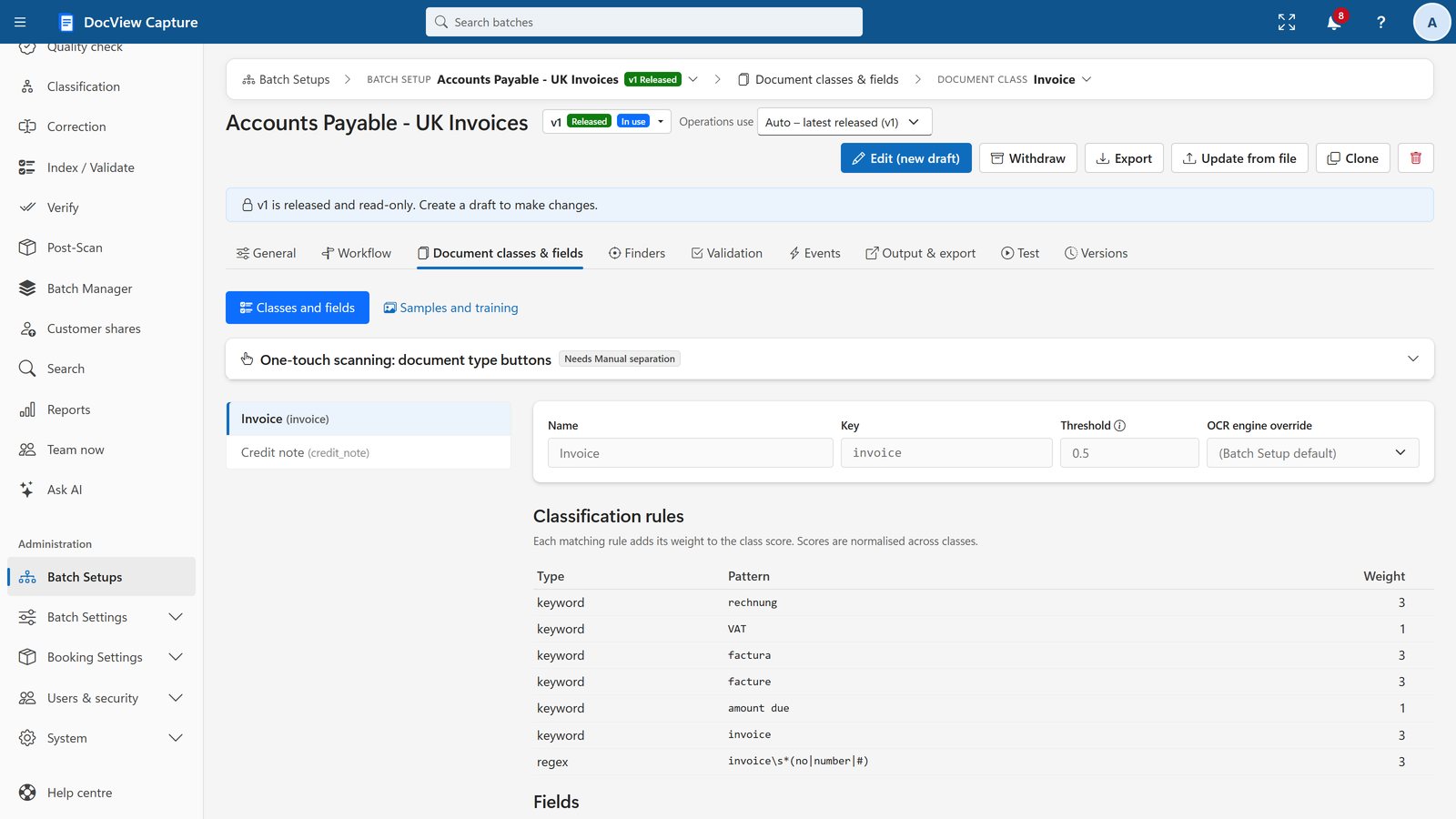
Use an ordered rule list, a classifier trained from your samples, or both. Anything below the confidence threshold you set goes to an operator for review.
- Keywords, patterns, barcode values, page count, scripts and learnt layouts
- A training and accuracy report for the trained classifier
- A test button that shows the scores per type
Find the data, wherever it is on the page
Finders locate each value, fall back to other finders and combine results, and you test them live on your samples.
- Label and value: finds labels despite OCR mistakes and scores every candidate
- Patterns, fixed zones and form zones with page registration
- Tables and line items over several pages, with row and sum checks
- Fuzzy database lookup against your master data
- Benchmark over samples: precision and recall per field
Cloud AI finders are optional and off by default. Each provider is switched on by a site administrator, with your own keys, and pages leave your premises only for providers you switch on.
Data you can trust before it leaves
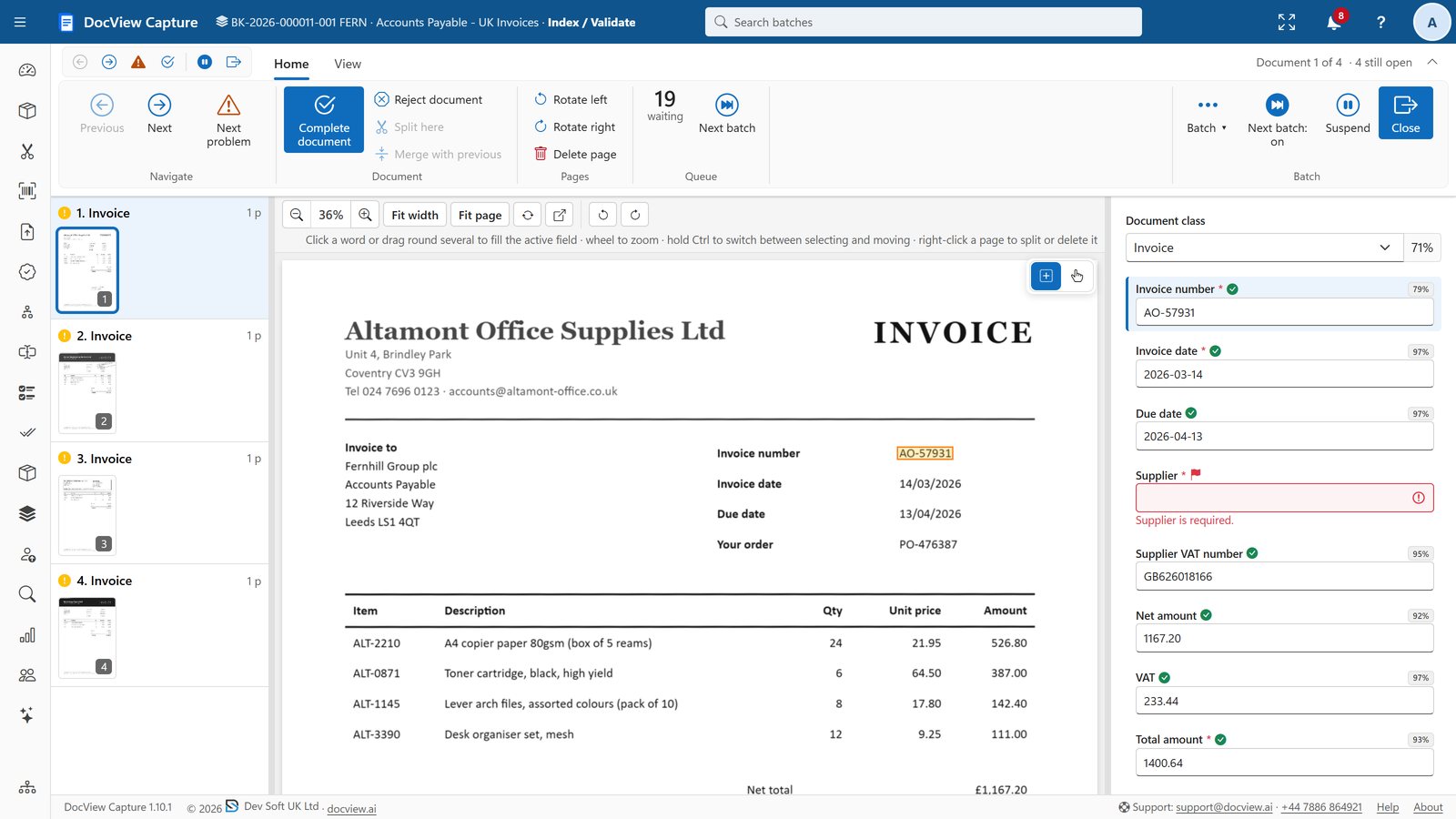
Formatters tidy values, and validators check them across fields, documents and whole batches.
- Check digits for UK VAT, IBAN, Luhn, EAN-13, US routing numbers, NHS numbers and NPI
- Rules such as sums, comparisons, required-if and batch control totals
- Database lookups for validation and auto-fill
- Calculated fields, event scripts and routing scripts
Built for speed at the keyboard
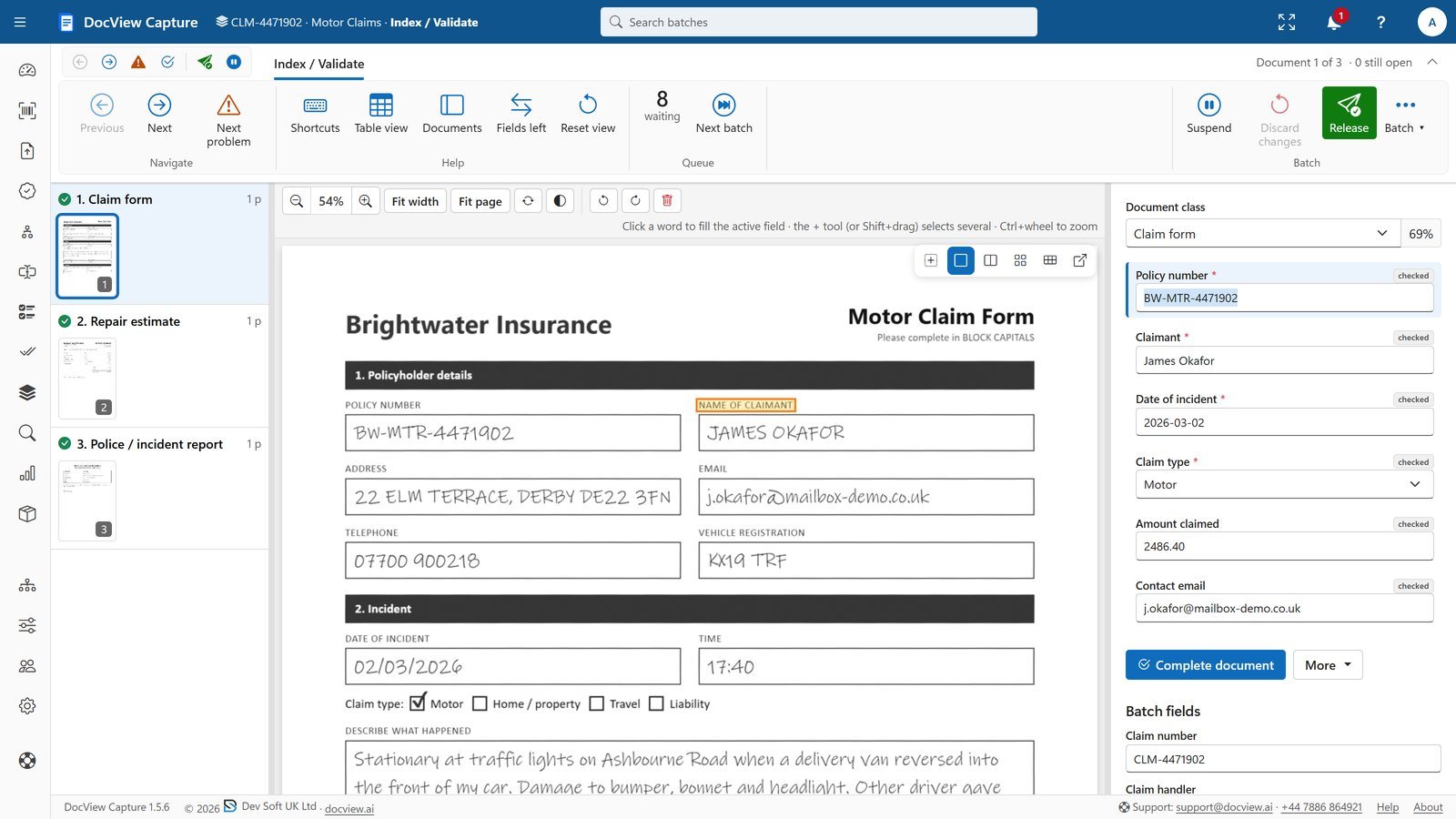
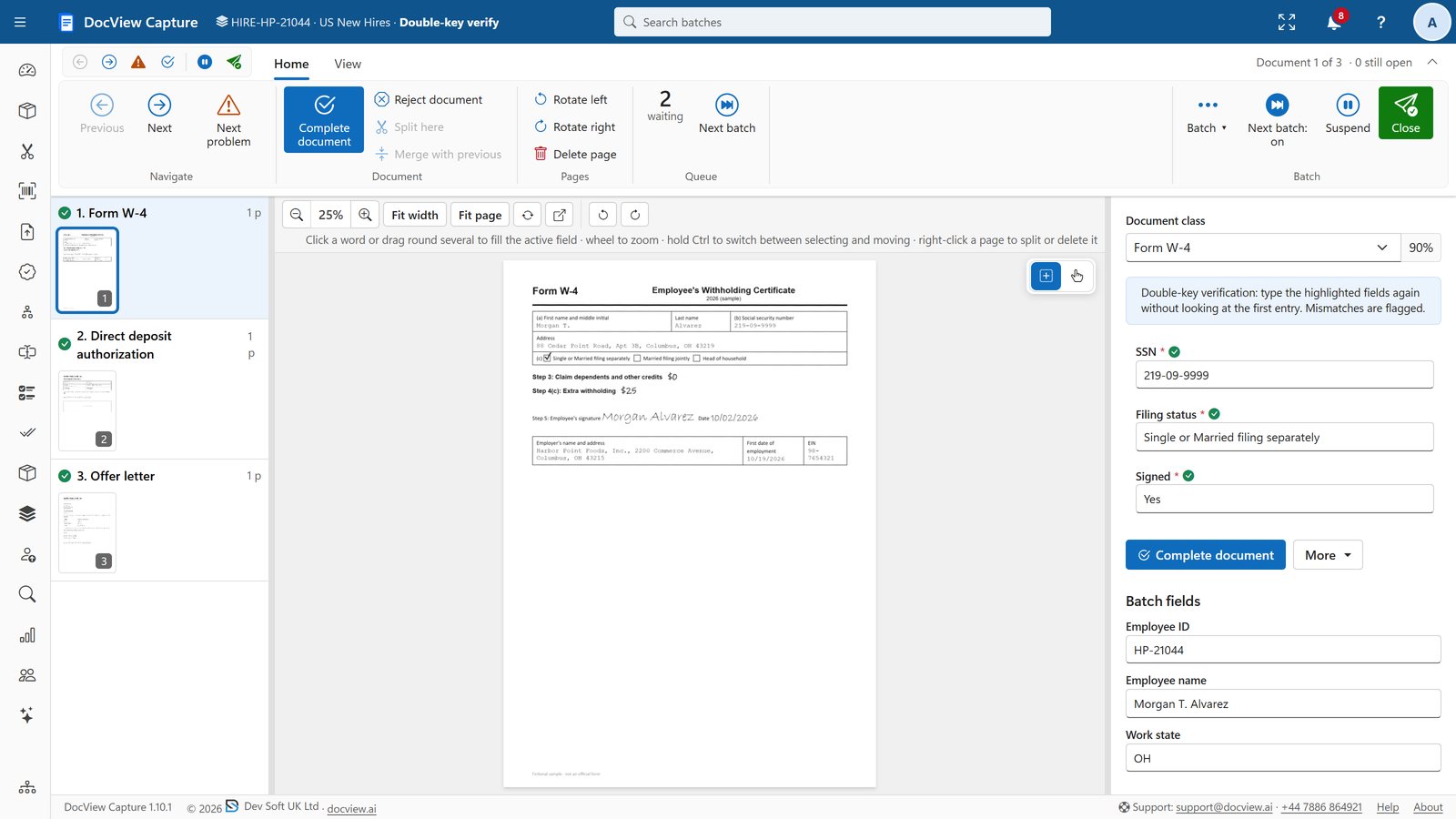
Selecting a field highlights where it was read. Click or drag on the image to fill it, and move to the next problem without touching the mouse.
- Index and Validate, with line-item grids and table view
- Correction, by field or document, or at random for data protection
- Verify (double-key) and four-eyes rules
- Continuous keying, second-screen page view, and light and dark themes
Ask your customer, with no account needed
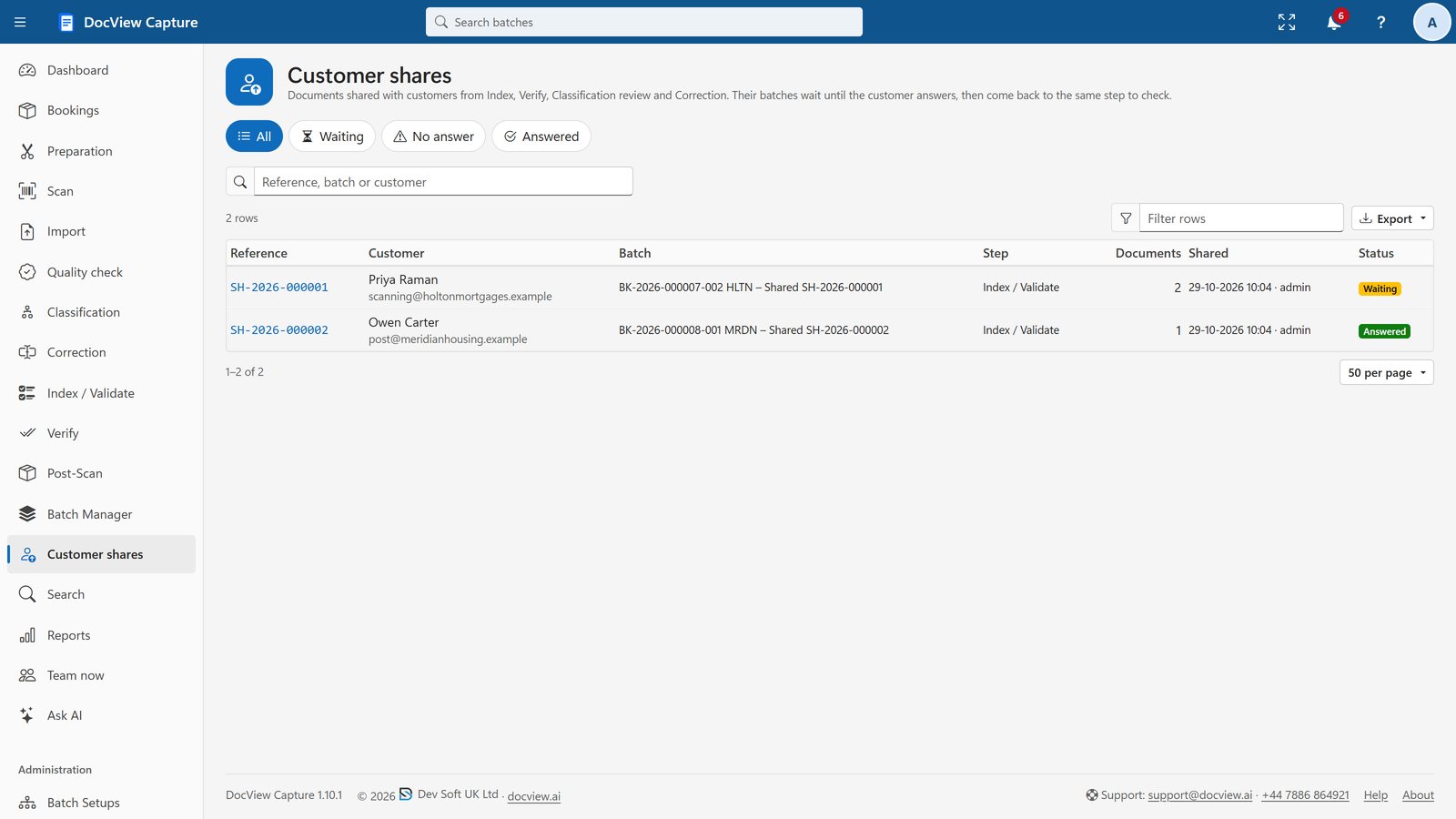
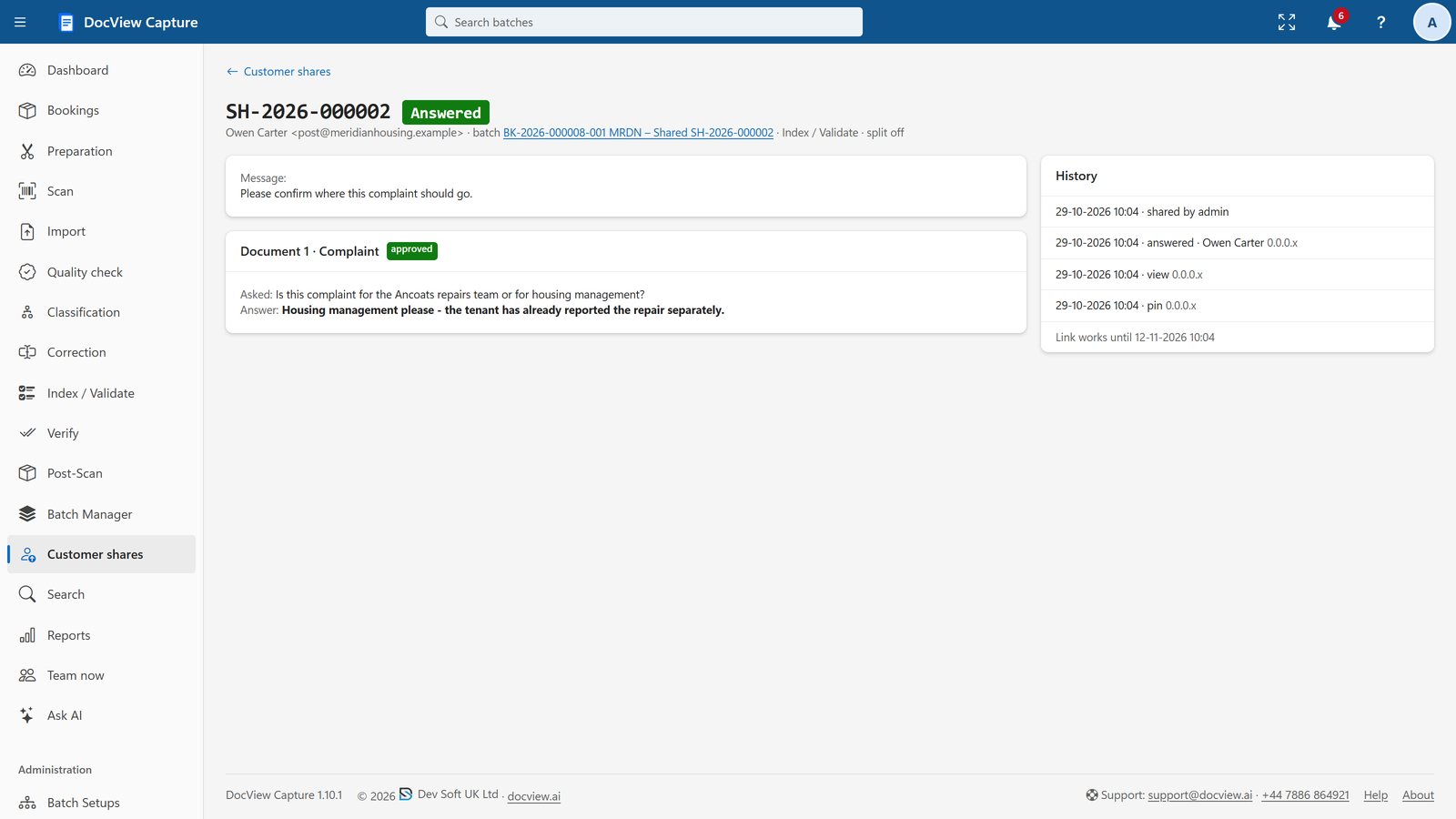
Send chosen documents with a secure link and a PIN. The customer can answer questions, fill in fields, approve or reject and upload replacement pages on a mobile-friendly page.
- The shared documents wait while the rest of the work carries on
- The answer brings them back to the same step for checking
- Reminders, then escalation to named staff
- Everything recorded in the batch history and access log
Your workflow, designed in minutes
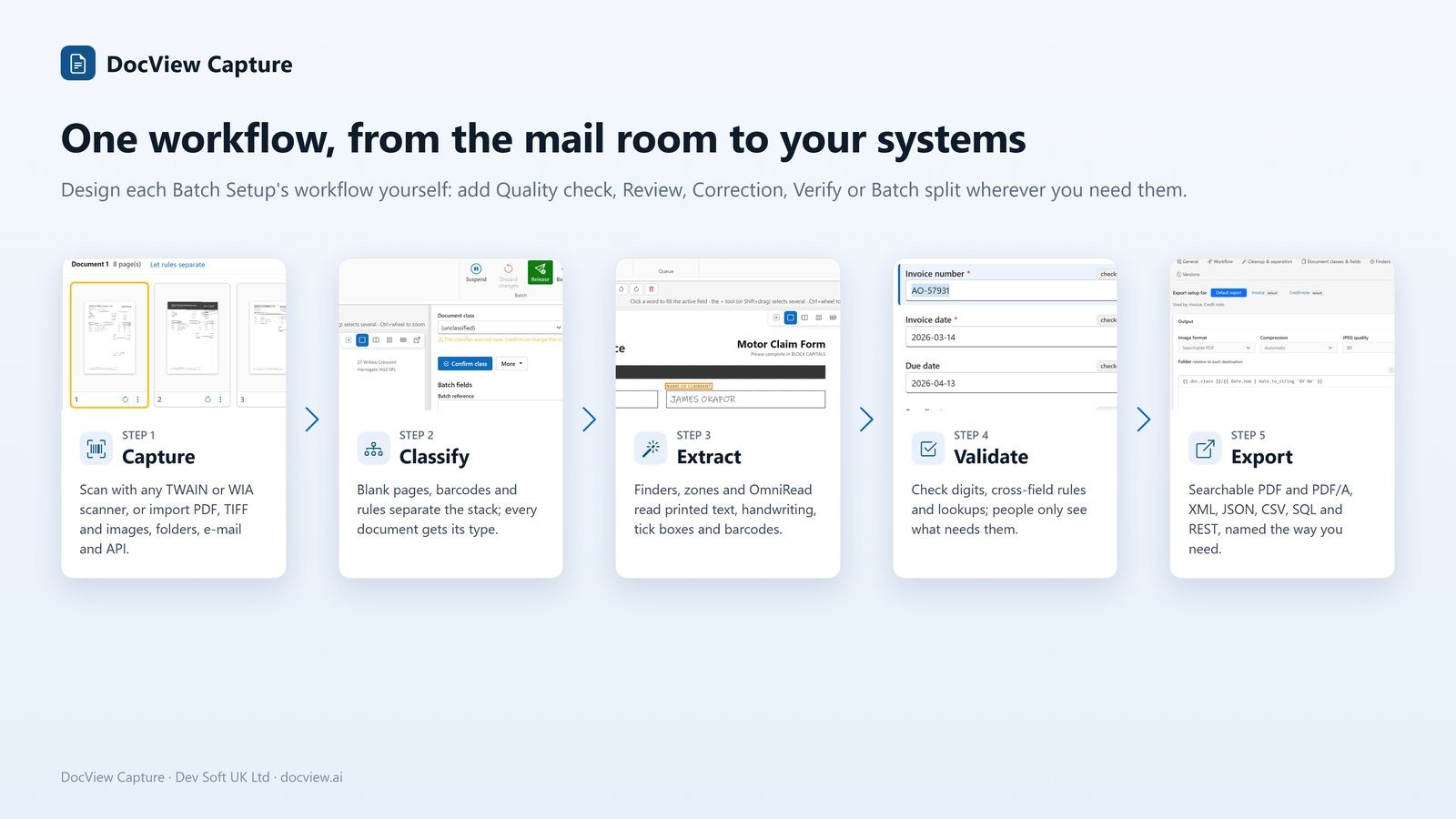
Add steps from a gallery that explains each one. Straight-through processing skips manual steps when there is nothing to do.
- When an automatic step keeps failing, the batch goes to Quality check with the error shown. Fix the pages and resume
- Batch split sorts documents into linked batches by type, value or problem
- Versions: edit a draft and release it
- Scheduled tasks in JavaScript or C#
Searchable PDFs and clean data, delivered
TIFF, PDF, searchable PDF and PDF/A images, with XML (validated against your XSD), CSV or JSON data. File and folder names come from templates, and you can preview them against a sample batch.
- Several destinations per Batch Setup, and a failed one is retried on its own
- No partial output is left behind
- Retention options after export
From the delivery van to the scanner
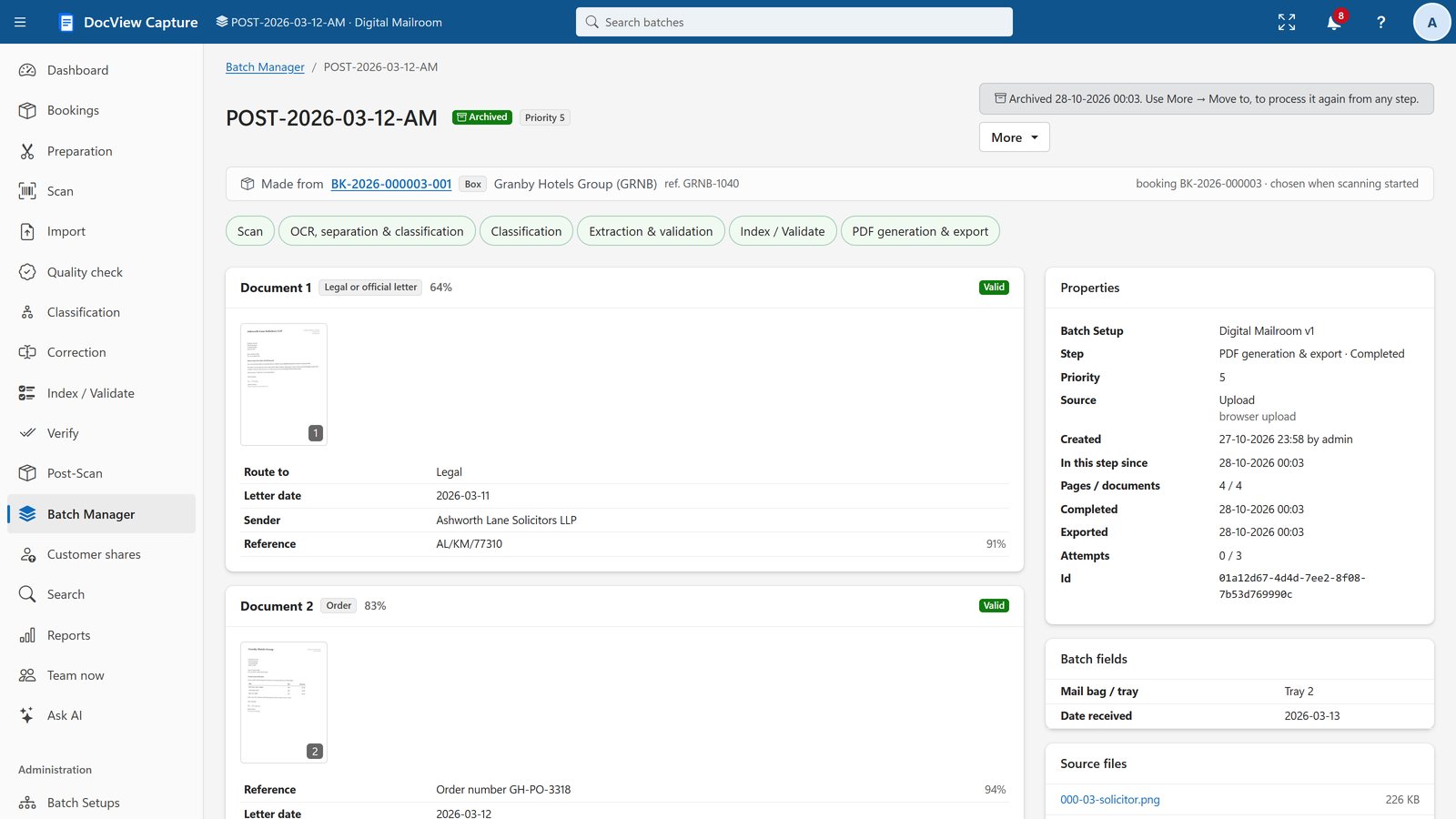
Receive deliveries by scanning each parcel, print box sheets and labels, and prepare each box against the clock.
- Bookings, clients and couriers
- Preparation station with timer and "Found something" (F2)
- Returns of originals, with second-person address checks
- Payments found, and large-format slip sheets
- Letter templates with your PDF letterhead
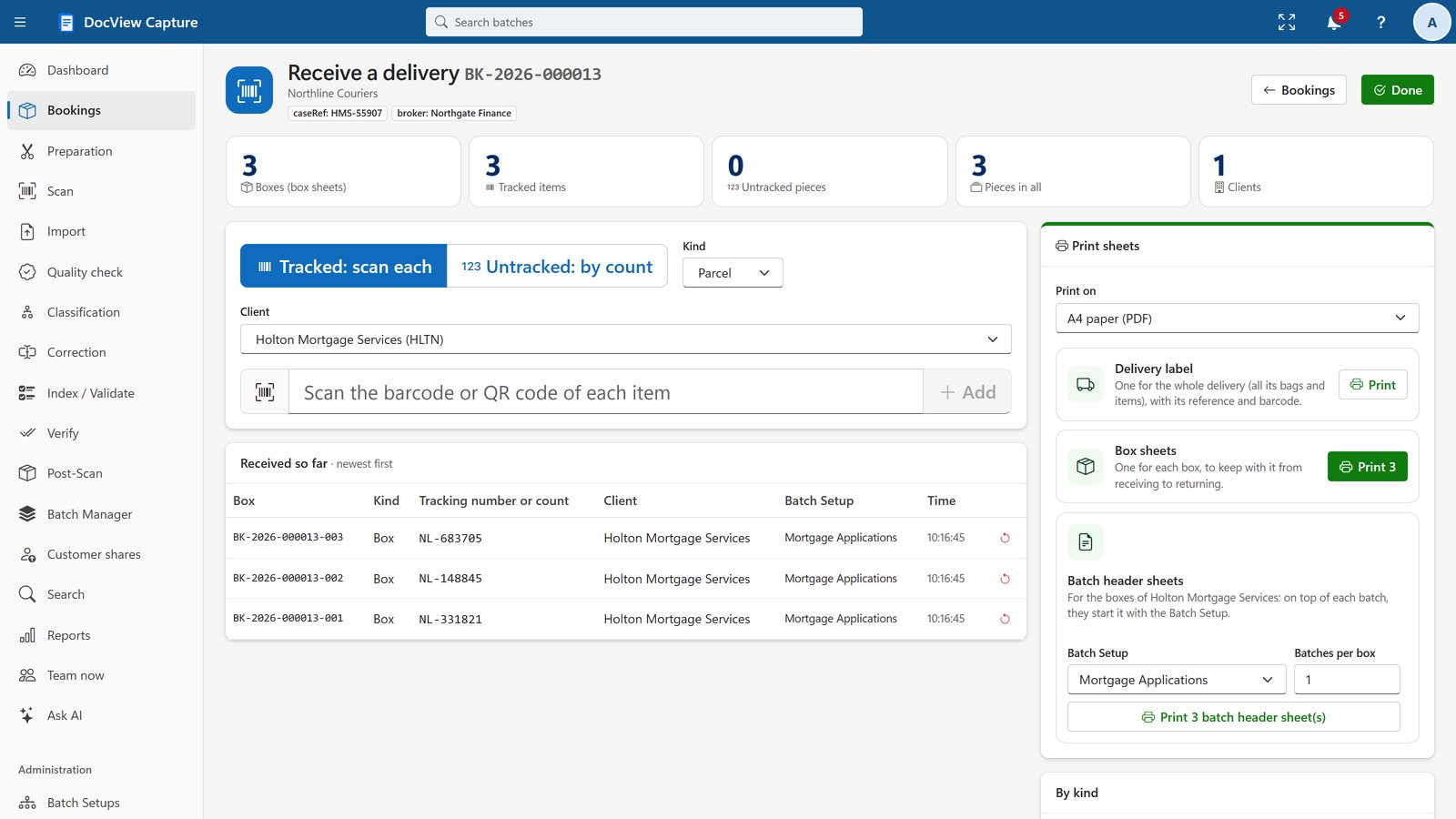
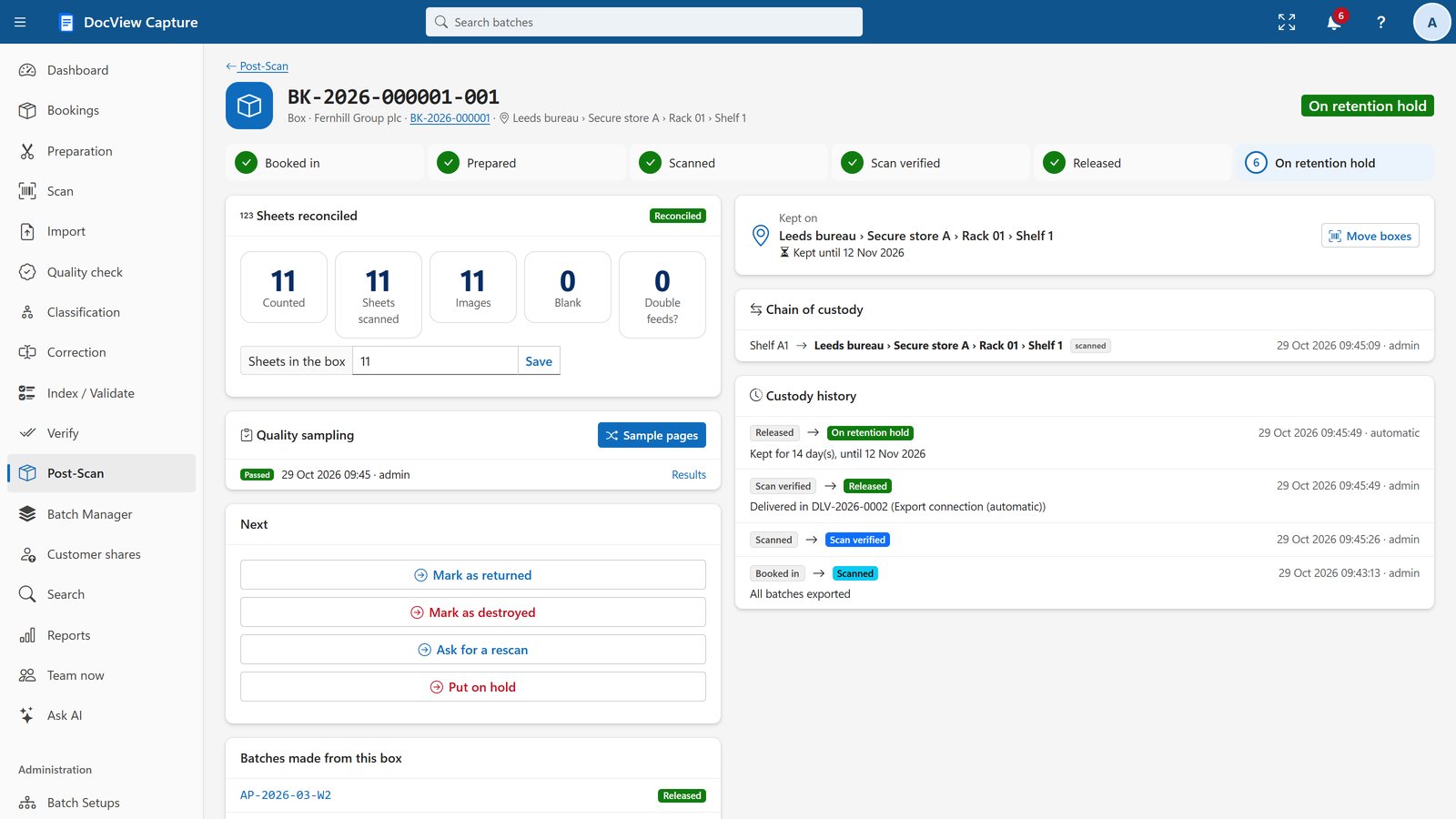
Chain of custody, from booking to destruction
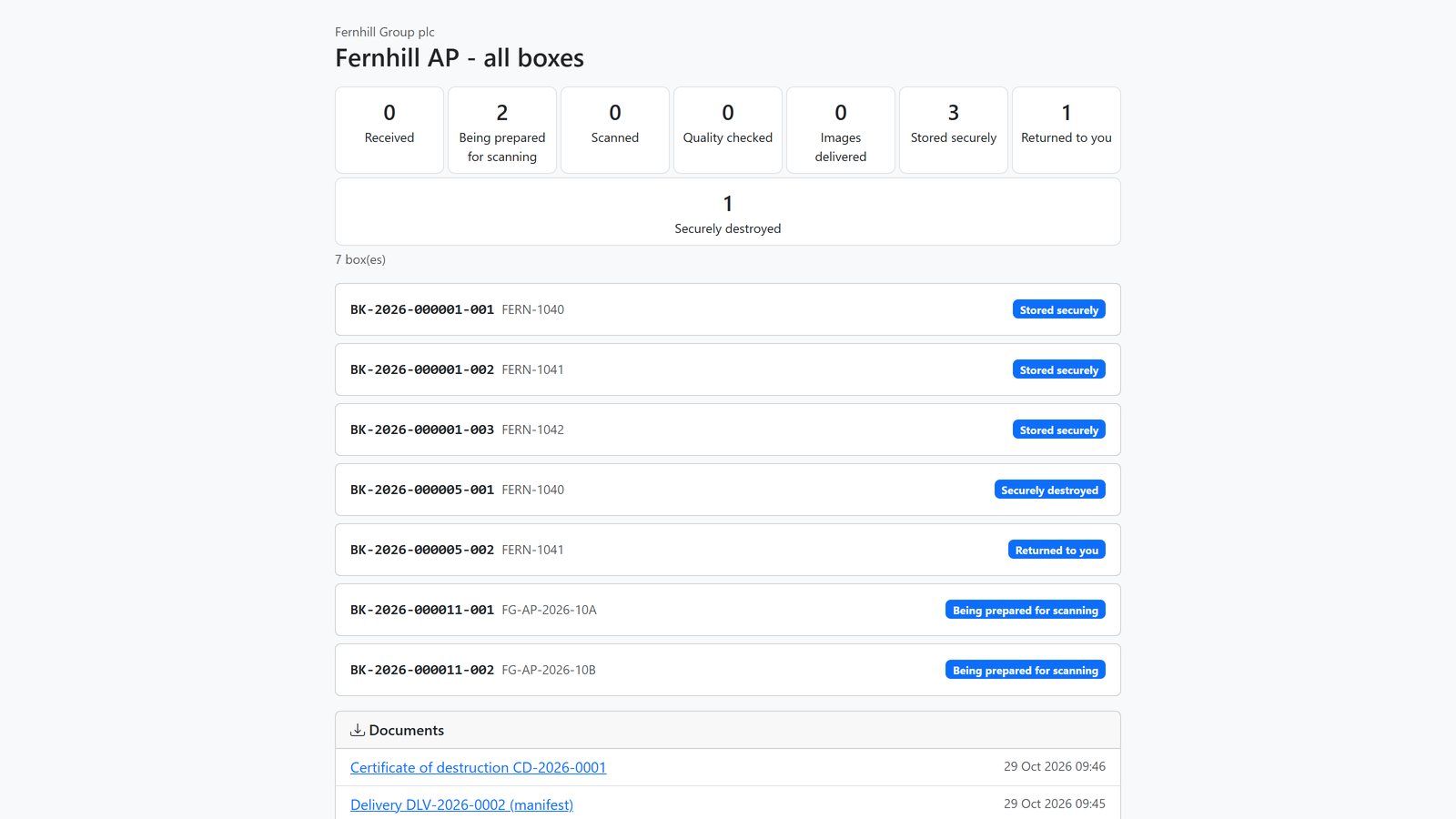
Boxes and batches move through custody states with reasons required, and an append-only history that cannot be changed or deleted.
- Scan reconciliation and random quality sampling
- Storage locations by site, zone, rack and shelf
- Retention with customer authorisation and a Certificate of Destruction
- Rescans, deliveries with manifests, and customer tracking links
See everything, find anything
One search box covers batches, documents, field values and page text, including exported batches. Hits are highlighted on a page preview.
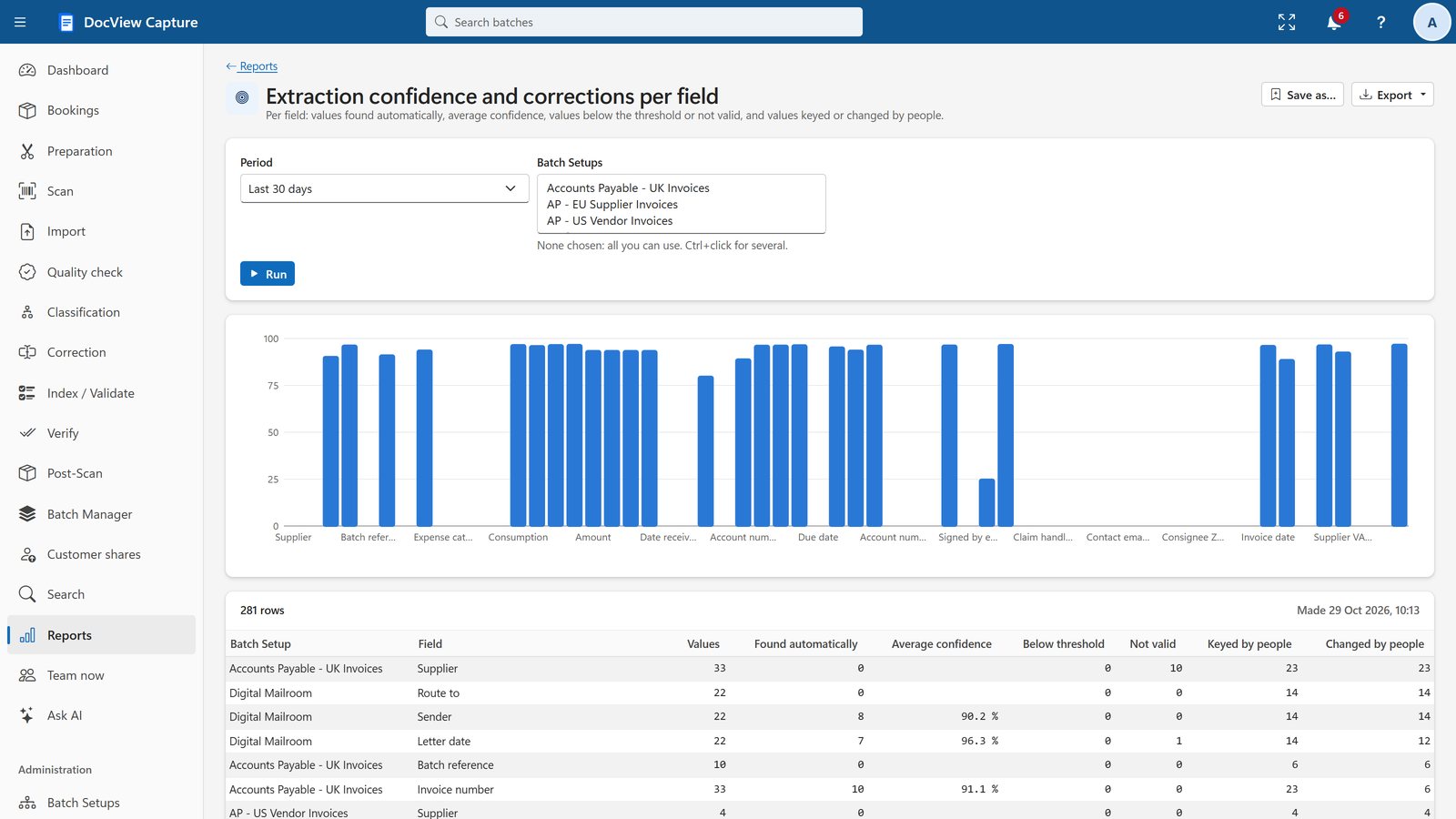
- Interactive dashboard, with click-through
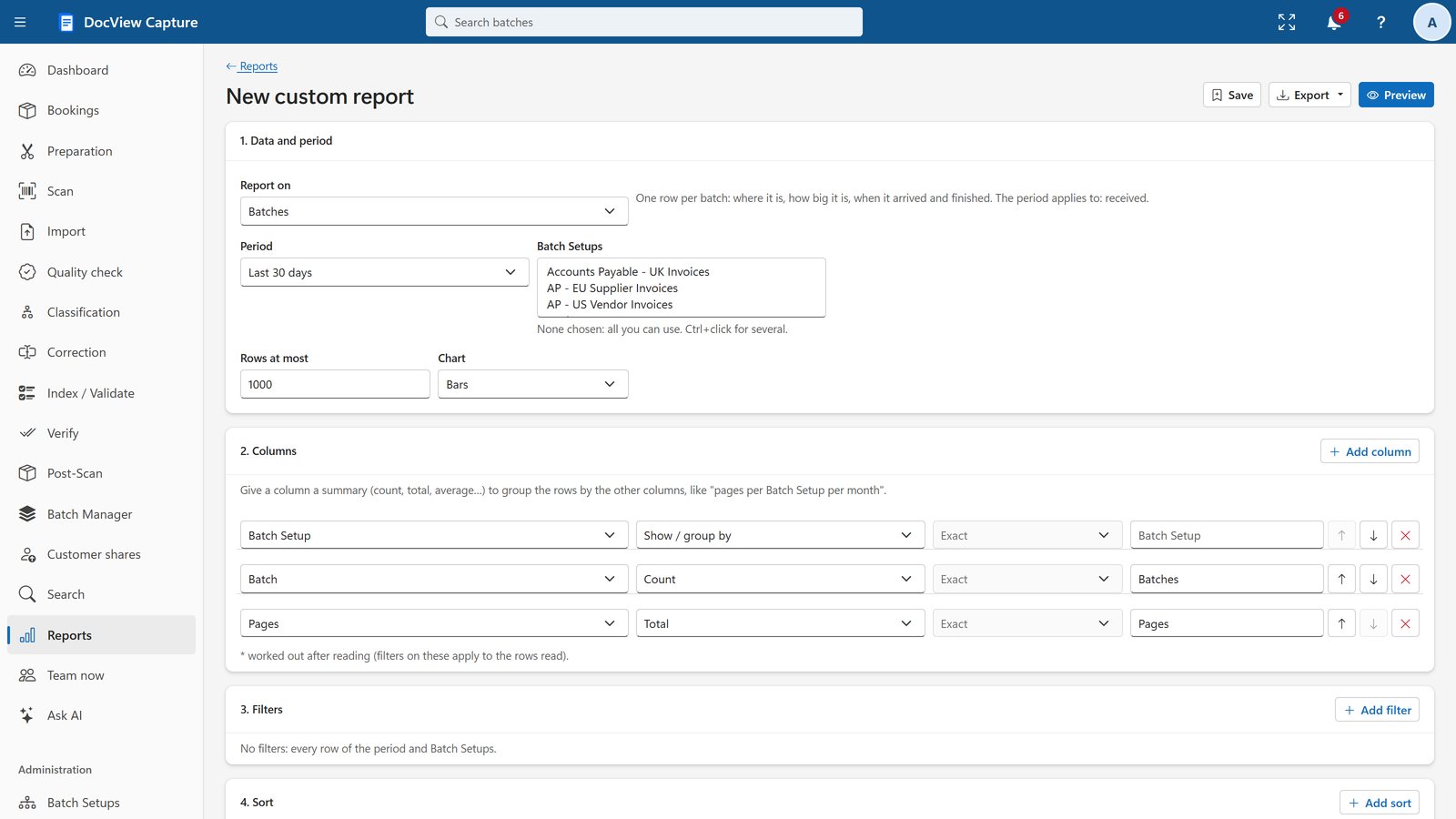
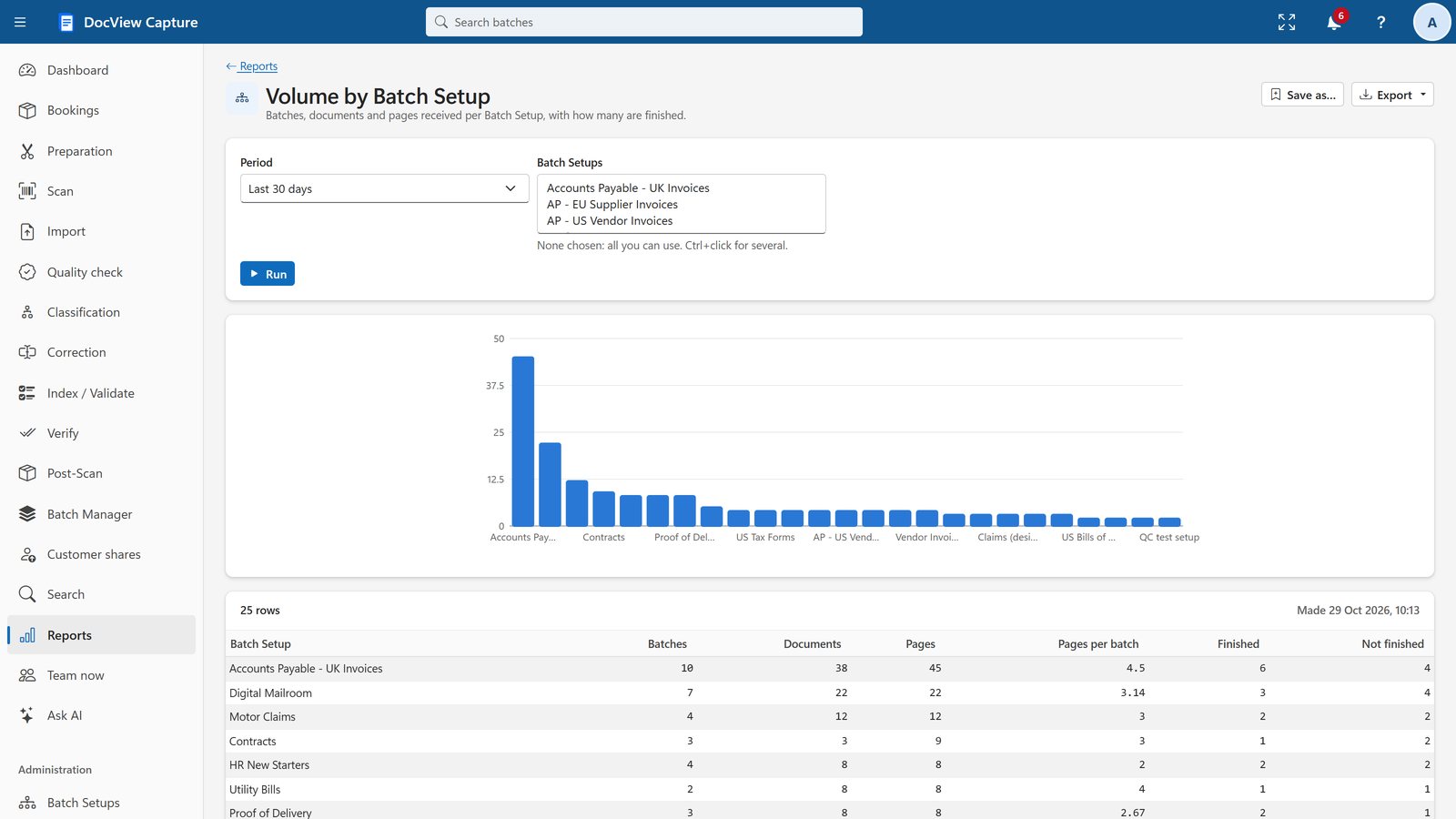
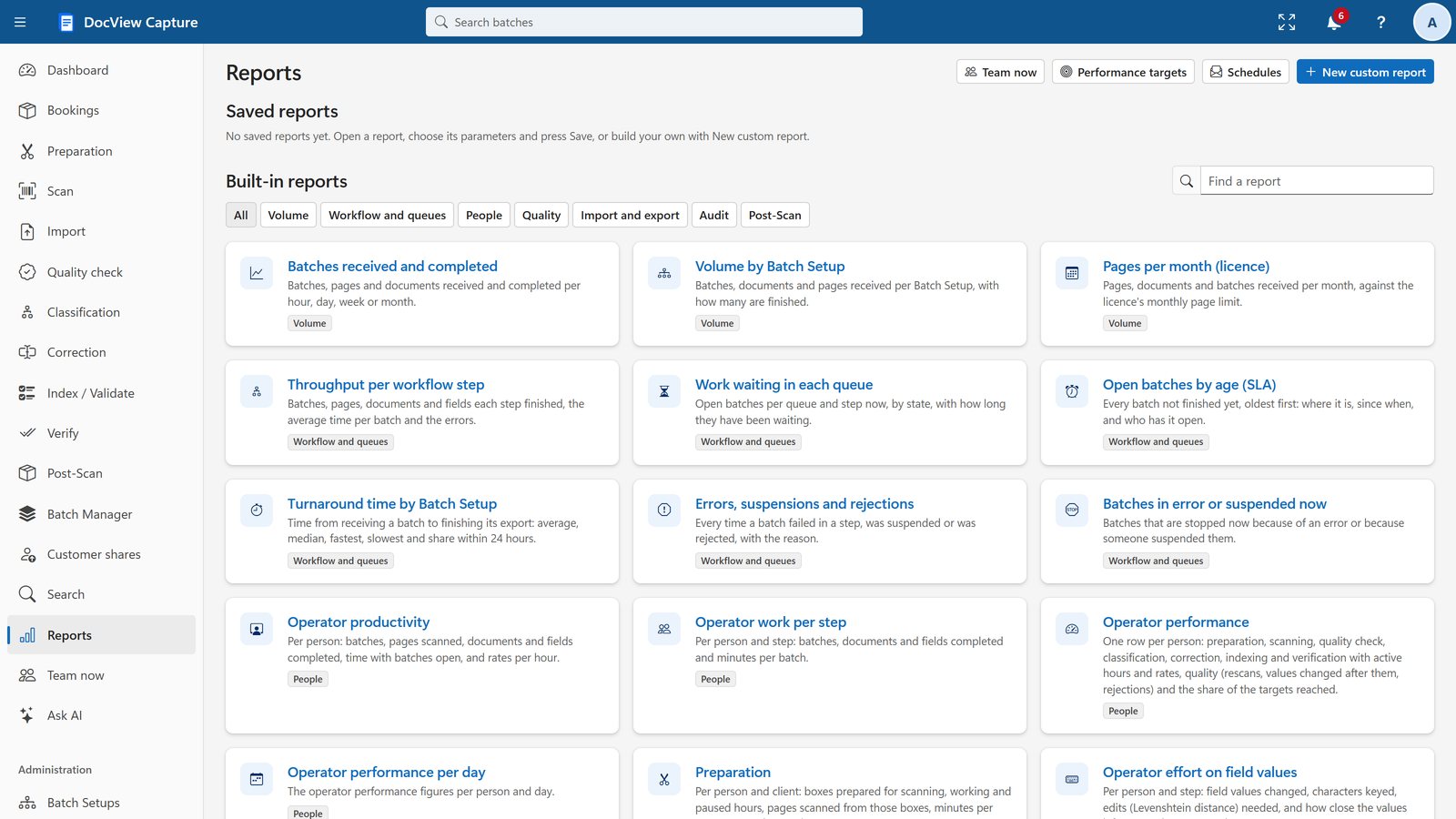
- 37 ready-made reports and a custom report builder
- Excel, CSV and PDF downloads
- Scheduled e-mail: daily, weekly or monthly
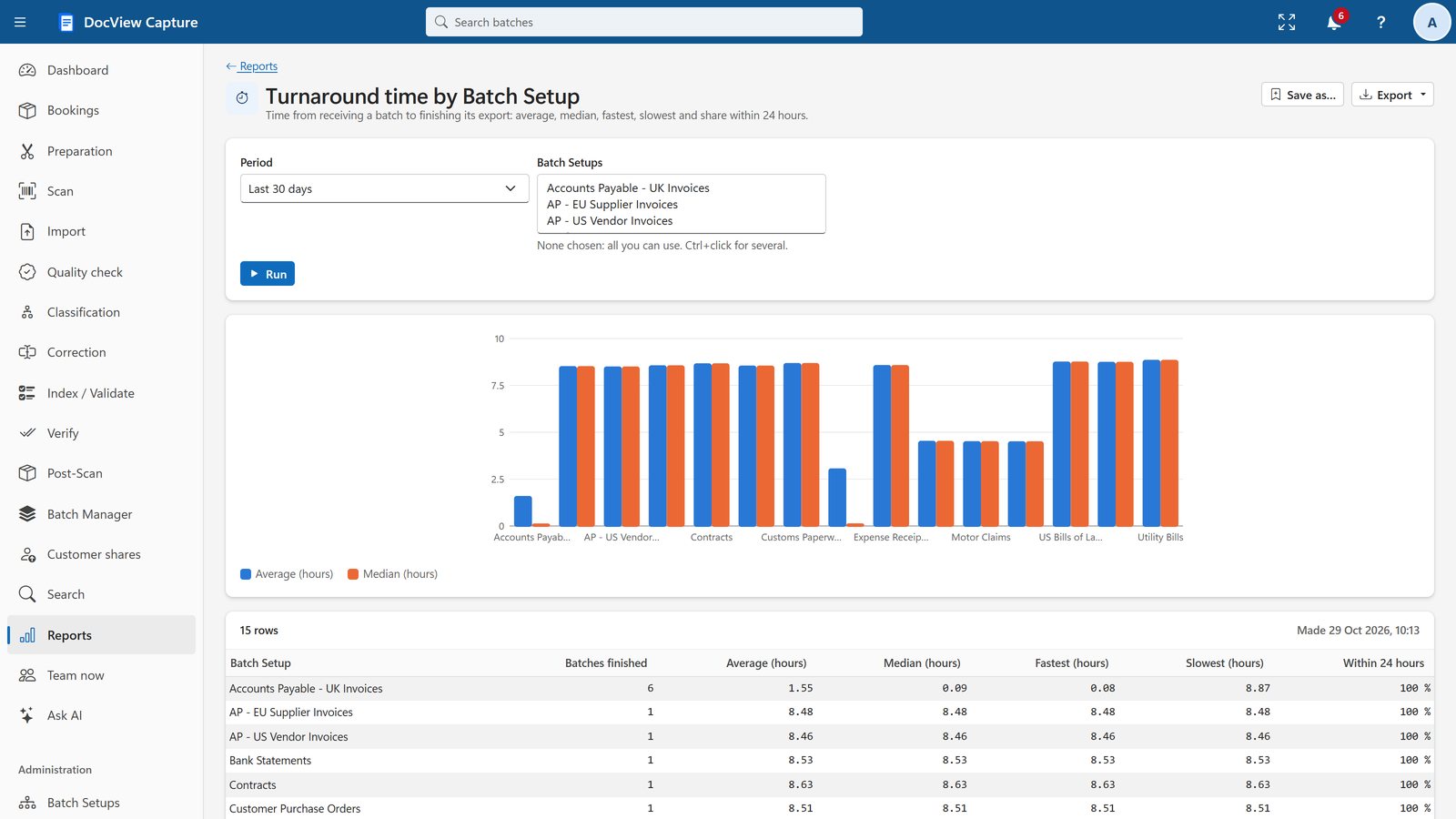
Fair, accurate productivity figures
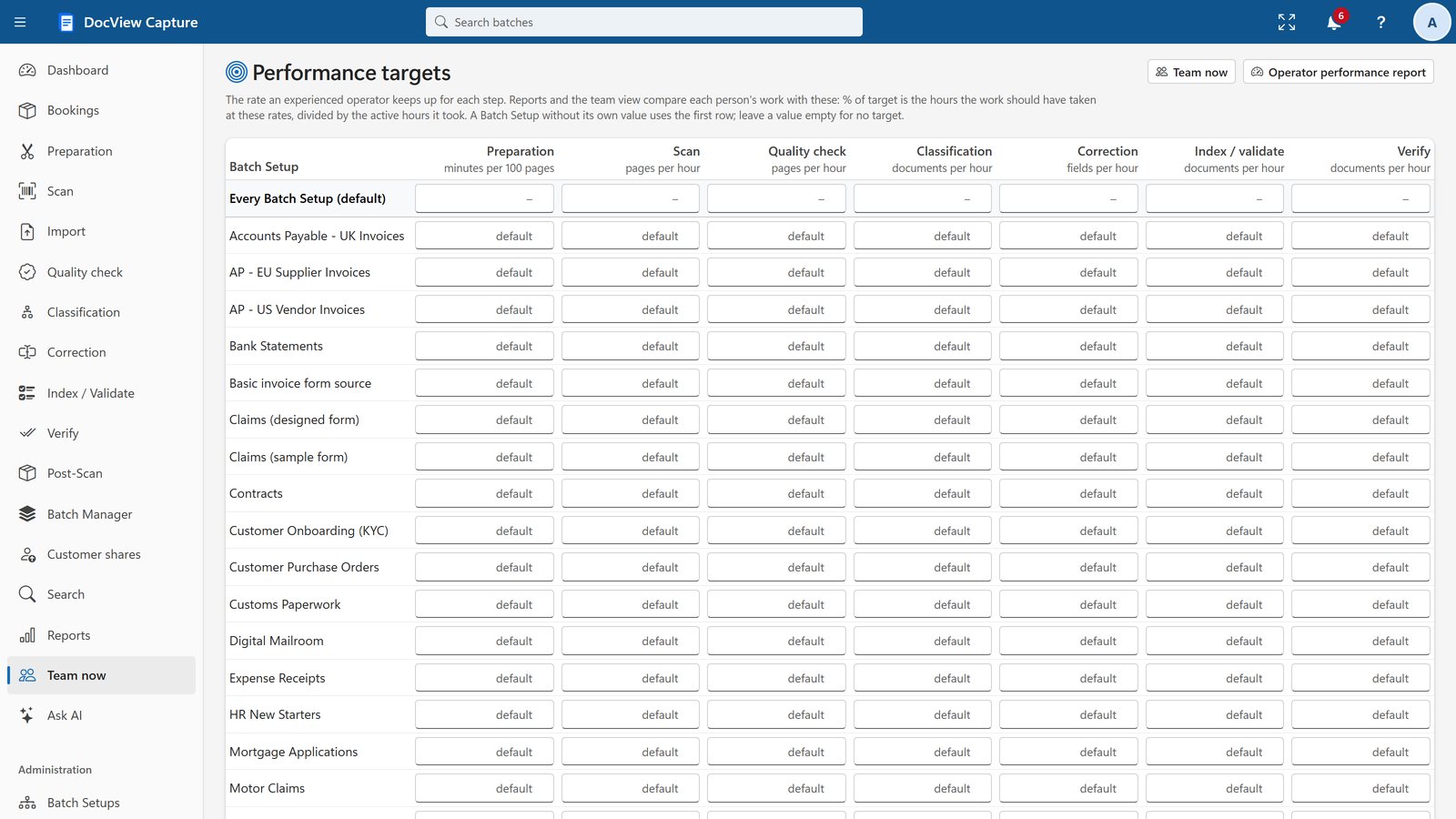
Active time leaves out idle gaps. Targets are set per Batch Setup and step, and quality is measured per operator.
- Team now: today, this week and this month
- Effort on field values shows where automation saves keying
- Privacy: everyone's figures need a specific permission
Simple to run
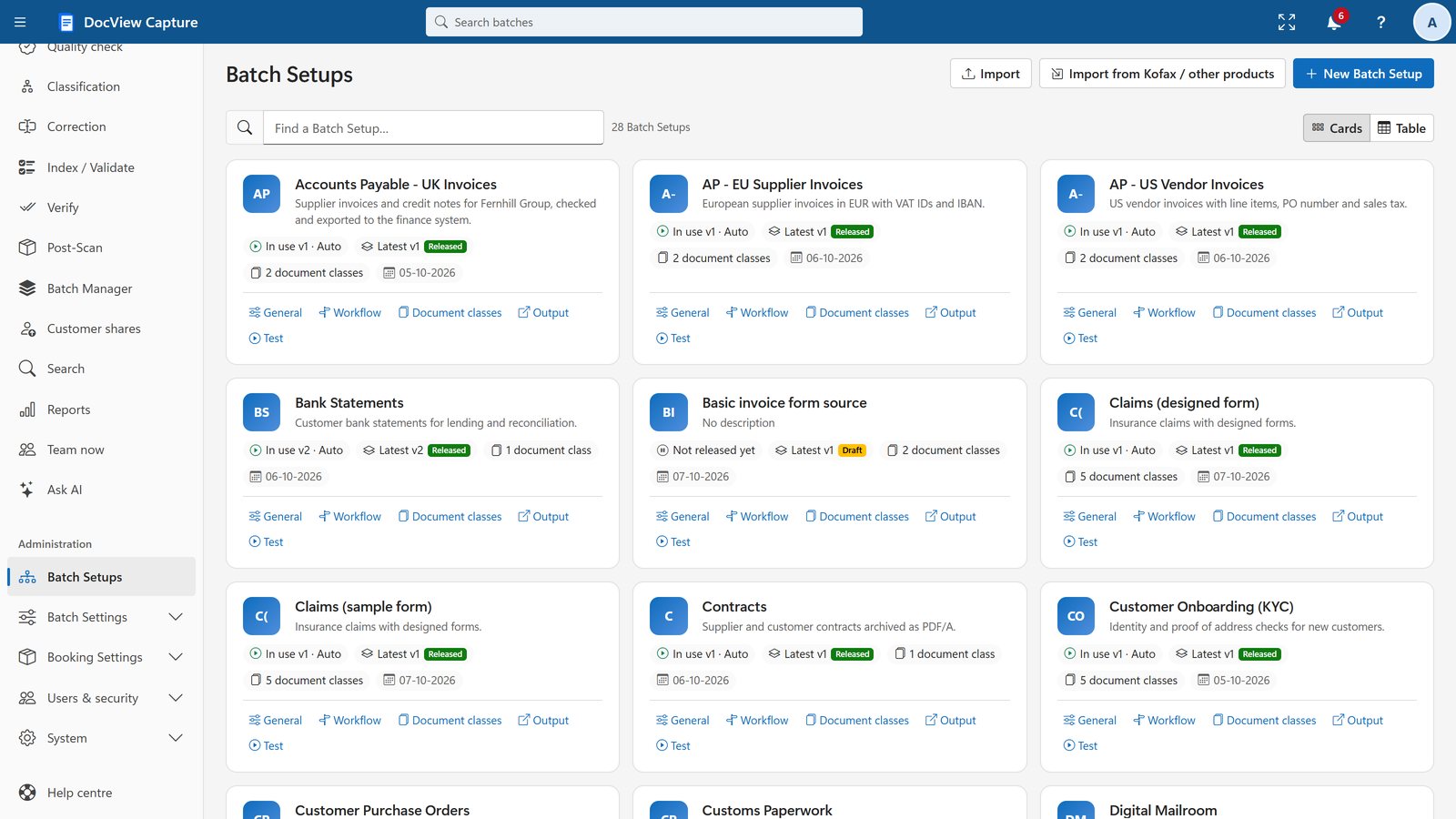
A new Batch Setup starts from a gallery of 72 templates. Ask AI answers questions from the help centre, and the Batch Setup assistant proposes setups for you to review, applied only to a draft.
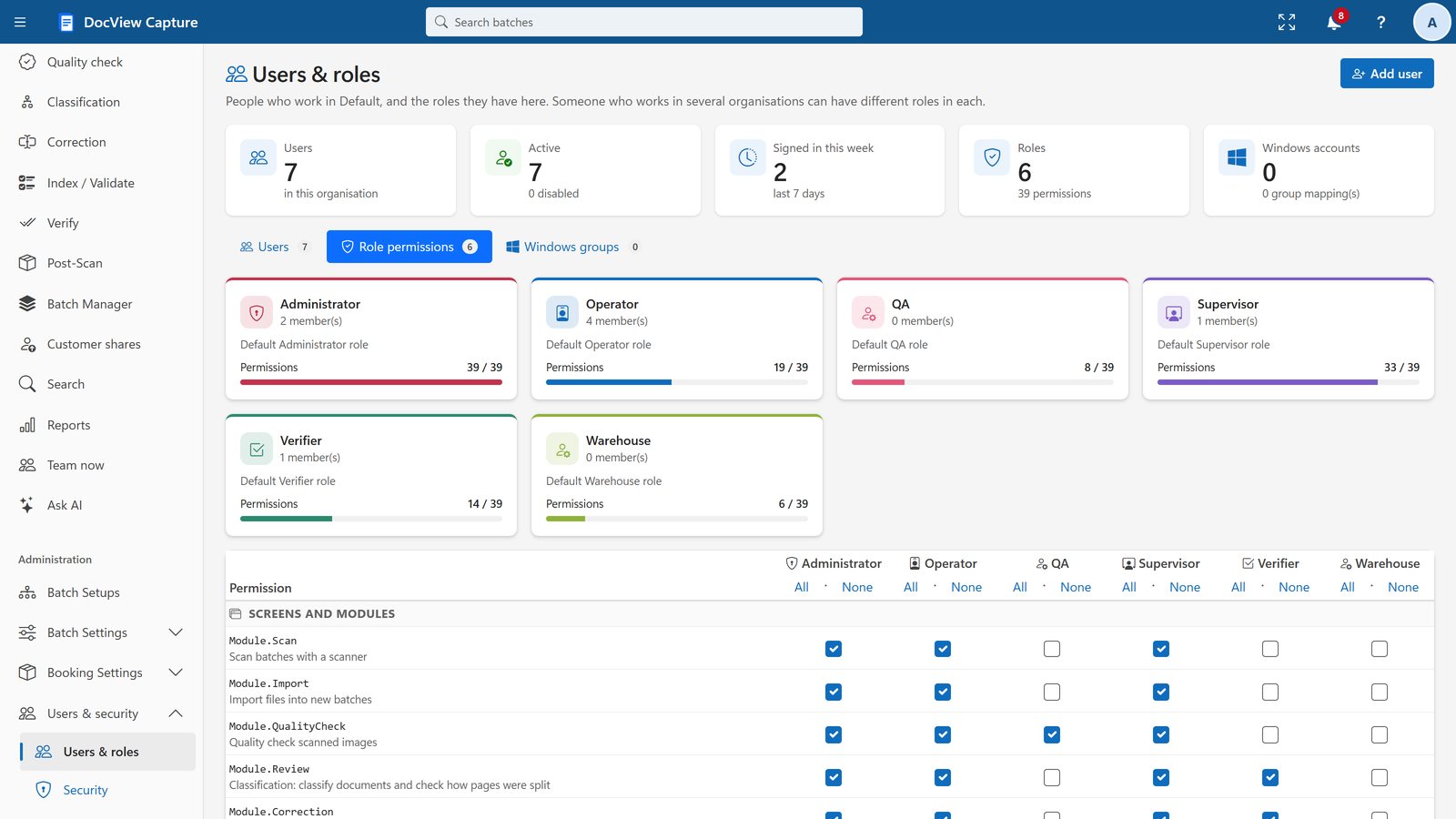
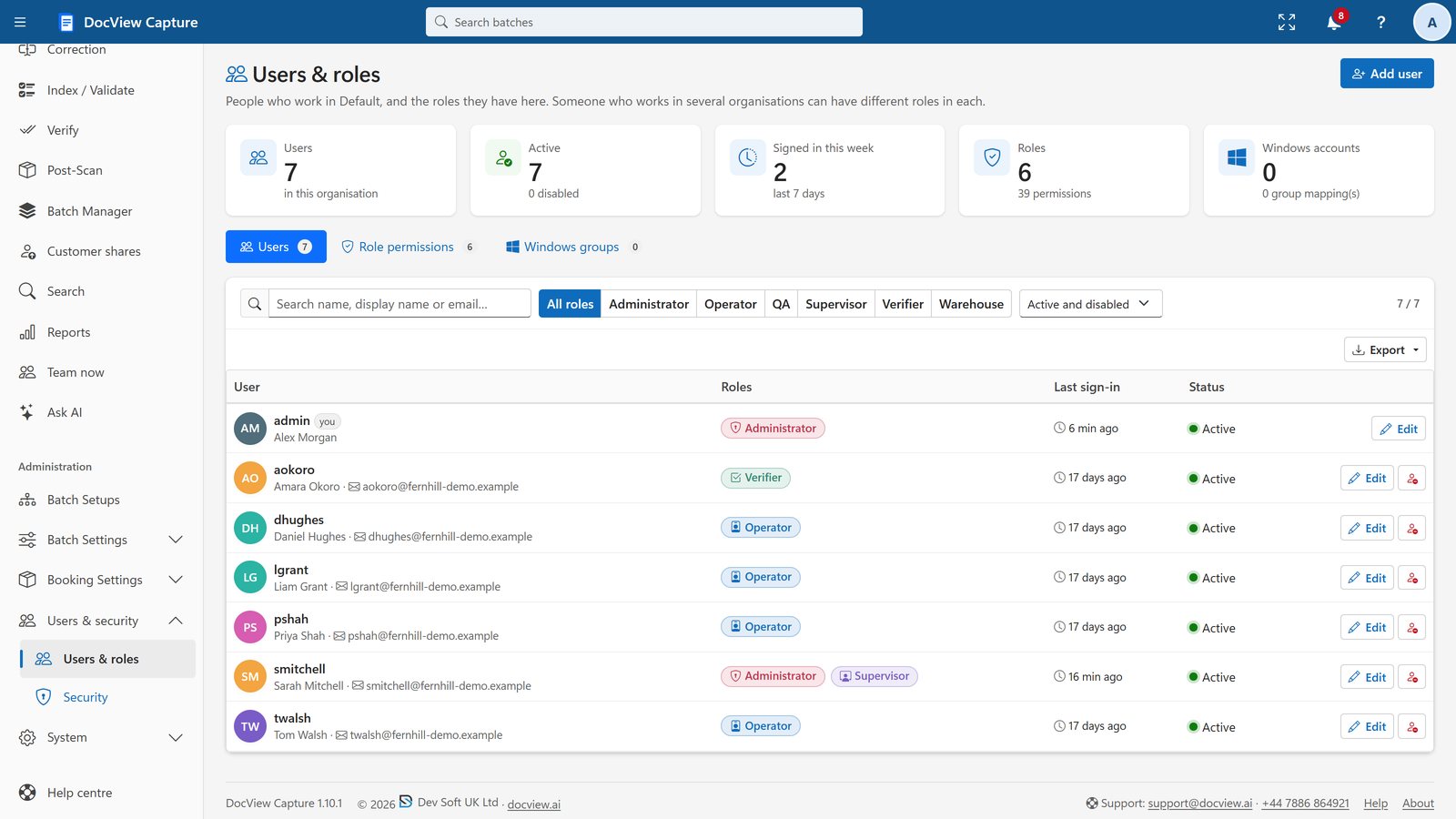
- Users and roles, with a permission grid
- Organisations and departments, each kept apart
- Workers and OmniRead servers that upgrade themselves
- A help centre with more than 90 pages, and "?" on every screen
See these features for yourself
Start a 14-day demo in your own workspace, with sample Batch Setups ready to run.