
Timesheet processingHours read, checked and approved before the payroll cut-off
Timesheet processing with DocView reads handwritten and printed timesheets from your workers and clients, works out whether the hours add up, gets the client's approval and sends the same hours to payroll and to billing. Dev Soft UK designs and builds this solution for you with DocView Capture, DocView Web and DocView OmniRead.
Every week, the same race against the pay run
Timesheets arrive as photos from a site, scans from a client's office, PDFs from a portal and paper in the post, all in the last day before the cut-off. Staff read a handwritten 7.5 that might be a 1.5, work out a break that was not written down, chase a missing client signature and type it all twice: once for pay, once for the invoice. A slip either way means a worker paid wrongly or a client billed wrongly.
One sheet, two sets of money
The hours on a timesheet drive what you pay the worker and what you charge the client. Both need the same checked figures.
From timesheet to pay run and invoice
Collect
Sheets come in from a branch scanner, a timesheets mailbox, an upload or your own portal.
Identify
Worker, client, placement and week ending are read or taken from a barcode on the sheet.
Read the hours
Start and finish times, breaks, daily hours and overtime or shift ticks, printed or handwritten.
Check
Days add up to the weekly total, the week is right, and the authorising signature is there.
Approve
The client or line manager confirms the hours, without needing an account.
Pay and bill
Checked hours go to payroll and to invoicing, with the scanned sheet kept as evidence.
Included in DocView
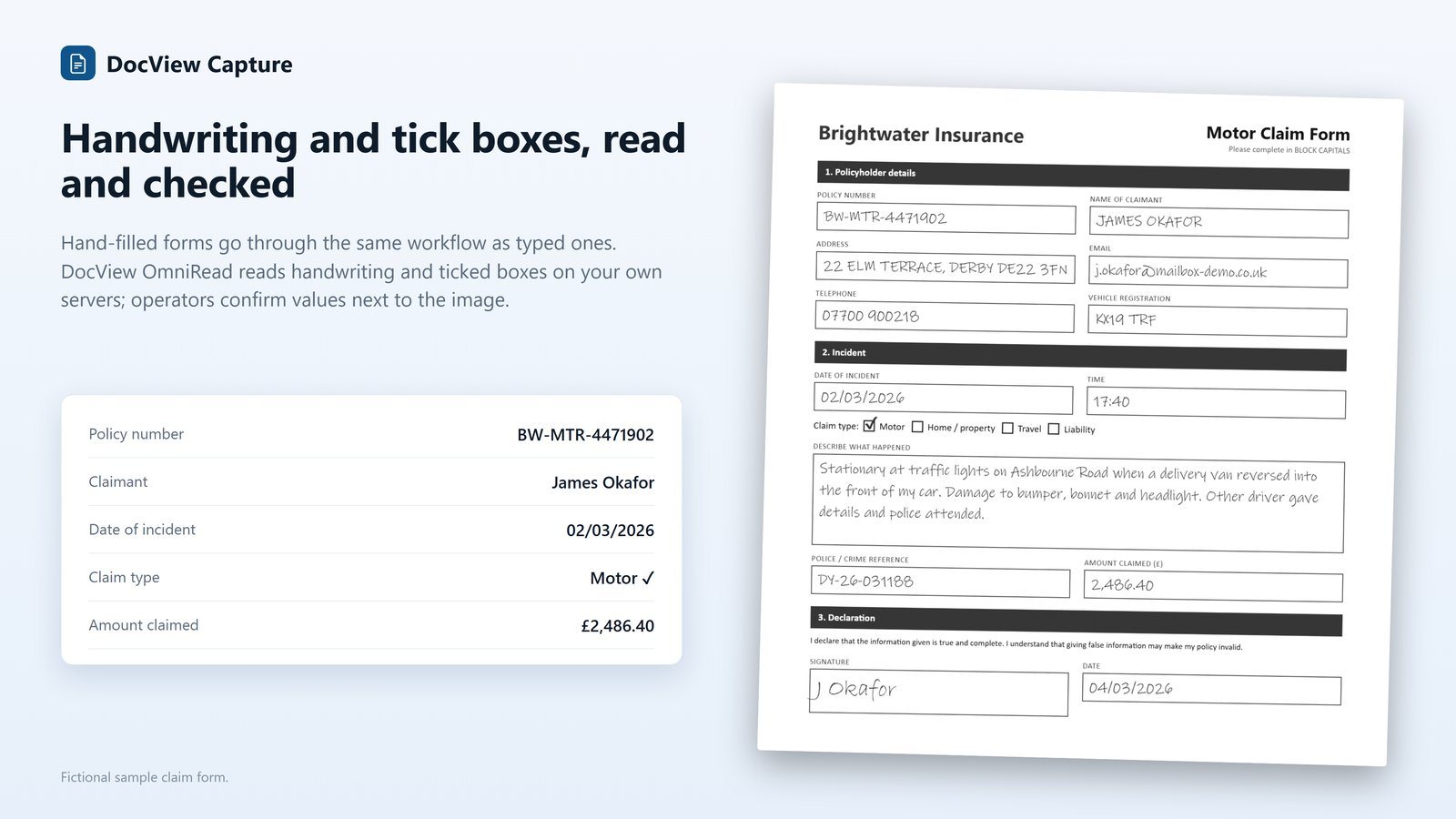
Reading timesheets uses the same documented form features as our paper form processing, with DocView OmniRead as the recognition engine. See how handwriting is read.
- Handwriting in zones and hand printing in comb boxes (ICR), read on ordinary processors on your own servers
- Tick-box groups (OMR) for shifts, overtime or days worked, with unclear marks sent to an operator
- Signature boxes detected as signed or not
- Barcodes on pre-printed sheets, and separation by barcode, patch code or page count
- Sum rules, comparisons between fields, required-if rules and calculated fields
- Fuzzy lookup against your worker and placement lists, for checking and auto-fill
- Correction of uncertain values one field at a time, with a clip of the page
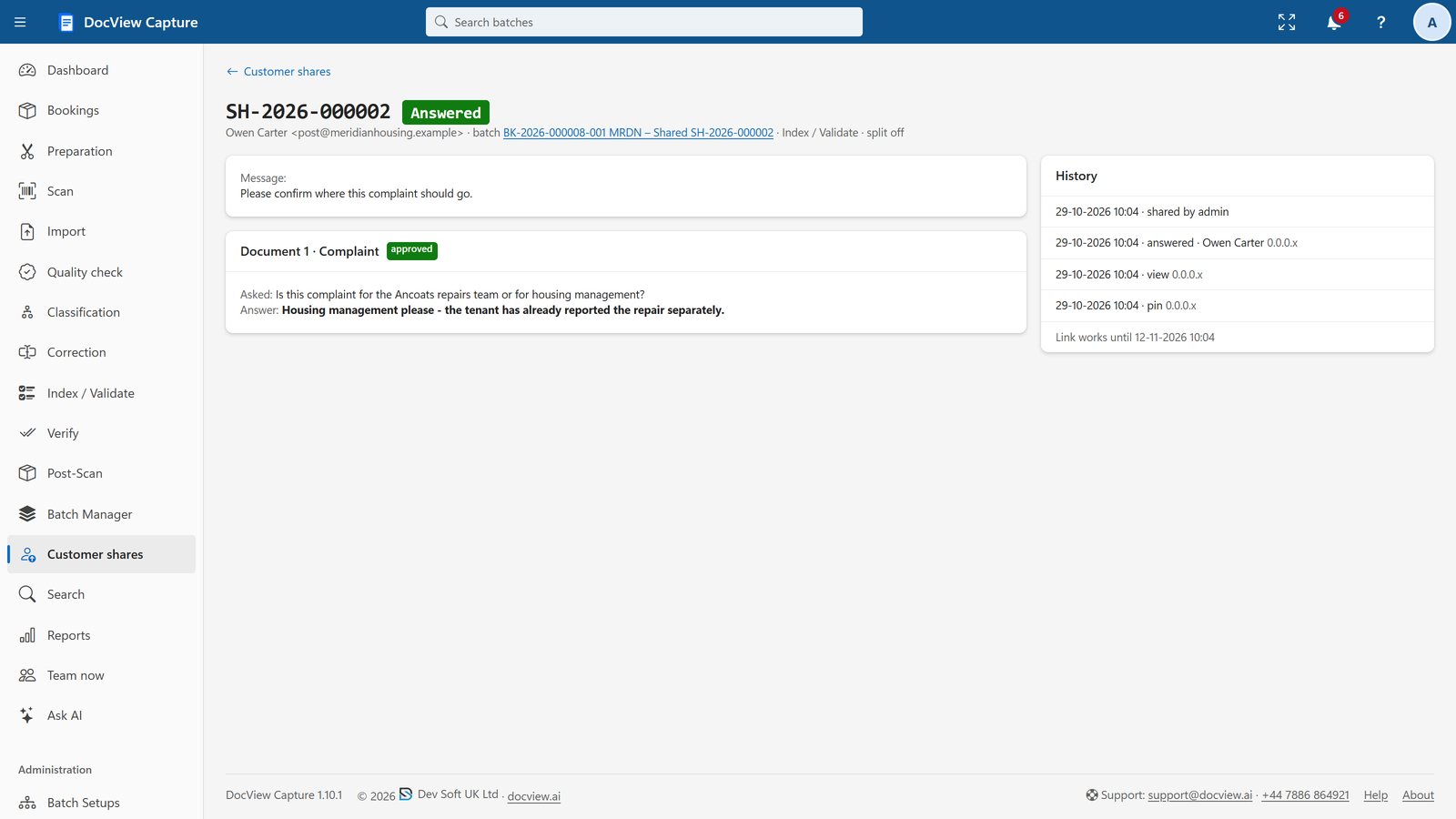
Client approval by secure link
An operator can share a timesheet with the client contact through a secure link and a PIN. On a mobile-friendly page they can approve or reject it, answer a question or fill in a field, with no account. The rest of the batch carries on, reminders and escalation are built in, and the answer comes back for checking.
Every share, answer and field change is recorded with the user and time.
What we configure or build for you
Agencies, contractors and payroll teams each have their own sheets and rules. We set them up and connect the result.
Your timesheet layouts
We set up your own sheets and the clients' sheets you receive, and can add a barcode with the placement and week to sheets you print.
Hours rules
We configure daily hours from start, finish and break, the weekly total against the written total, and flags for days or hours beyond what the placement allows.
Approval routes
We set who approves for each client or site, by secure link or in a DocView Web workflow, and hold unapproved sheets from export.
Missing timesheets
We build a report of active placements with no sheet for the week, so branches chase them before the cut-off.
Payroll and billing exports
We shape one export for payroll and one for invoicing from the same hours, in the format each system imports.
Your systems
We can connect DocView to systems such as your recruitment, payroll or accounts software, through SQL, REST or files they import.
Anyone who pays people from a timesheet
For contracts, right-to-work and other staff documents, see HR document capture.
Timesheet processing questions
Is this an off-the-shelf product?
No. It is DocView configured for your timesheets and, where needed, extended by Dev Soft UK. Handwriting, tick-box and signature reading, checking and secure sharing are part of DocView; your layouts, hours rules, approval routes and exports are set up for you as a project.
Can it read handwritten hours?
Yes. Handwriting in zones and hand printing in boxes are read, and every value carries a confidence. Unclear figures go to an operator with the clip of the page, and sum rules catch hours that do not add up.
Can clients approve timesheets without logging in?
Yes. A timesheet can be shared through a secure link and a PIN, and the client can approve or reject it on a mobile-friendly page. The answer is recorded and returns the sheet for checking.
We receive our clients' own timesheet formats. Is that a problem?
No. Each layout is set up on samples, and anchor words line up the zones on pages that are shifted or turned. Where a client's sheets change, the layout can be updated in a draft and released.
What does it cost?
The DocView Capture software licence starts at $250 a month. Hosting by Dev Soft UK, if you want it, and the work to set up your timesheets and exports are quoted on your requirements and volumes.
Send us a week of sample timesheets
Use fictional or anonymised sheets and we will show you the hours read and checked, or start a free 14-day demo with no installation.